EducationSoftwareStrategy.com
StrategyCommunity

Knowledge Base

Product

Community

Knowledge Base

TopicsBrowse ArticlesDeveloper Zone

Product

Download SoftwareProduct DocumentationSecurity Hub

Education

Tutorial VideosSolution GalleryEducation courses

Community

GuidelinesGrandmastersEvents
x_social-icon_white.svglinkedin_social-icon_white.svg
Strategy logoCommunity

© Strategy Inc. All Rights Reserved.

LegalTerms of UsePrivacy Policy
  1. Home
  2. Topics

KB440300: Grid in Report Services Document leaves excess white space below grid with headers locked in MicroStrategy Web 10.4 and above


Community Admin

• Strategy


This article describes the expand icon not expanding when switched to maximize on grid in Report Services Document in Presentation Mode.

SYMPTOM:
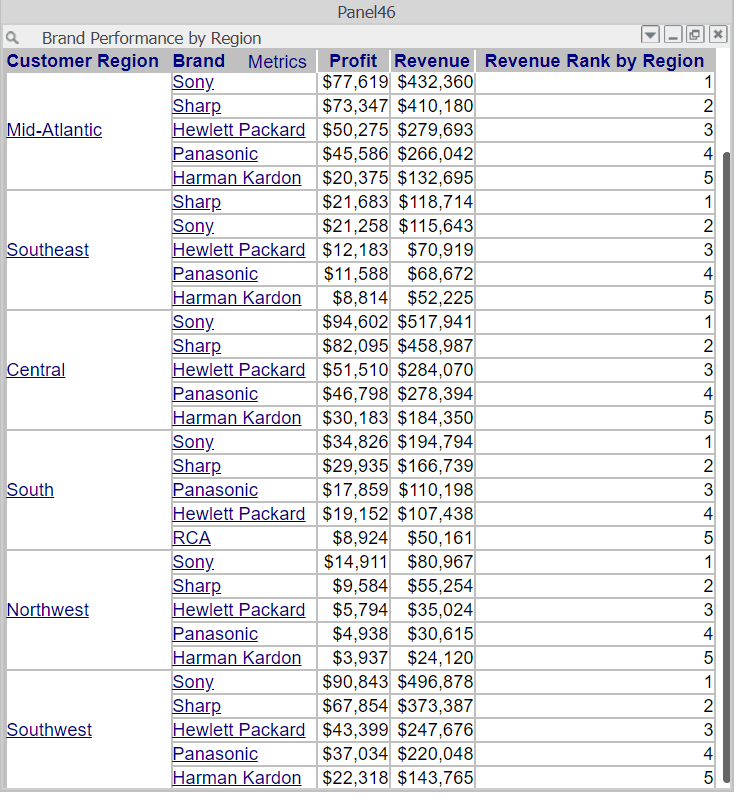
In a Strategy Web 10.4. Report Services Document, a grid with a fixed size, when switched to maximize, does not auto resize to fill a document panel in Presentation mode. When switched to Editable Mode, the expand icon maximizes a grid correctly.
In Presentation Mode:
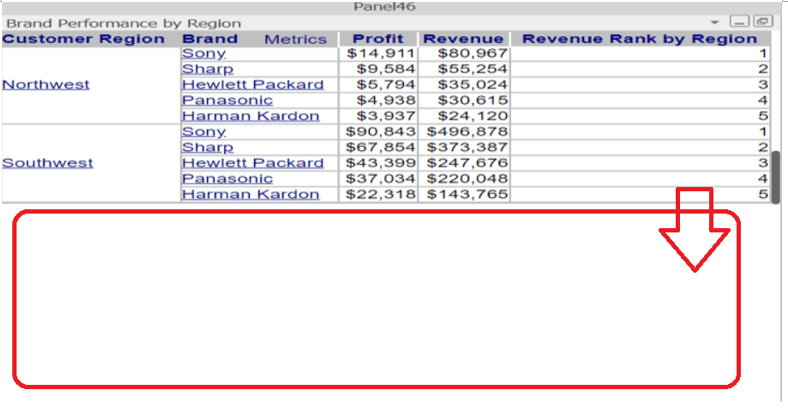
ka04W000000OaycQAC_0EM44000000A5Uy.png

In Editable Mode:

ka04W000000OaycQAC_0EM44000000A5V3.png

STEPS TO REPRODUCE:
Follow these steps in Strategy Web 10.4 and above.
1. In a new Report Services Document, insert a Grid in Design Mode.
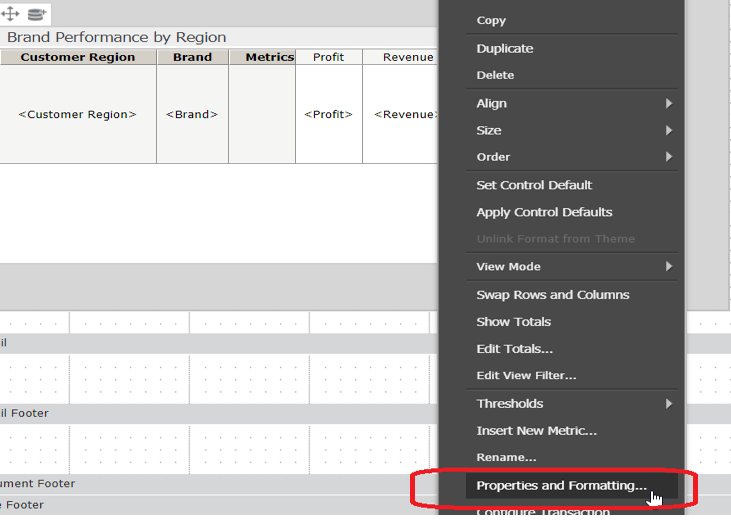
2. Right mouse click the grid and click on Properties and Formatting.
ka04W000000OaycQAC_0EM44000000A5QI.png

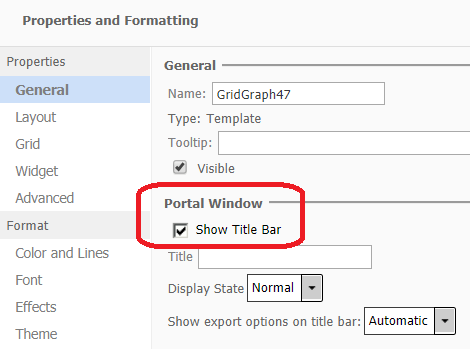
3. Go to General Tab > Check 'Show Title Bar'.
ka04W000000OaycQAC_0EM44000000A5QN.png

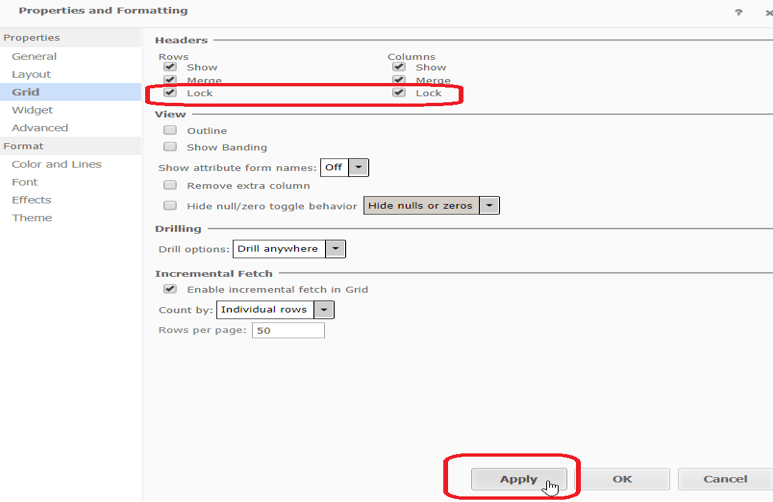
4. Go to Grid Tab > Check 'Lock' under 'Headers'.
ka04W000000OaycQAC_0EM44000000A5QS.png

5. Click ‘Apply’ and Save Document.
6. Execute saved Document in Presentation mode.
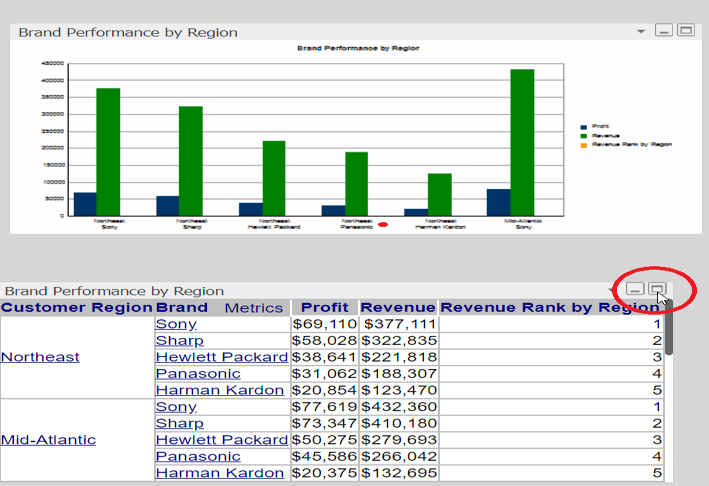
7. Click the button to maximize the Grid.
ka04W000000OaycQAC_0EM44000000A5Qc.png

CAUSE:
This is a known issue with Strategy Web 10.4 and above.
ACTION:
This issue is addressed and fixed in a future Strategy release tentatively planned for release in late Q2 2018.
WORKAROUND:
Switching view to Editable Mode and then back to Presentation Mode displays the grid correctly maximized
Strategy Internal Article Number: KB440300
  KB440300


Comment

0 comments

Details

Knowledge Article

Published:

March 26, 2018

Last Updated:

November 13, 2018