EducationSoftwareStrategy.com
StrategyCommunity

Knowledge Base

Product

Community

Knowledge Base

TopicsBrowse ArticlesDeveloper Zone

Product

Download SoftwareProduct DocumentationSecurity Hub

Education

Tutorial VideosSolution GalleryEducation courses

Community

GuidelinesGrandmastersEvents
x_social-icon_white.svglinkedin_social-icon_white.svg
Strategy logoCommunity

© Strategy Inc. All Rights Reserved.

LegalTerms of UsePrivacy Policy
  1. Home
  2. Topics

KB440332: In MicroStrategy Web, users do not see the Shared List option when creating an email subscription.


Community Admin

• Strategy


This Knowledge Base article addresses an issue where users do not see the Shared List option when creating an email subscription in MicroStrategy Web.

SYMPTOM
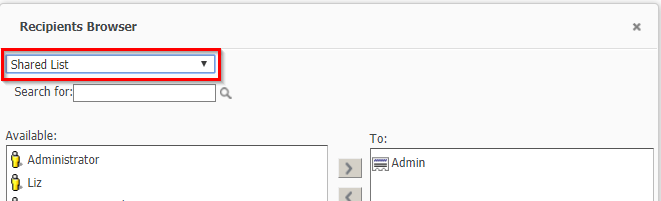
In Strategy Web, users do not see the Shared List option when creating an email subscription. Users only see their Personal List.
 
Expected:
ka04W000000OcLQQA0_0EM44000000A5ej.png

 
STEPS TO REPRODUCE

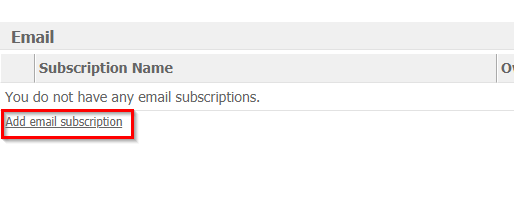
  • Create a new email subscription.
ka04W000000OcLQQA0_0EM44000000A5eo.png
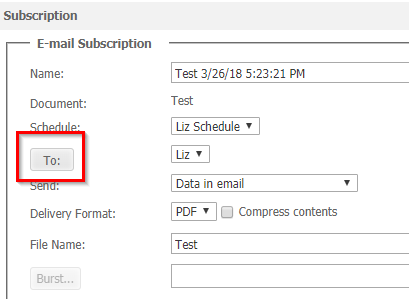
  • Click the “To” field to open recipient editor.
ka04W000000OcLQQA0_0EM44000000A5et.png


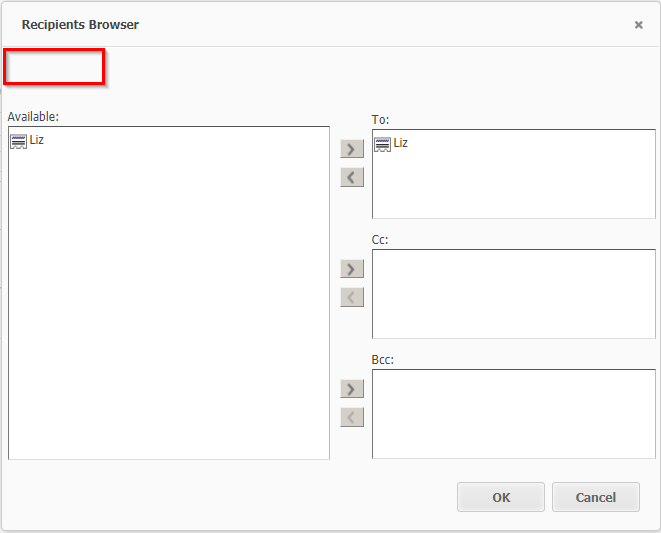
  • Only the user Personal List is available.
ka04W000000OcLQQA0_0EM44000000A5ey.png

 
CAUSE
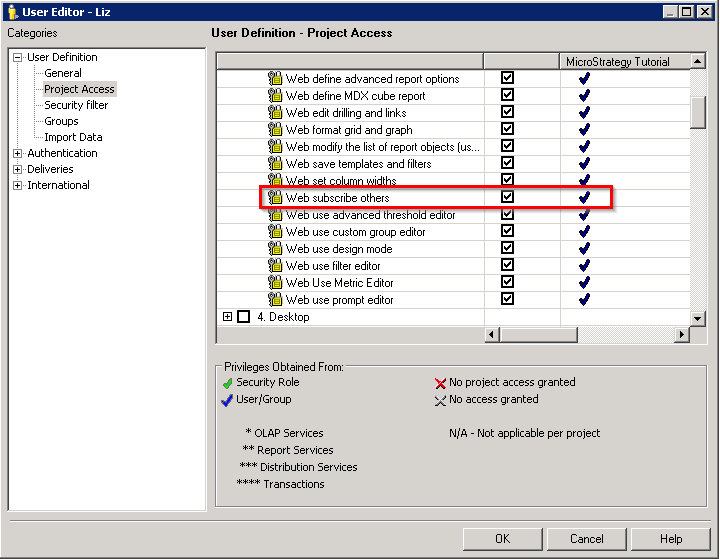
Users do not see the Shared List option because the proper privilege has not been granted to the user.
 
ACTION
Grant users the “Web subscribe others” privilege under Web Professional.
ka04W000000OcLQQA0_0EM44000000A5f3.png

    KB440332


Comment

0 comments

Details

Knowledge Article

Published:

March 26, 2018

Last Updated:

December 31, 2018