A dependency search returns objects that are contained or contained by the object being searched that are directly related (i.e. one degree of separation away from) the object being searched.
For example, if the year attribute is used in a filter, a report, and a prompt, a dependency search without the recursive option would return the filter, report, and prompt as dependents.
Now, say the year attribute is used as a level in a revenue metric, which is then used in a derived metric. A recursive dependency search would return the filter, report, prompt, revenue metric, and derived metric because they are recursively dependent (i.e. N degrees of separation away.)
A recursive dependency search can be performed by right clicking the object in question and navigating to dependency search.
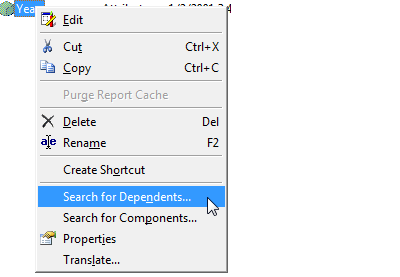
Then, navigate to either the contained or contained by tabs and select the recursive option:
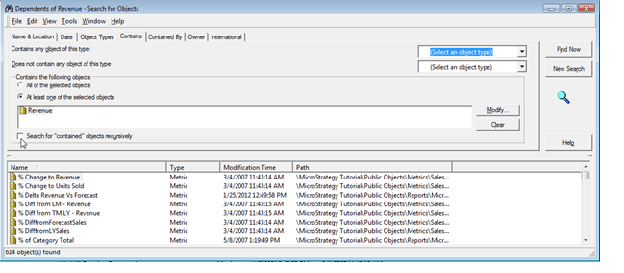
The Contains tab allows the user to search for:
The Contained By tab allows the user to search for:
