EducationSoftwareStrategy.com
StrategyCommunity

Knowledge Base

Product

Community

Knowledge Base

TopicsBrowse ArticlesDeveloper Zone

Product

Download SoftwareProduct DocumentationSecurity Hub

Education

Tutorial VideosSolution GalleryEducation courses

Community

GuidelinesGrandmastersEvents
x_social-icon_white.svglinkedin_social-icon_white.svg
Strategy logoCommunity

© Strategy Inc. All Rights Reserved.

LegalTerms of UsePrivacy Policy
  1. Home
  2. Topics

KB440383: ESRI map custom shapes do not display in a Dossier in MicroStrategy Library.


Community Admin

• Strategy


Starting with the release of Strategy ONE (March 2024), dossiers are also known as dashboards.

Description

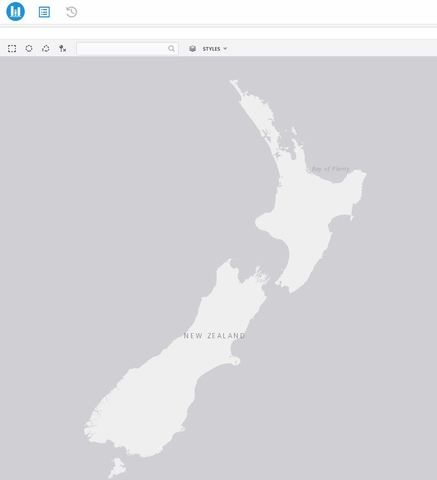
When using Strategy Library to view Dossiers instead of Strategy Web, some users may not see their custom shape files displaying when viewing ESRI map visualizations. The custom shape files continue to display as expected when viewing the dossiers in Strategy Web.
ka0PW0000001JURYA2_0EM44000000A66n.jpeg


Why is this happening?

In order for custom shape files to appear in Strategy Web, it is necessary to modify the geo shape configuration file in the Strategy Web application (Rendering Custom Shapes). This file is added into the following location in the Strategy Web deployment: 


<Strategy Web Application>\plugins\ConnectorForMap\WEB-INF\xml\config

As Strategy Library is a separate application from Strategy Web, it likewise needs access to the geo shape configuration file in order to be able to display custom map shapes. Therefore, it is likely that the plugins folder in Strategy Library does not contain this file. 
 

Solution

In order to be able to view custom shapes in Strategy Library, make sure to add the mstrGeoShapesConfig.xml file into the following path in Library and restart your Web Server:


<Strategy Library Application>\plugins\ConnectorForMap\WEB-INF\xml\config

  KB440383


Comment

0 comments

Details

Knowledge Article

Published:

March 27, 2018

Last Updated:

March 21, 2024