EducationSoftwareStrategy.com
StrategyCommunity

Knowledge Base

Product

Community

Knowledge Base

TopicsBrowse ArticlesDeveloper Zone

Product

Download SoftwareProduct DocumentationSecurity Hub

Education

Tutorial VideosSolution GalleryEducation courses

Community

GuidelinesGrandmastersEvents
x_social-icon_white.svglinkedin_social-icon_white.svg
Strategy logoCommunity

© Strategy Inc. All Rights Reserved.

LegalTerms of UsePrivacy Policy
  1. Home
  2. Topics

KB440413: After reviewing the details of a History List message with an "Error" status and clicking OK, a blank page appears in MicroStrategy Web


Community Admin

• Strategy


This issue has been classified as a defect by MicroStrategy. The impact is limited to MicroStrategy Web where after closing the popup windows with the details about an error of a history list message created from Visual Insight, a black page is returned instead of History list page.

Symptom

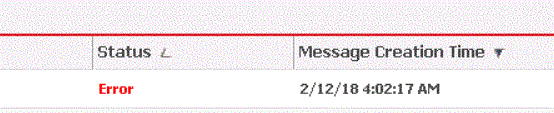
Checking history list messages, a user notices ERROR status and clicks on it to get more details. After closing the pop up error message window, the user is not able to get back to history list page, a blank page appears instead.
 

Steps to reproduce

  1. In Strategy Web, using the Strategy Tutorial project, create a subscription to History List for a Visual Insight dashboard.
  2. Go to History List message and check that the status is “Ready”
  3. Break the DSN connection. History list message now shows the status “Error”


ka04W000000OcpfQAC_0EM44000000A6K6.gif
  1. Click on the error, a pop up message will appear with error details. Click on “Ok”, blank page returned.

 Cause

This has been identified as a defect in Strategy Web by the Strategy team.
 

Action

Currently this issue is not scoped for any upcoming scheduled Strategy release. Contact to Strategy Technical Support for update.


Comment

0 comments

Details

Knowledge Article

Published:

March 28, 2018

Last Updated:

December 31, 2018