Troubleshooting
VI "Unset All Filters" does not reset the number of elements correctly
Within Visual Insight, some of our users have been experiencing the inability to use the "Unset All Filters" properly. When using Visual Insights, users will use multiple filters or filter selectors to target the ones below by setting the filter panel context menu to "Target All Filters Below". After this, they may select "Unset All Filters"; however, this option will not bring all the elements back.
Steps to reproduce
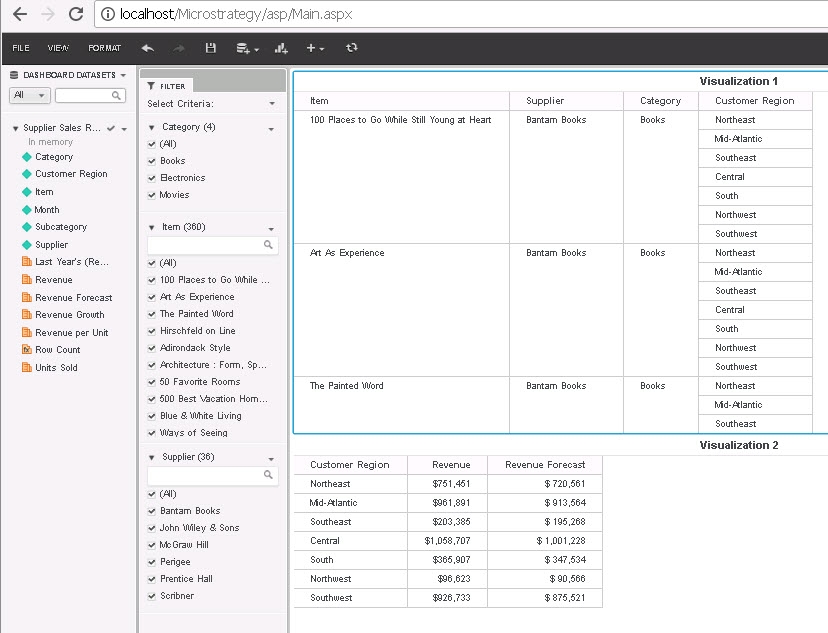
Category = Electronics and Movies. Showing (2 of 4)
Item = Select the 1st and 4th elements. Showing (2 of 180)
Supplier = Select ATF Electronics. Showing (1 of 2)

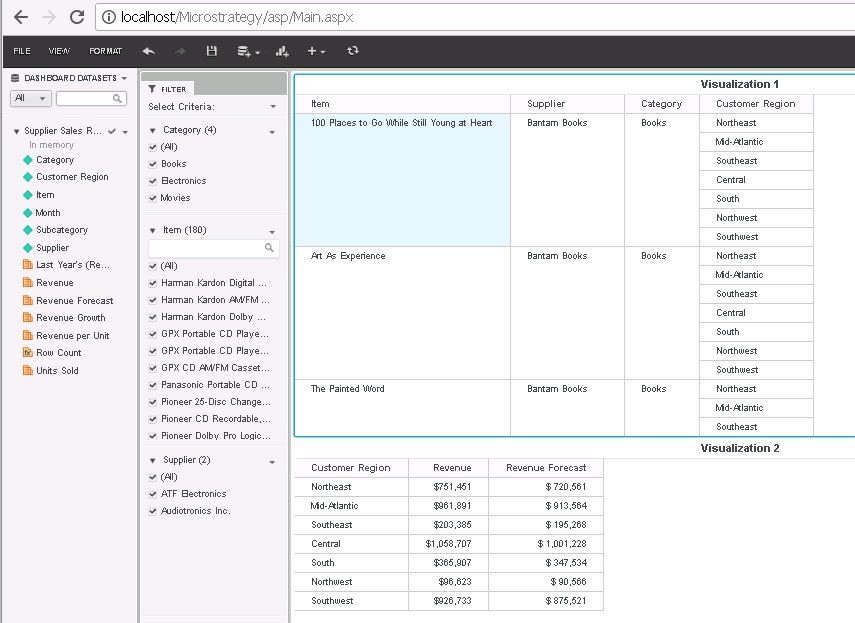
Category (4), Item (180), Supplier (2)
It should match the number of elements as shown in 1.
Status
ACKNOWLEDGED IN-PROGRESS SOLVED (Version: 11.0)
Next Steps
To resolve this issue, please upgrade to Strategy 11.0 or newer.
For a temporary workaround: within the process above, click the Refresh button to get all the elements back.

Have other questions? Feel free to start a discussion or reach out to your Support liaison to open a case!
Want to upgrade to Strategy 2019? Visit the Strategy website!
