EducationSoftwareStrategy.com
StrategyCommunity

Knowledge Base

Product

Community

Knowledge Base

TopicsBrowse ArticlesDeveloper Zone

Product

Download SoftwareProduct DocumentationSecurity Hub

Education

Tutorial VideosSolution GalleryEducation courses

Community

GuidelinesGrandmastersEvents
x_social-icon_white.svglinkedin_social-icon_white.svg
Strategy logoCommunity

© Strategy Inc. All Rights Reserved.

LegalTerms of UsePrivacy Policy
  1. Home
  2. Topics

KB440585:Fine tuning Mobile apps for optimal performance - key areas to consider


Ajitpal Raina

Quality Architect, Senior - Director • MicroStrategy


Just a few pointers and relevant areas to look at for improving performance for your mobile apps.

KB440585
Just summarizing the slides I presented at World, touching on ideas and areas of optimization for lightning fast performance of your mobile apps.
Every step along the way matters.
First up, make sure you consider every layer of the workflow while optimizing for performance. Each and every layer matters, and one can encounter different bottlenecks at each.

ka044000000kOTpAAM_0EM44000000A7P2.png

To begin with, here is a quick representation of the workflow of the typical Strategy Mobile App - You have your Intelligence Server connecting to your Data Sources, your Mobile server connected to your IServer, and acting as a medium for transferring data to the client over the wireless network, and finally the network over which the data is transferred over to the device in the end.
In order to get great performance with your App, it is important to pay attention to each and every layer of this workflow. Performance is a product of multiple factors: the server, mobile device, network, and programming of the app itself.
The Mobile App itself, or the device that it resides on, is indeed one of the most critical factor in performance, and so we will focus on it the most during this presentation.
But it’s always good to remember – while most people complain about performance under the assumption that the Mobile App itself is at fault. This may not necessarily be true all the time.
Mobile First Design.

ka044000000kOTpAAM_0EM44000000A7P7.png
  • Design a truly mobile dashboard. So what does that mean exactly? In simple terms, do not try to dump the dashboards you create for your desktop or web interface onto Mobile, and expect them to work seamlessly. There is a whole set of workflows and paradigms Mobile Apps and dashboards need to follow, and you are expected to follow the same with your Strategy dashboards
  • The principles are similar to those with other Apps. Mobile means limited real estate, so the focus has to be on clean, clear and concise representation of your data. Besides, the data itself, should be limited to your your top KPIs and metrics, with an ability to drill into more details later, if needed.
  • Each visualization has it’s own overhead in rendering, and each data point within it has it’s own overhead as well. Regardless of how much we optimize it from our code’s perspective, sooner or later you will hit the limitations of the device or it’s OS.
  • Besides, crowded dashboards make it all the more difficult to focus one’s attention and find the data they are looking for, thus further adding to the “perceived performance” issues an end user faces. Imagine mobile phones in particular, and now you can visualize how much worse it can get for you there in terms of screen space limitations.
  • Pay attention to this facet during design stage itself, choose your audience per dashboard and design it accordingly - do not try to create one dashboard to serve everyone, it almost always never works out.
  • Furthermore, if you spread your visualizations over multiple layouts, you can benefit from the various incremental loading and rendering capabilities of our product as well, thus improving the overall performance.
  • You can always get to the right visualization or slice of data you need by simple native gestures like swiping or drilling one layer deeper - the data you need, once downloaded, is never far away.
  •  Feel free to read up about good dashboard design principles and best practices to get more ideas about this topic.

Linked Dashboards

ka044000000kOTpAAM_0EM44000000A7PC.png
  • So now you have a handle on how to create a good, well performing dashboard for a given set of audience. But what if my App serves multiple groups of audiences with different sets of data and visualizations for each?
  • In that case, we recommend building separate dashboards for each and linking them together via linked drilling features.
  • Start with a simple and light landing page, with a clean look and easy access to links for various dashboards placed appropriately. Not only does this start the user off with a sense of good performance, it also makes it easier for them to choose which way to go to reach the right set of data they are looking for.
  • Linking dashboards comes very handy when handling a bunch of related or disparate dashboards and lends an overall workflow to the App.
  • From a performance perspective, not only does it help split and divide the data into multiple sets, thereby improving performance, one can also cache the linked dashboard ahead of time, to further chip at the execution times, thereby generating much faster overall times than simply putting everything in one place.

Data matters

ka044000000kOTpAAM_0EM44000000A7PH.png

So you have your dashboard designed well, and split into multiple linked dashboards. Now how do you ensure that each linked dashboard in itself performs well enough?

  • Part of it is simple physics - the lesser the data to be transferred over the network and rendered on the device, the faster it is going to load and render eventually.
  • The other part, once again, is the general mobile dashboard best practice - bring in only the appropriate amount of data onto your mobile device, no more, no less.
  • There is lot that can be done to alter the data loaded during runtime using various combinations of selectors, prompts and other UI elements. Do explore the capabilities of each of these in detail before designing your dashboards e.g. Filter vs slicing selectors.
  • From a server perspective, faster execution of queries depends on a lot of factors, but to keep it simple, typically, cube based executions are faster than warehouse based executions and cache based executions, as covered in the next slide, are faster than cube based executions.
  • Images are another critical element that add to the overall size and rendering complexity of the dashboard. Use the appropriate format, resolution, size and number of images, no more, no less. Also make sure that the size of the image is right because it’s a waste of bandwidth to rely on the browser to scale a high-resolution image into a smaller width and height. So, you want to make sure images are adequately sized and ready to go off the bat!

Caching is key
All of you must be familiar with the concept of caching in general, and it’s implication on overall performance. These concepts are similar to what you encounter for any other App or website. For mobile devices though, the additional layer of caching on the device, is a god send, as far as app performance and availability are concerned.
Imagine if you can cut all the other layers from the picture by putting all your required documents and dashboards on your device. From here on, unless your data changes, you will never have to interact with the network or the servers or the data sources for anything, since the binaries will be on the device for good. Imagine the amount of variability that you can cut down at each of these levels, and how they will add up in the end. Imagine the amount of round trips and data transfers you can save for subsequent executions and manipulations. Imagine that from here on, regardless of which layer fails, you can still access your data anywhere and at any time, even if you are offline!
Of course, not every App lends itself to this model all the time. Also, data needs to be refreshed regularly to keep it current and up to date. But in a majority of cases where our customers leverage device caches, they tend to get the fastest performance and the best reliability metrics in this fashion, as compared to any other arrangement
Caching exists at various levels
ka044000000kOTpAAM_0EM44000000A7PM.png

Having grasped the concept and benefits of device caching, let me quickly cover some simple things that people miss, or act as impediments in their caching strategies.

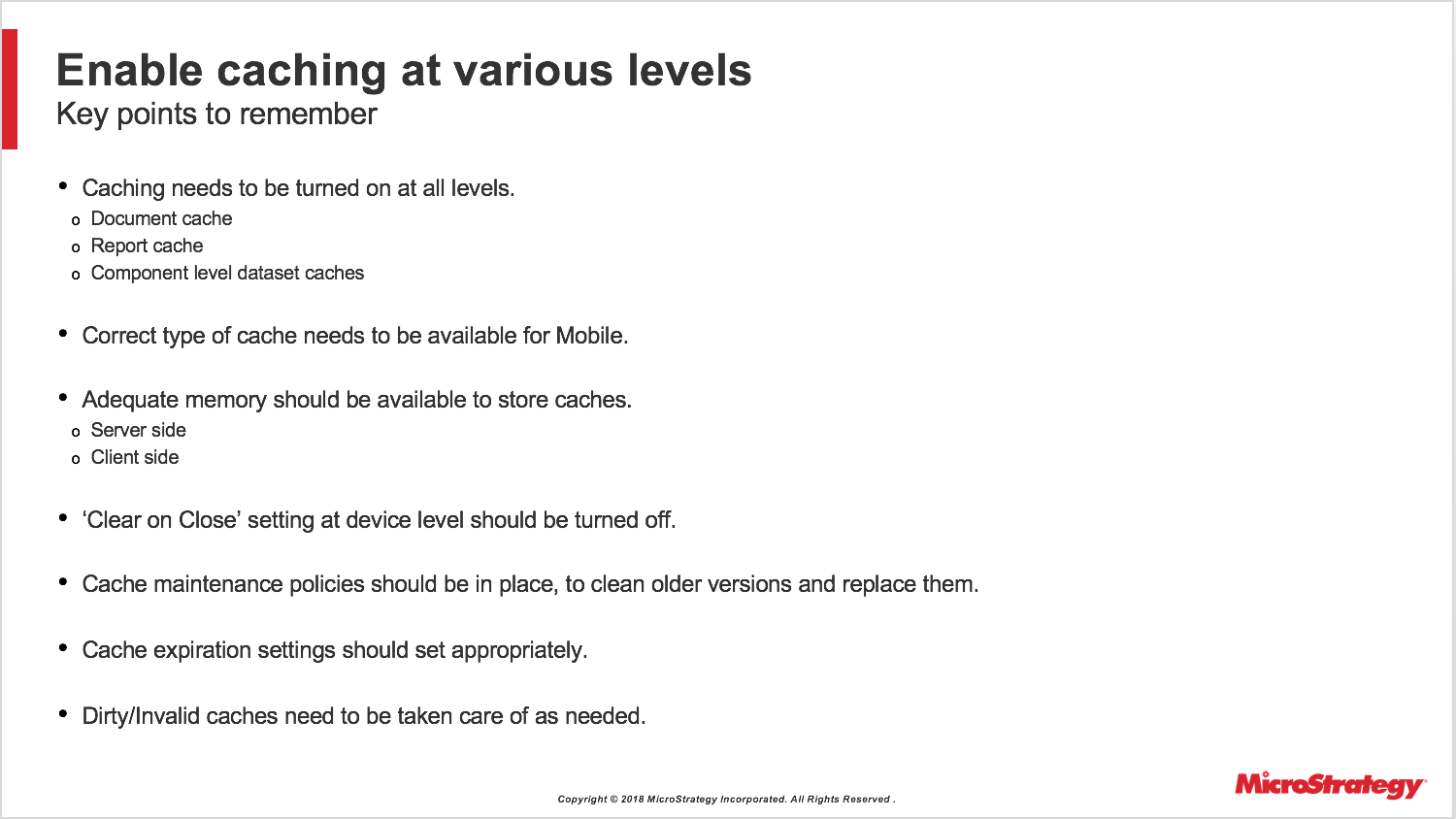
  • Caching needs to be turned on at all levels. The device caches originate as document caches on the server, which themselves depend on component level dataset caches  and so on. Any break in the workflow or availability of caches at any level here, can prohibit you form utilizing device caches in general. Always make sure caching is enabled at the right levels at the project or document level, as per your needs.
  • Mobile binary caches (displayed as flash caches on the cache monitor) are different from web or HMTL or XML caches altogether and they are not interchangeable. Do make sure that the right kind of caches are generated for use on Mobile.
  • These caches, be it document caches on server, or mobile caches on device, need to be stored in memory or file systems. Do make sure you always allocate enough space on server and client side, to avoid dropping or overwriting of caches in case they are larger in size and/or too many in number.
  • This is fairly obvious point, though missed by many - please make sure the ‘Clear on close’ setting is turned off, unless there is a specific need to keep it on.
  • Make sure you have adequate cache maintenance policies in place, to regularly clean up old caches and replace them with fresh updated ones. Every time a device logs on to the network, it checks against the server version of caches. If they have been updated for some reason, the device drops the cache it has currently and picks these fresh caches for future use, to ensure data fidelity.
  • Cache expiration settings should be set appropriately, to avoid unintentional expiration and discarding of server side caches.
  • Dirty/invalid caches need to be cleaned and replaced, to make sure device can always leverage server side caches at all times, as needed.

Preload Caches wherever possible

ka044000000kOTpAAM_0EM44000000A7PW.png

 
Subscriptions
With this method, you create some admin tasks and schedules, be it time based or event based, to generate a bunch of caches on the server automatically, almost like a script. This could cover all the documents you need to ultimately cache on your device. 
You set them up and have them ready on the server, you prime the device to pick them up, and as soon as the device and app comes online - the server can push this as a batch of binaries over the network. Depending on the size and number of these binaries, and the overall bandwidth of your network, these caches would be ready to use by the time you reach the target documents on your device.
All the advantages of device caches i mentioned in the earlier slide carry over - performance, reliability, availability, offline usage etc. Except, now you have achieved this ahead of time, in an automated way, making the overall process far more efficient and productive for the end user.
Precaching
Imagine the batch downloading workflow of subscriptions, and consider it more from a client perspective, rather than a scheduled job or admin task on the server.
If we configure the client to look for a set of documents and devices as soon as it comes online, and it has a way to communicate this list to the server, in run time, as if a user was doing it manually. Now imagine, the same process being done for a whole batch of documents with no additional action from the user, everything done in the background, requests sent from client to server, server generating live caches, and sending them over to the device … in a batch. A process, so to speak, that simulates multiple real time requests form a user, like a script generated from the client side. That's what precaching does.
This is another way of loading caches in bulk, with some similarities and differences with subscriptions. Feel free to read more about these if you are interested.
Mobile hardware matters
ka044000000kOTpAAM_0EM44000000A7Pl.png

 
I would be remiss if I do not cover at least a couple of “non-mstr” factors that play a key role in mobile performance, starting with device hardware.

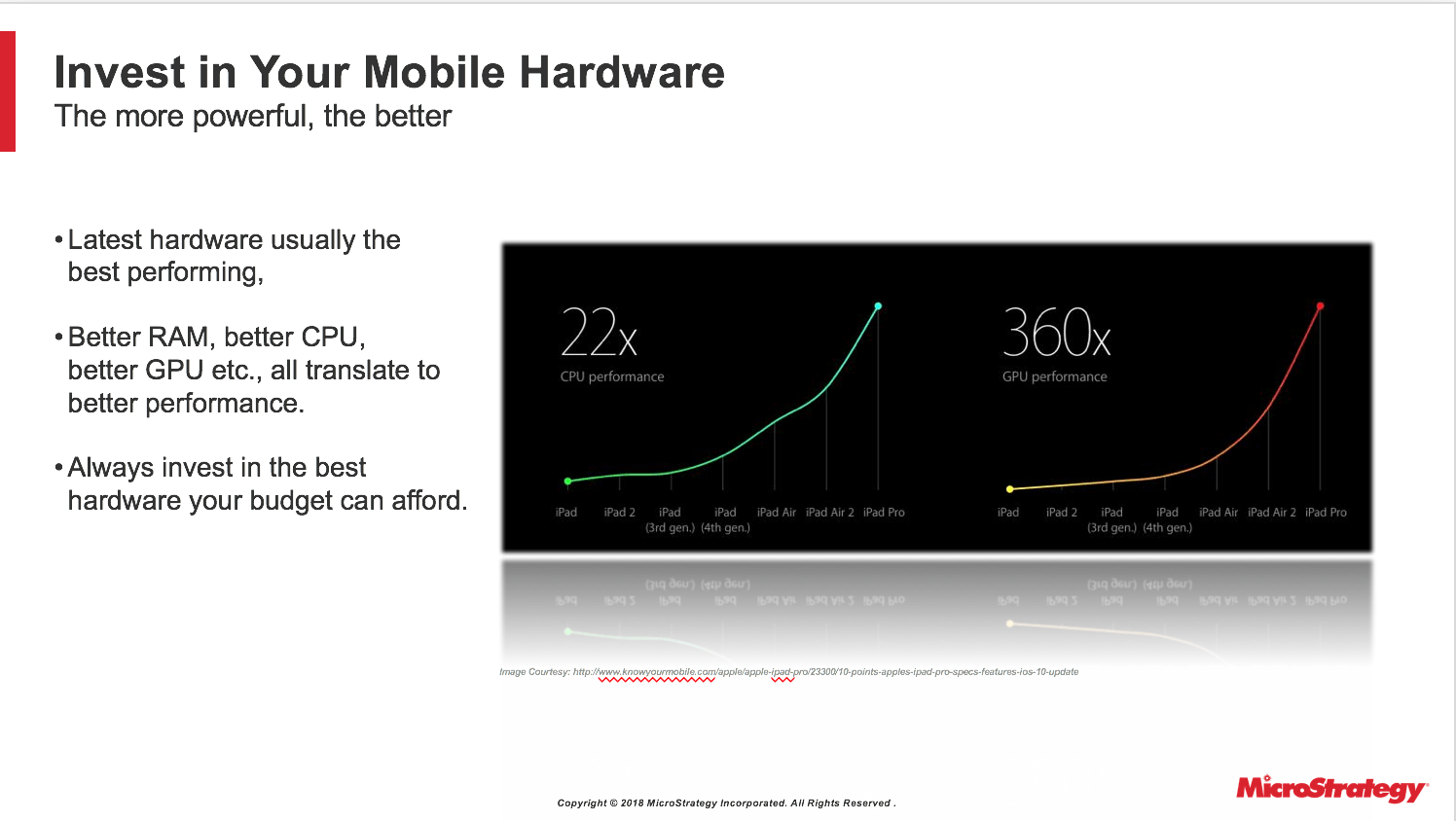
  • As you may have noticed, every time apple or any other hardware manufacturer releases a newer version of a device, they tend to claim at least ~20-30% improvement in overall performance on average, going up to multiple magnitudes for some cases. You may also have noticed your own mobile devices slowing down with prolonged usage of 1-2 yrs. This plagues enterprise devices more, owing to constant usage by multiple users handling tons of data and visualizations consistently.
  • Please invest and upgrade to the best hardware you can afford from time to time. Not only does a new device have better CPU, GPU, Memory characteristics etc, they also typically come with better network hardware and better operating systems capable of squeezing every last drop of performance from the advanced hardware these devices have.
  • If you ever get a chance, try to execute a dashboard on an older iPad, say iPad 2 or 3, and then execute the same on an iPad air2 or an iPad pro and you will no what I am talking about! Without changing anything else, just a change of hardware itself will give you noticeable improvement in performance. We at Strategy always try to incorporate best practices in our code to efficiently utilize newer OS and hardware features, which will also benefit you if you choose to remain up to date on our releases and the latest devices.

This is one investment that will surely not go to waste!
Mobile network speeds matter

ka044000000kOTpAAM_0EM44000000A7Pq.png


  • Another “non-mstr” factor and often times the key culprit in any performance issue is the wireless network. Any network thats slow, patchy, inconsistent etc will act as a sizable bottleneck as far as transmission of data is concerned.
  • Always prefer wifi over cellular networks, and LTE over 4G/3G networks. There is no point going beneath a 4G/3G network in today’s world. For such cases appropriate caching strategies should be devised.
  • You will be surprised as to how following all the tips up to here gives you great performance on, say, a wifi network, but it all goes to waste the moment your sales associate or traveling salesman tries to access it over a bad cellular network. Don’t let it come to it. Use technology to your advantage. Use tools like SpeedTest or websites like root metrics to try and estimate the kind of networks you can expect at a given location and time, while designing your dashboard or devising caching strategies.
  • On a related note, do consider the overhead that additional layers like VPN, and MDM or EMM solutions, firewalls etc can bring to the overall process. As the data traverses through extra layers, it adds to the latency, and each request gets delayed by a bit. This adds up fairly quickly, especially in a bad network with high latency problems of it’s own. Just a thought, in case you utilize any of these.

Hope these tips help you guys on your journey for optimal mobile performance. 


Comment

0 comments

Details

Knowledge Article

Published:

April 9, 2018

Last Updated:

November 22, 2018