Starting with the release of Strategy ONE (March 2024), dossiers are also known as dashboards.
SYMPTOM1
Incorrect SQL is generated when sub query is used for "Build a Query" option for a Live Intelligent Cube for databases like Google Big Query do not allow spaces in column aliases.
SYMPTOM2
Incorrect SQL is generated when sub query is used for "Build a Query" option for a Live Intelligent Cube when derived attribute is pushed down to source and main and sub-query SQL query goes out of sync and produces incorrect SQL.
STEPS TO REPRODUCE FOR SYMPTOM2
1. In Strategy Web, create a new dossier.

2. Click New Data.

3. Click Databases > Build a Query.

4. Select a table like DAY_CTR_SLS and ad DAY_DATE column. Any other table can also be selected. The key is to have a column name to contain _ character.
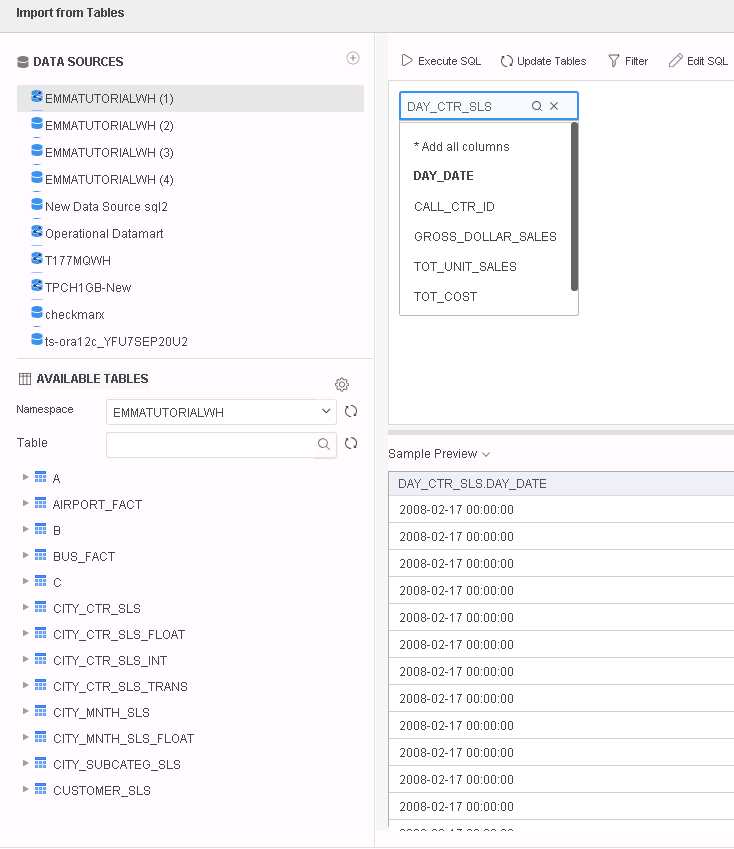
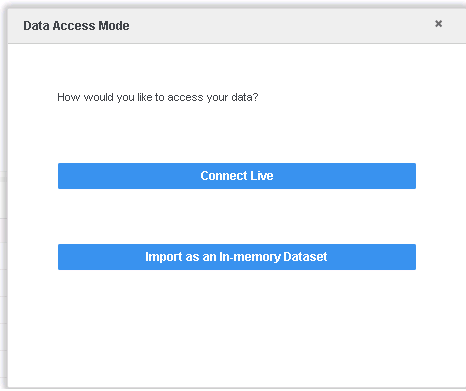
5. Click Finish and select "Connect Live" option for data access and edit the Cube and note that the attribute name is "Day Date", which is derived from column name, removing _ character to make the attribute name more intuitive.

6. Create a new derived attribute as following:
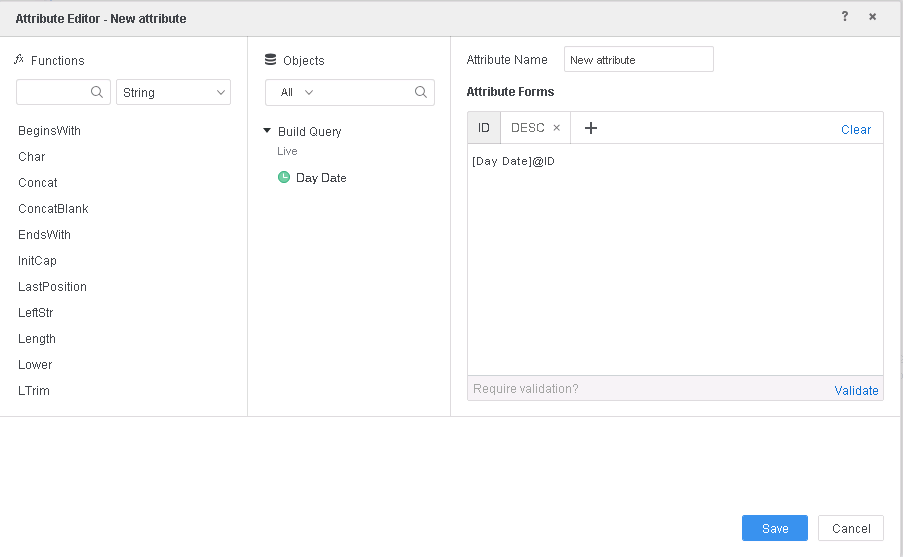
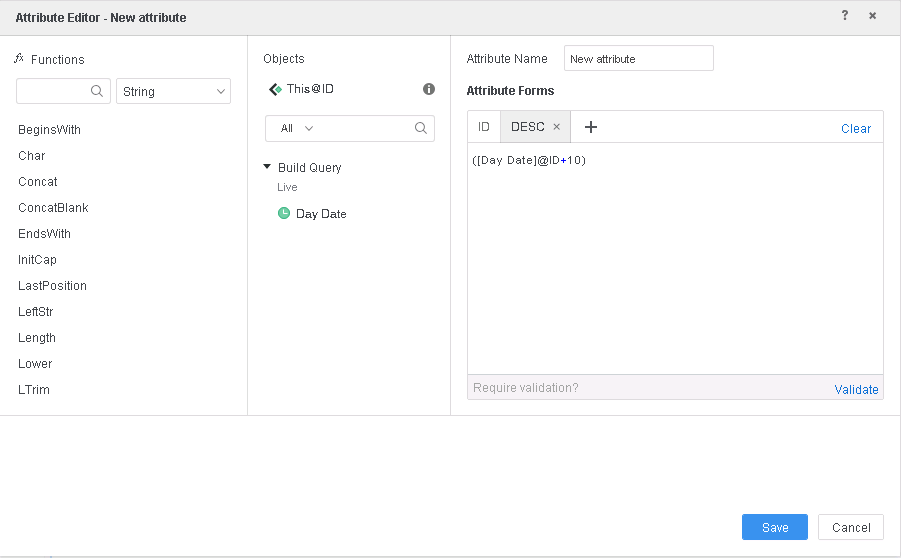
7. Put the new derived attribute on visualization and note that it leads to a SQL error:

Here is the faulty SQL that leads to the database error:
select distinct a11."Day Date" DA_Form_0,
(a11."Day Date" + 10) DA_Form_1
from (
select DAY_CTR_SLS.DAY_DATE DayLDate
from EMMATUTORIALWH.DAY_CTR_SLS DAY_CTR_SLS) a11
The subquery and main query have column mismatched as marked in red above.
CAUSE
This is a known defect in Strategy 11.0 or before.
ACTION FOR SYMPTOM2
This defect is addressed in Strategy 11.1. Please upgrade to 11.1 or later to take advantage of this fix.
The faulty SQL has been corrected and the visualization produces correct data.
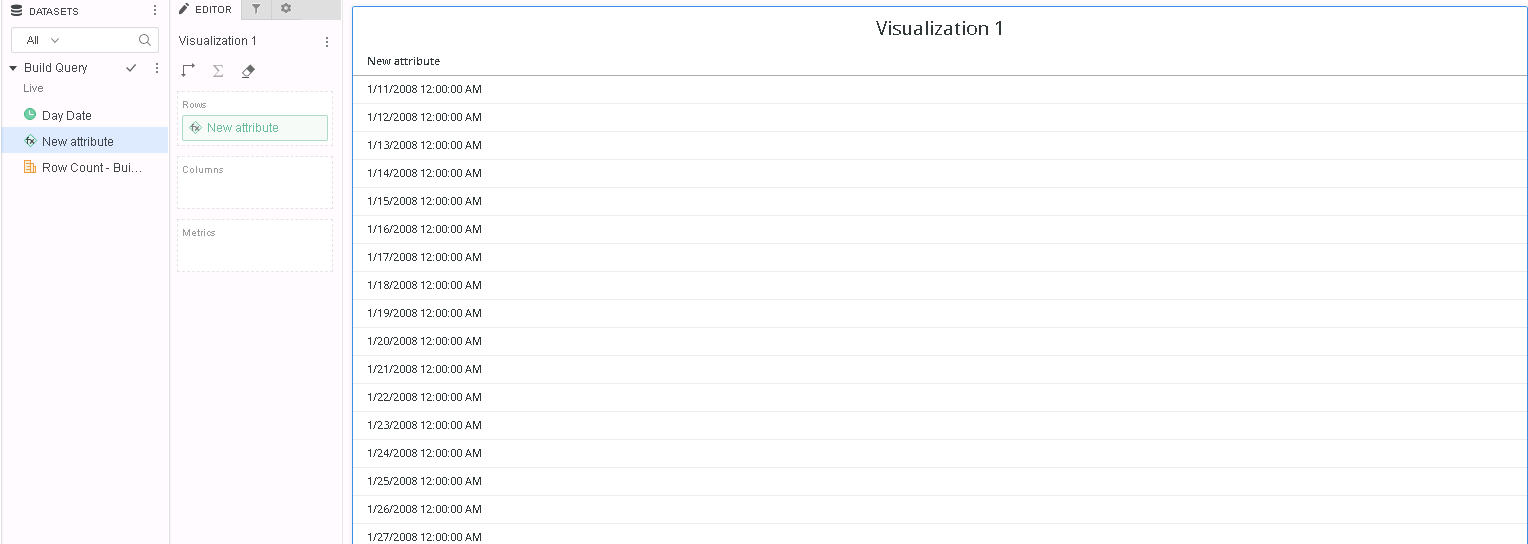
Here is the correct SQL (in 11.1, in order to use derived attribute push down, you need to set the Data Engine Version to 11 and enable following feature flag from Web Preferences):
select distinct a11.DAY_DATE DA_Form_0,
(a11.DAY_DATE + 10) DA_Form_1
from (
select DAY_CTR_SLS.DAY_DATE DAY_DATE
from EMMATUTORIALWH.DAY_CTR_SLS DAY_CTR_SLS) a11

Steps to reproduce for Symptom1 is same as Symptom2 except that Google Big Query data source needs to be used to see the database error and derived attribute creation steps can be omitted and "Day Date" attribute can be directly used in visualization.
Here is the old SQL that would fail in Google Big Query:
select a11.DAY_DATE "Day Date"
from (
select DAY_CTR_SLS.DAY_DATE "Day Date"
from EMMATUTORIALWH.DAY_CTR_SLS DAY_CTR_SLS) a11
Here is the new SQL that would work in Google Big Query:
select a11.DAY_DATE DAY_DATE
from (
select DAY_CTR_SLS.DAY_DATE DAY_DATE
from EMMATUTORIALWH.DAY_CTR_SLS DAY_CTR_SLS) a11
The Strategy Internal Reference Number for the issue discussed in this technical note is KB440644 and DE114500.
