EducationSoftwareStrategy.com
StrategyCommunity

Knowledge Base

Product

Community

Knowledge Base

TopicsBrowse ArticlesDeveloper Zone

Product

Download SoftwareProduct DocumentationSecurity Hub

Education

Tutorial VideosSolution GalleryEducation courses

Community

GuidelinesGrandmastersEvents
x_social-icon_white.svglinkedin_social-icon_white.svg
Strategy logoCommunity

© Strategy Inc. All Rights Reserved.

LegalTerms of UsePrivacy Policy
  1. Home
  2. Topics

KB44068: Disabling the Quick Search functionality will disable both, the Report Design Mode and the search box in the home/main page in MicroStrategy Web.


Community Admin

• Strategy


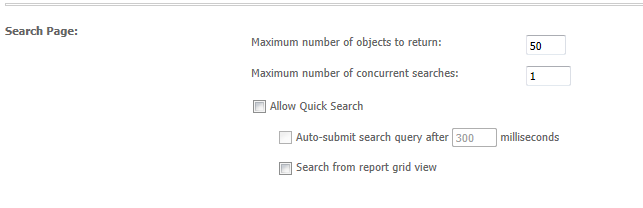
The Quick Search functionality shown below from the MicroStrategy Web preferences can be disabled at two levels, report grid view and in general.

SYMPTOM:
The Quick Search functionality shown below from the Strategy Web preferences can be disabled at two levels, report grid view and in general.  
ka04W000000Odi2QAC_0EM4400000026cK.png

 
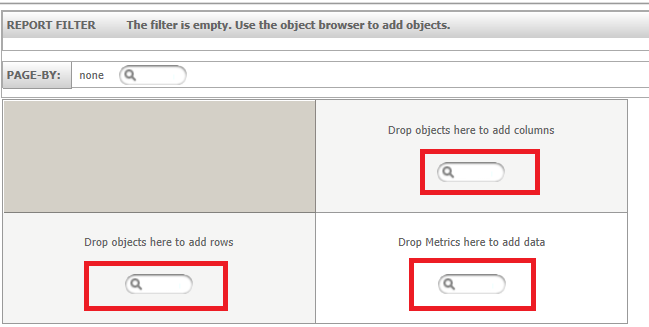
Disabling the "Search from report grid view" will disable the quick search functionality from a report in "View" mode, or after it has been executed. However, disabling the Quick Search functionality in general will disable it for both, the home/main page search field  and reports' design mode, i.e. before executing the report, in Strategy Web 9.3.0. Users cannot disable the Quick Search functionality just on the report design mode level, shown below.
 

ka04W000000Odi2QAC_0EM4400000026cY.png

 
STEPS TO REPRODUCE:

  • Go to the Strategy Web Preferences and under Project Defaults > General.
  • Disable the option "Allow Quick Search" under Search page, as shown below:
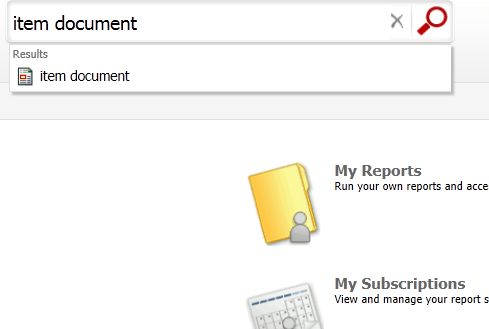
  • The Quick Search functionality of the Strategy Web Home/Main page is disabled as shown below:
ka04W000000Odi2QAC_0EM4400000026cJ.png
  •  
     
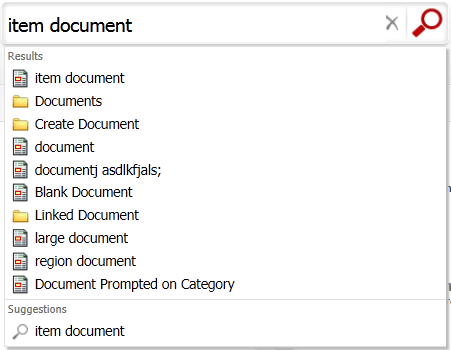
    Note: Compare to when "Allow Quick Search functionality" is enabled.
     
ka04W000000Odi2QAC_0EM4400000026cF.png
  •  
    Note: There are a lot more options/suggestions available when typing in something in the Search field when the "Allow Quick Search" option is enabled.
     
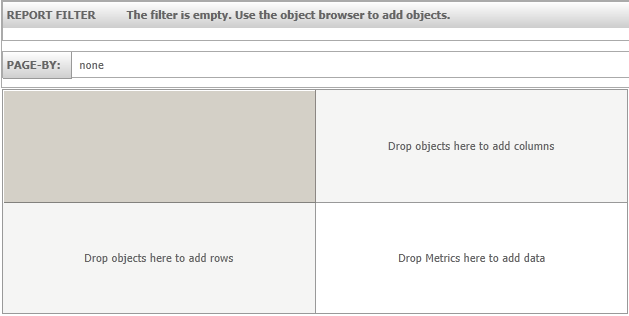
  • Now go to Design Mode for a Report in Strategy and notice that the Quick Search functionality of the grid is also disabled, as shown below:
ka04W000000Odi2QAC_0EM4400000026cE.png


CAUSE:
This is working as designed in Strategy Web 9.3.0. Currently, the Quick Search functionality cannot be disabled at the report design mode level. In this case, disabling Quick Search disables it for both locations where it is available and disabling it for report view modes does not disable it for design mode. An enhancement request has been logged to allow users to disable this at the design mode report level.


Comment

0 comments

Details

Knowledge Article

Published:

June 20, 2017

Last Updated:

June 20, 2017