Starting with the release of Strategy ONE (March 2024), dossiers are also known as dashboards.
SYMPTOM:
This issue only happens when the dataset of a dossier is an EMMA cube. Since we defined a derived metric which is based on an attribute that doesn’t appear in the grid, there is some problem when mobile render this grid which contains a derived metric that has a different level.
STEPS TO REPRODUCE:
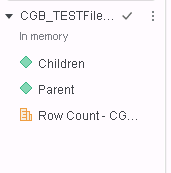
In a dossier, suppose the dataset is like following. It’s a cube and only includes attributes “Parent” and “Children”.
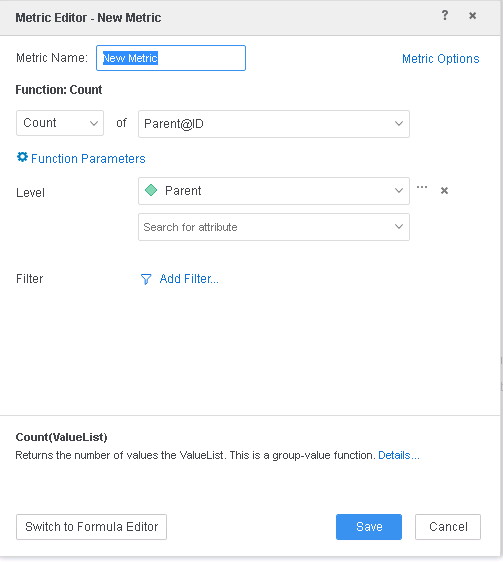
Define a derived metric on the level of “Parent”. Expression is “Count<Distinct=True>(Parent@ID){Parent+}”.
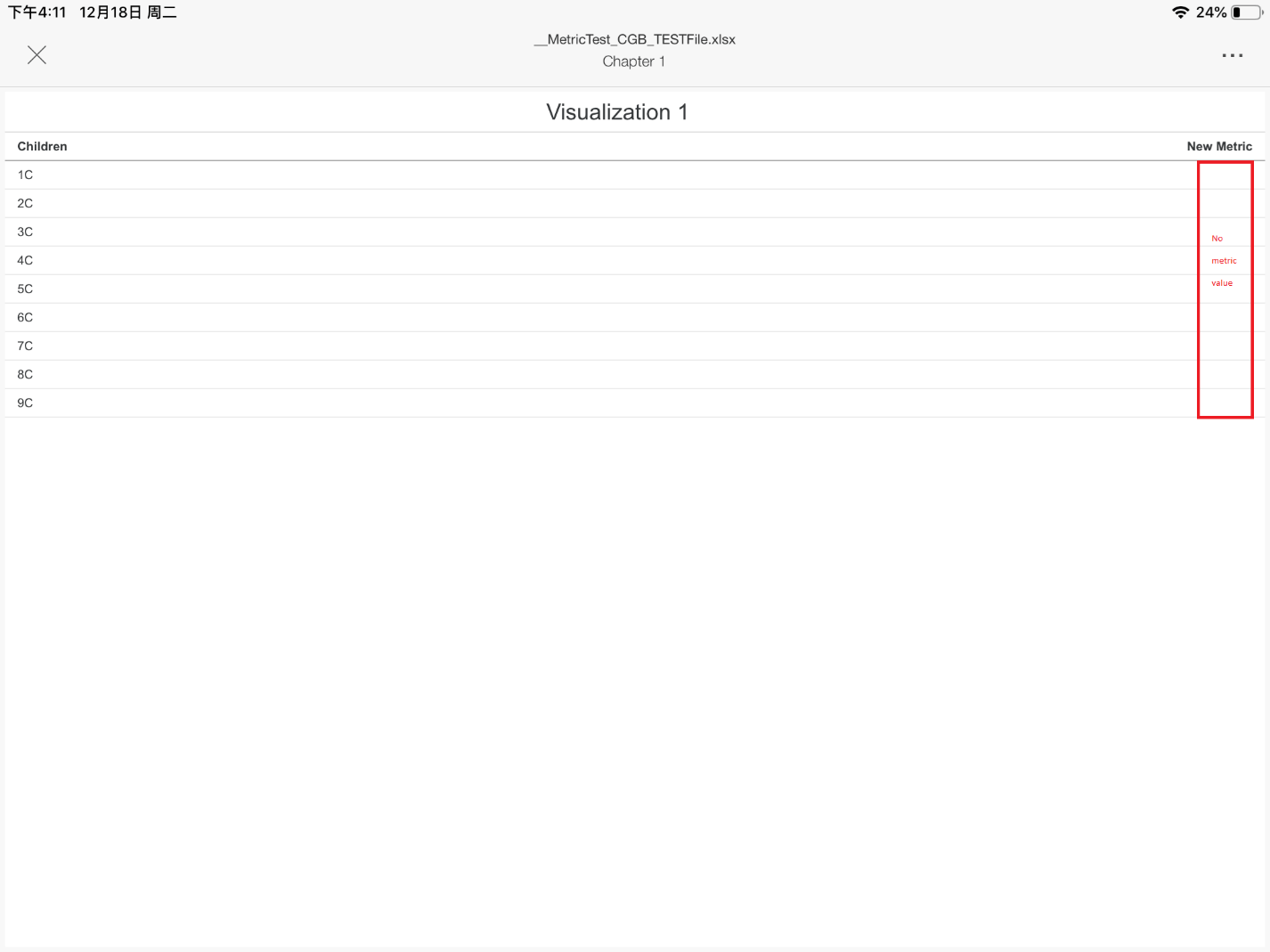
Then add attribute “Children” and derived metric “new metric” to the grid and save the dossier. Run this dossier in Mobile App, we’ll find the derived metric is not correctly rendered.
CAUSE:
The grid view level of the grid is “Parent” and “Children”, we can check this from the CSI:
select [Parent]@[Parent],
[Children]@[Children],
count(distinct [Parent]@[Parent])@{[Parent]} as [New Metric]
from CGB_TESTFile.xlsx
with Table Join Tree: [F_CGB_TESTFile.xlsx942814EA16762BE45931809020001220]
But the metric level is “Parent” which is inconsistent with the view level. So this metric is skipped when saving the data to Mobile App. And the metric value cannot be correctly rendered.
ACTION/RESOLUTION:
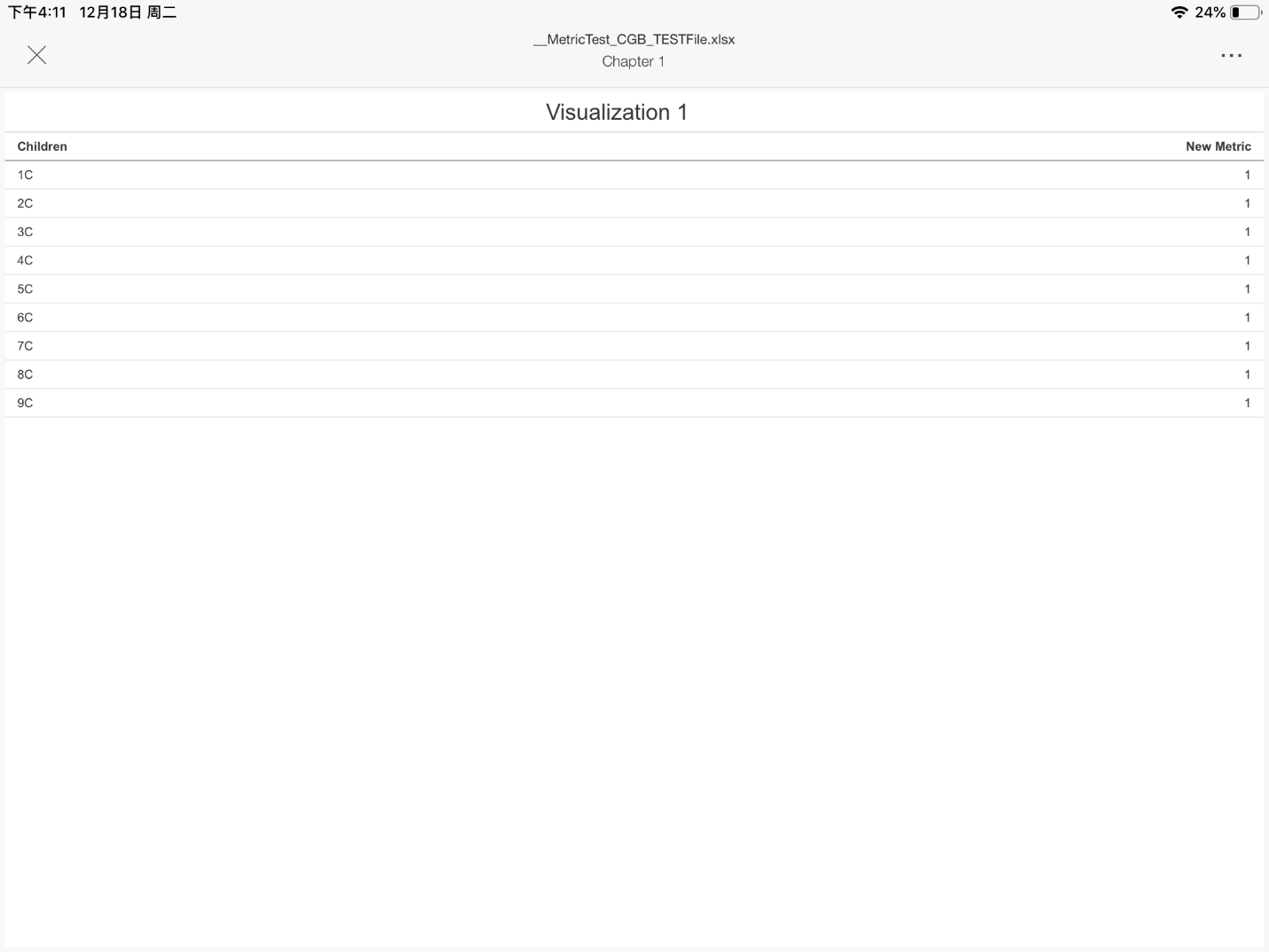
For such a derived metric, it’s supposed to be saved as a valid metric. Such a metric has an upper level {parent} than the grid view {Parent, Children}. When this condition is met, we treat this metric as a valid one and save it to Mobile App. And this fix is behind the setting AE Version, we should set the AE Version to 11 to make it work. The correct rendering result is like following:
The internal reference numbers for this article are KB440686 and DE75017.
