Starting with the release of Strategy ONE (March 2024), dossiers are also known as dashboards.
SUMMARY:
This article explains an issue with incorrect metric values returned for a Dossier in Strategy 10.10. No data blending is utilized and the data is observed to be 'inflated'.
SYMPTOM:
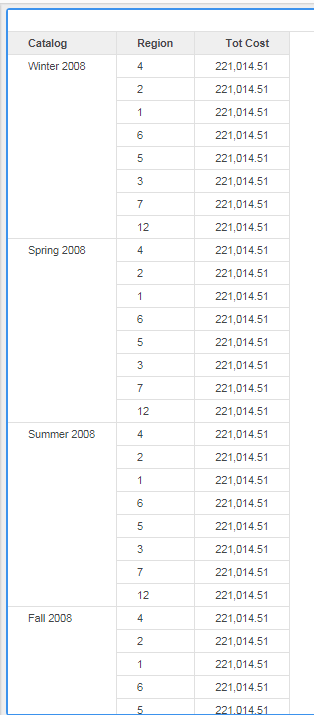
Attributes with Many to Many relationships cause the incorrect fact table to be selected to pull the row level data. This can be seen in the CSI or SQL and visually with the data returned might be incorrect.
STEPS TO REPRODUCE:
1. This example uses Strategy Tutorial project and schema. Create a Data Import cube by importing the specified tables and map all the attributes to project attributes. Also note that there is no relationship defined in Data Import cube and the relationships will be inherited from the project schema.
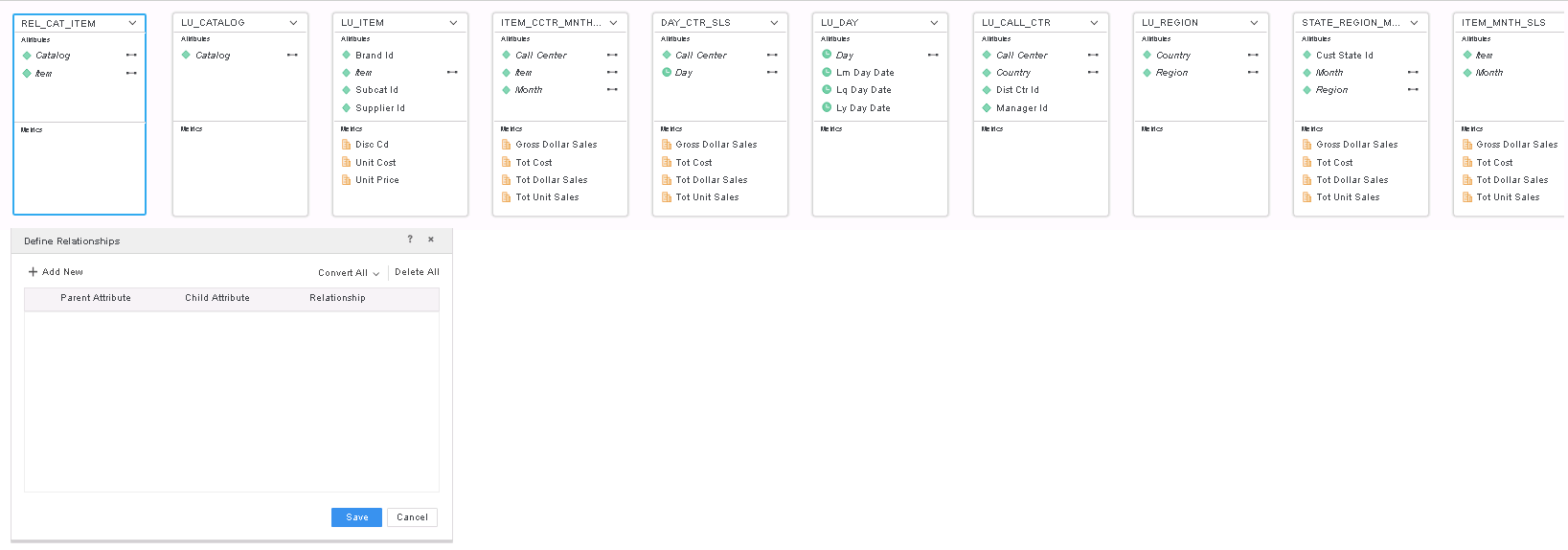
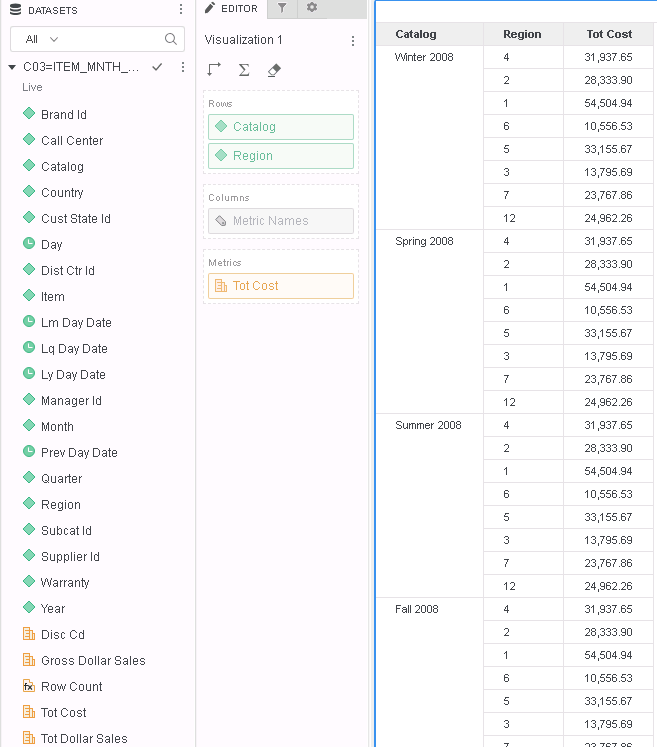
2. Save the cube as Live dataset and create a new dossier with visualization to contain Catalog, Region attributes and "Tot Cost" metric.
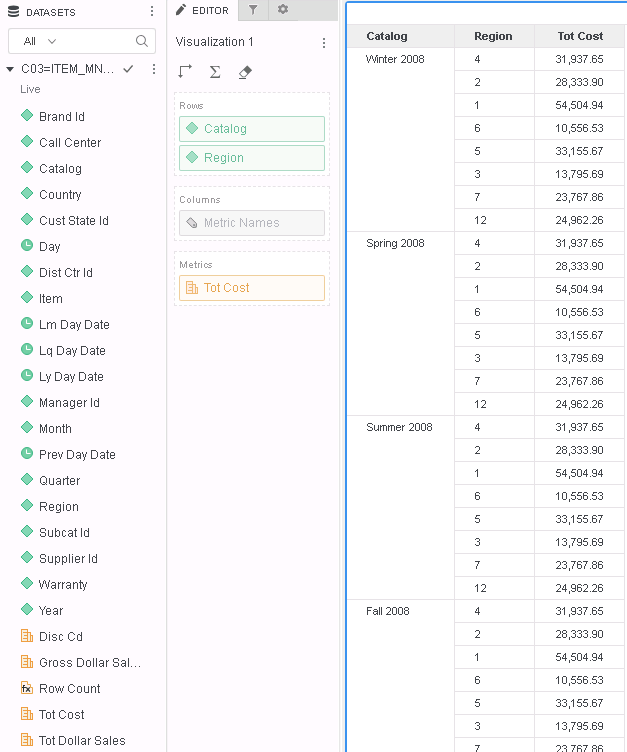
3. Go to Query Details to fetch SQL of the visualization.
...
SQL Statements:
Pass0 - Query Pass Start Time: 12/20/2018 5:14:12 PM
Query Pass End Time: 12/20/2018 5:14:12 PM
Query Execution: 0:00:00.06
Data Fetching and Processing: 0:00:00.08
Data Transfer from Datasource(s): 0:00:00.08
Other Processing: 0:00:00.02
Rows selected: 64
select a12.CAT_ID CAT_ID,
a14.CAT_DESC CAT_DESC,
a13.REGION_ID REGION_ID,
a15.REGION_NAME REGION_NAME,
sum(a11.TOT_COST) WJXBFS1
from T177MQWH.ITEM_CCTR_MNTH_SLS a11
join T177MQWH.REL_CAT_ITEM a12
on (a11.ITEM_ID = a12.ITEM_ID)
join T177MQWH.LU_CALL_CTR a13
on (a11.CALL_CTR_ID = a13.CALL_CTR_ID)
join T177MQWH.LU_CATALOG a14
on (a12.CAT_ID = a14.CAT_ID)
join T177MQWH.LU_REGION a15
on (a13.REGION_ID = a15.REGION_ID)
group by a12.CAT_ID,
a14.CAT_DESC,
a13.REGION_ID,
a15.REGION_NAME
...
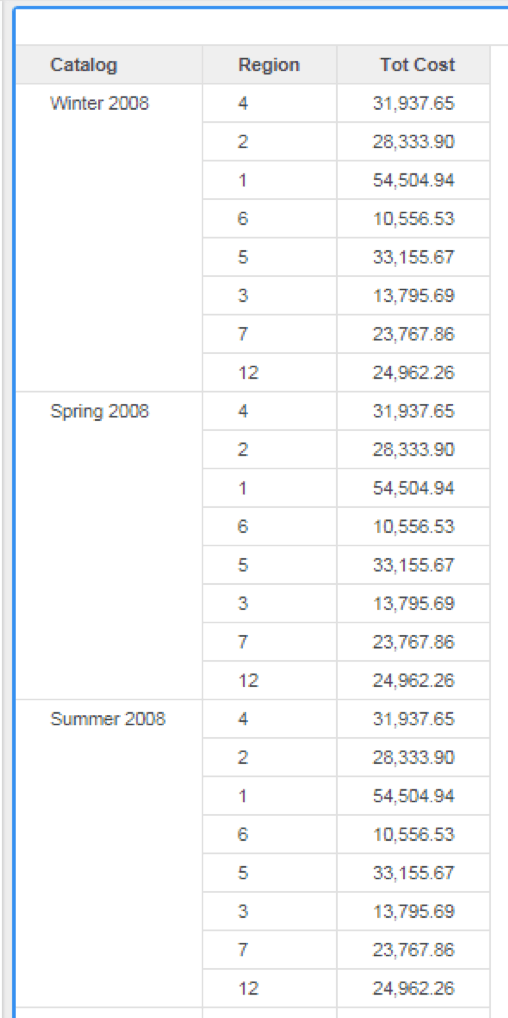
The below scenario has Catalog, Region, and Tot cost on the report with the attributes indirectly related through Many to Many Relationships with the Feature Flag 'Defects thay may impact SQL, CSI, MDX and Data' set to 'Off'.
CAUSE:
This is a known defect.
ACTION:
This issue has been addressed in Strategy 10.11.
If you are upgrading to Strategy 11.0 or above, to pick up the fix, enable project level setting "Data Engine Version" to 11. This property can only be enabled through Workstation. For more details on enabling the setting, refer to Change Data Engine Version.
If you are upgrading to Strategy 10.11: To pick up the fix, enable the Feature Flag "Defect fixes that may impact Data, SQL, MDX, CSI" within the Web Preferences -> Project Defaults. For more details on enabling Feature Flags refer to What are the Feature Flag options and what do they accomplish in MicroStrategy Web 10.8 and up. Starting Strategy 11.0, this Feature Flag is removed and replaced with project level setting called "Data Engine Version".
Now, correct data is returned as demonstrated below:
For more information regarding Feature Flags, refer to article: What are the Feature Flag Options and what do they accomplish in MicroStrategy 10.8 and up.
The Strategy Internal Reference Number for the issue discussed in this technical note is KB440693 and DE79395.
