SYMPTOM
Users may find they are not able to sort the metric values, or the sorting setting is not applied when using a derived metric and an attribute on the grouping section, the requirement is to be able to sort the metric values, even when using a grouping attribute.
STEPS TO REPRODUCE
1. Create a RSD using two tutorial reports as datasets.
2. Create a derived metric, using metrics from both datasets. For example: New metric--> Profit(from dataset1)+ Revenue(from dataset2)
3. Add an attribute to the Grouping.
4. Add a grid to the Detail Header section.
5. Add the new metric, created in step 2 to the grid.
6. Under Data Menu --> Sort Document set the Grouping to "Descending" and the "New Metric" to Descending
(see document attached for reference)
7.Run the document, select 'ALL' on the grouping and note how as a whole the values of the metric are not
sorted descending.
(see screenshots of document below for reference)
Sort settings for Document:
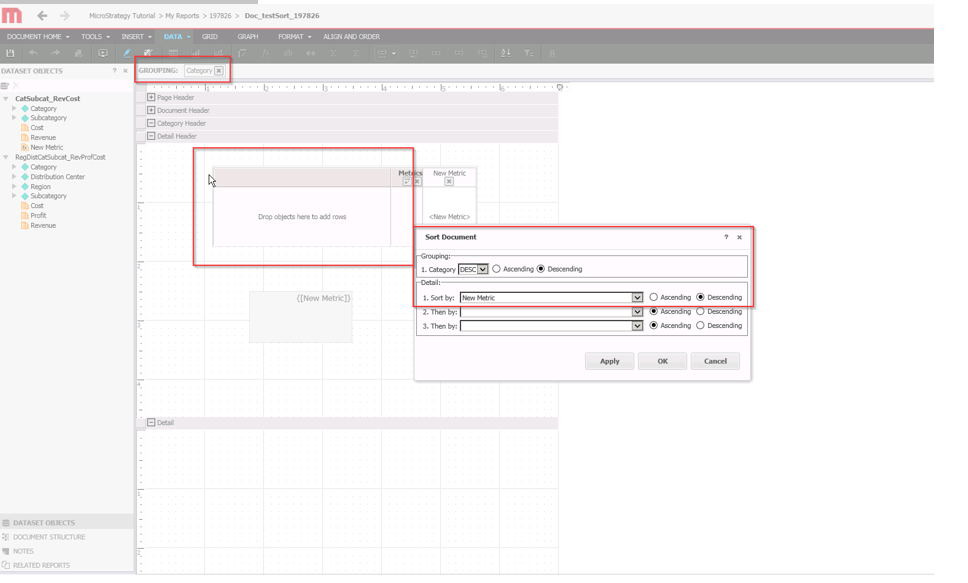
On the grid, right click on the column and select “Sort Grid”, select descending:
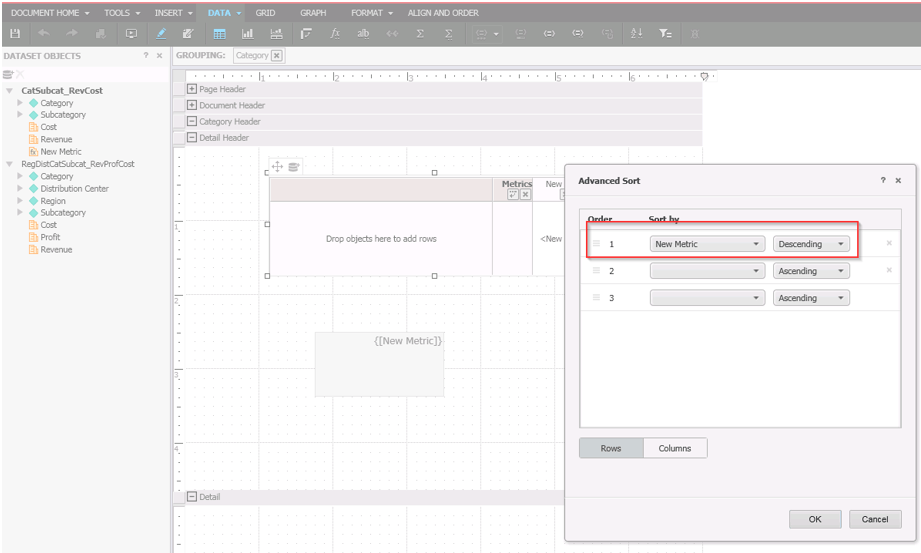
Result when running the document, metric values not sorted as descending:

CAUSE
1. For now, derived metric based on different datasets is not supported in field group (which would be on the Detail section). That's why it show a static text "{[New Derived Metric]}". But if Derived metric is based on only one dataset, it's fine to add as a field group.
*The sort document option from Data Menu, will only sort the section "Detail" but we can't use derived metrics coming from different datasets as currently is not supported and will display static.
2. For Detail Section of the document, we could only add field group but not grid or other object to it, that's why the grid had to be added to the Detail Header section.
3. If we use "Grouping", when we select all or a single selection, the grid will show one value.
All the above three behaviors are expected.
+ If the grid needs to be sliced but don't want to split the grid into different sections, which is how the grid would display when using grouping, we can use "selector" instead of "grouping" (see image "usingselectorSortingGrid") where you'll see how the grid shows all the values from "Category" attribute and the New Metric which is the derived metric, then you can sort the grid just as shown in the image. If it's not feasible to use "selection", trying to add other attributes to grid will affect the metric level. Then there will be more than one metric value in the grid and it's sortable
ACTION
This issue was reviewed by our Technology team for feasibility and will not be scoped for a code fix in any upcoming Strategy release. KB440695
