Starting with the release of Strategy ONE (March 2024), dossiers are also known as dashboards.
SYMPTOM
When trying to use the "Default Start Page" outline in Command Manager, the “My Page” or “Create Document/Dossier” options are not available to be inserted.
STEPS TO REPRODUCE
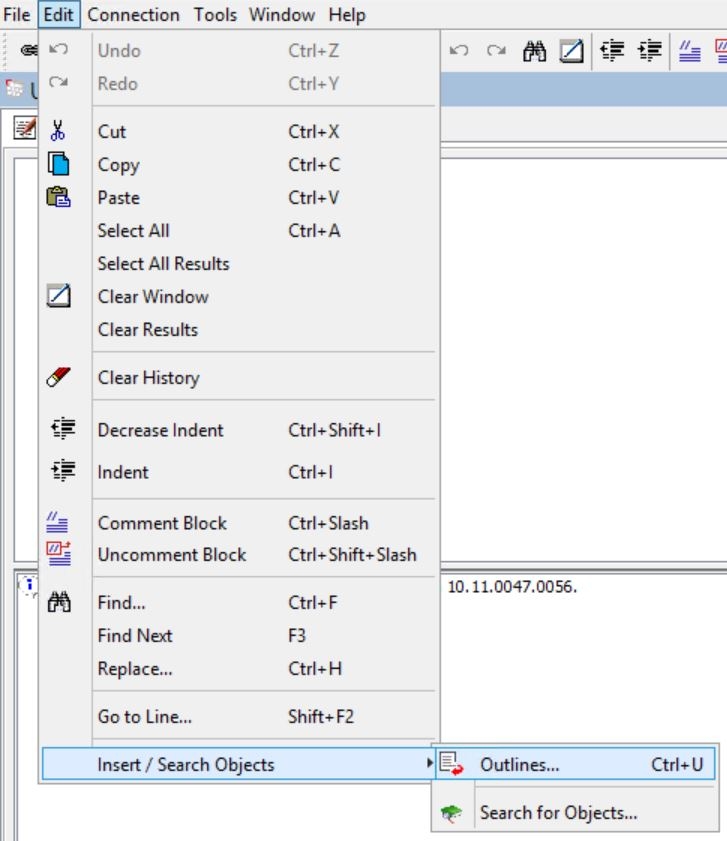
1. Open Command Manager and go to Edit – Insert / Search Objects – Outlines...
2. Expand Web_Preferences_Outlines and click on Web_Preferences.
3. Expand Project Defaults – General – Default Start Page and notice the two options are missing, comparing to Web:


CAUSE:
This is a known issue in Strategy Web 10.9 and above.
ACTION
Currently, this issue is being reviewed by our Technology team and has been scoped for an upcoming scheduled Strategy release.
WORKAROUND
As a workaround the following parameters can be used for the VALUE part of the outline:
These values can be replaced on any of the following outlines, replacing <value1>, depending on the needs:
APPLY WEBPREFERENCES NAME "Default start page:" VALUE "<value1>" FOR USER "<user_name>";
APPLY WEBPREFERENCES NAME "Default start page:" VALUE "<value1>" TO ALLPROJECTS;
APPLY WEBPREFERENCES NAME "Default start page:" VALUE "<value1>" TO PROJECT "<project_name>";
