How to save the expand / collapse state in outline mode in a Report Services Document for Strategy Web 10.11 and higher
The following knowledge base article explains how to save the state of a grid inside an RSD when outline mode is enabled.
Content
When adding a grid into an RSD or VI in outline mode, using v10.11 or later, the default state is to display the elements in expanded mode. In order to change the grid state to collapsed the state needs to be changed at the column header.
Default view
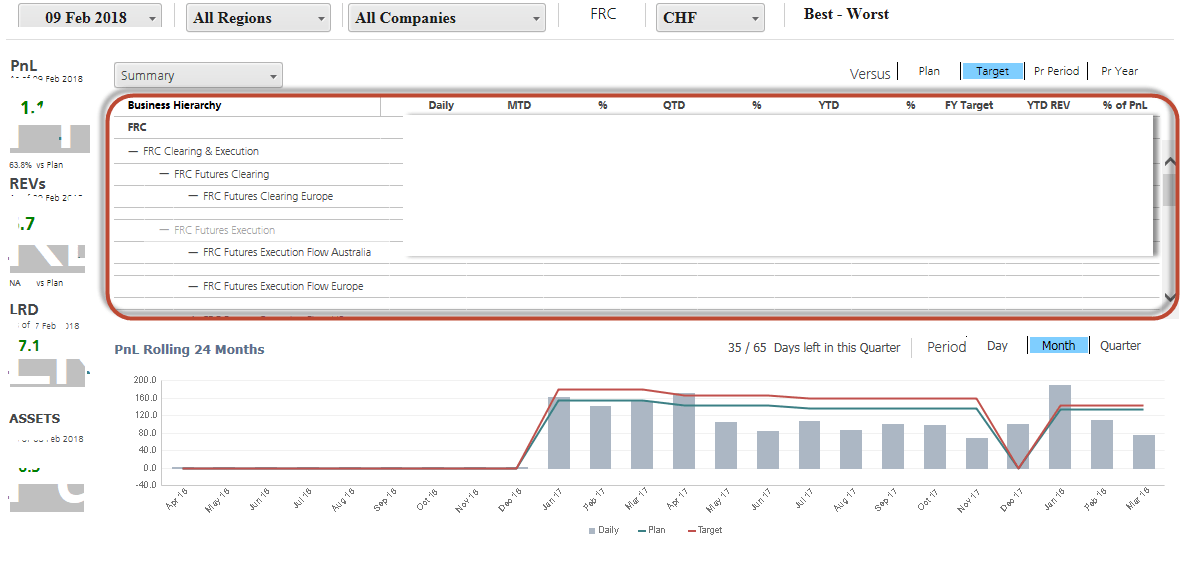
How to enable grid outline mode in an RSD
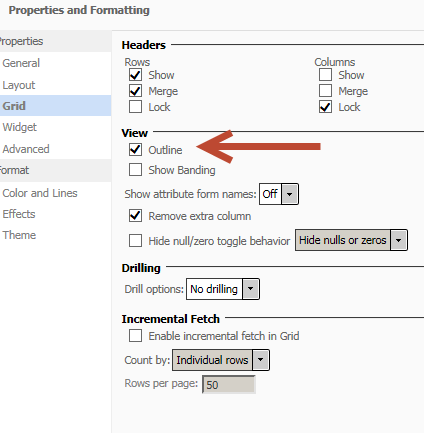
How to change the state to collapsed as the default view - RSD
4 slaves : r4.16xlarge (64vCPU, 488 GB RAM: 1.5 TB hard drive) | 4 slaves : r4.16xlarge (64vCPU, 488 GB RAM: 1.5 TB hard drive) |
4 slaves : r4.16xlarge (64vCPU, 488 GB RAM: 1.5 TB hard drive) | 4 slaves : r4.16xlarge (64vCPU, 488 GB RAM: 1.5 TB hard drive) |
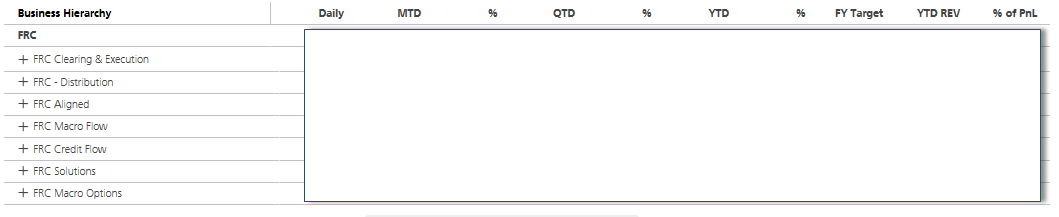
Desired state, the columns start in collapsed state
KB440785
