SYMPTOM
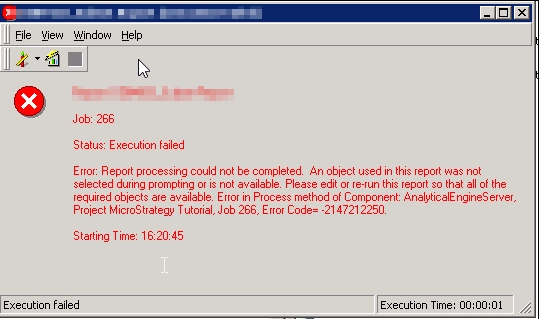
In Strategy 10.11 or earlier, "Object used in this report was not selected during prompting" error message is received when user execute a subset report with an unused embedded prompt in the report SQL after removing the prompt object from the cube.
STEPS TO REPRODUCE
1. In Strategy Tutorial, create an Intelligent cube with: Year, Quarter, Category, SubCategory attributes, and Cost metric
2. Create subset report based on the cube, add Year attribute and Cost metric to the template
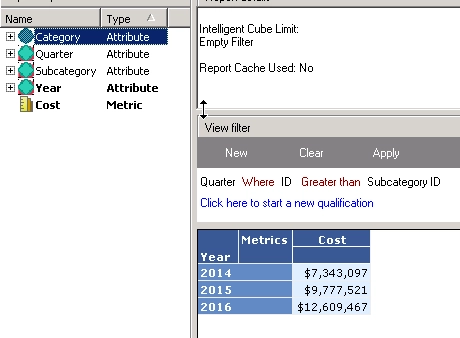
3. Add a view Filter with the condition: Quarter@ID > SubCategory@ID, execute the report. Report runs successfully
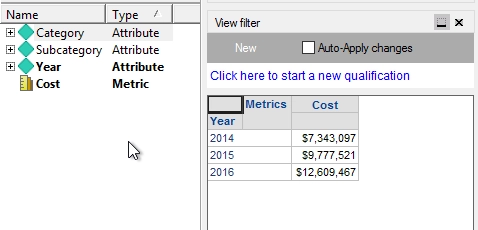
3. Edit the Intelligent cube, remove the attribute Quarter from report and republish the Intelligent cube again.
4. Execute the subset report, the error message is returned.
WORKAROUND
For Strategy 10.11 and earlier, edit the subset report and remove the missing object in the intelligent cube from the view filter.
ACTION
This defect is addressed in Strategy 11.0. Upgrade to this version to take advantage of this fix.
Strategy reference numbers for this technical note are KB440874 and DE84933.
