SYMPTOM:
In Strategy Web 10.11, Color Palette created via Web preferences could not be saved.
STEPS TO REPRODUCE:
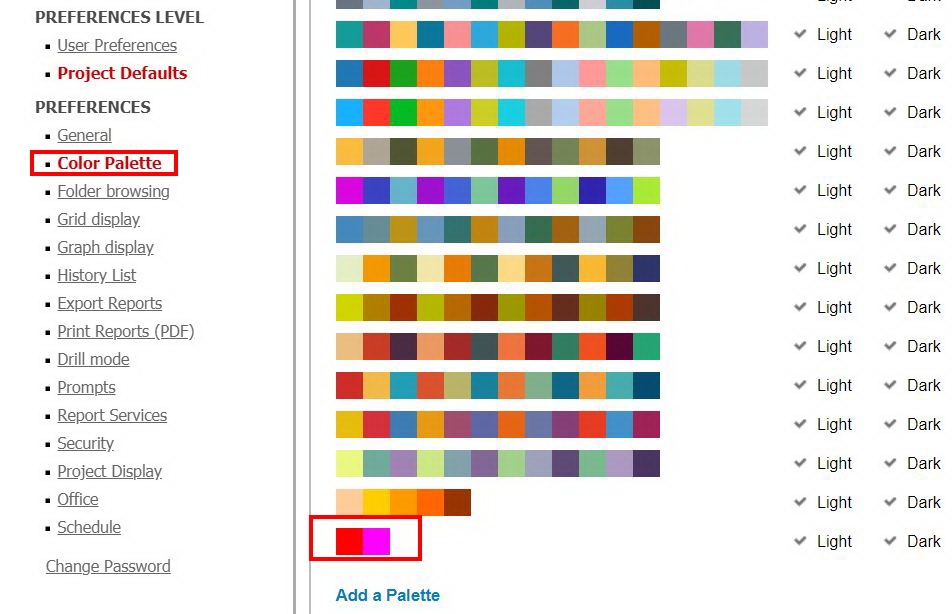
1. Login to Strategy Web 10.11 with user administrator, create a color palette via Preferences > Project Default > Color Palette:
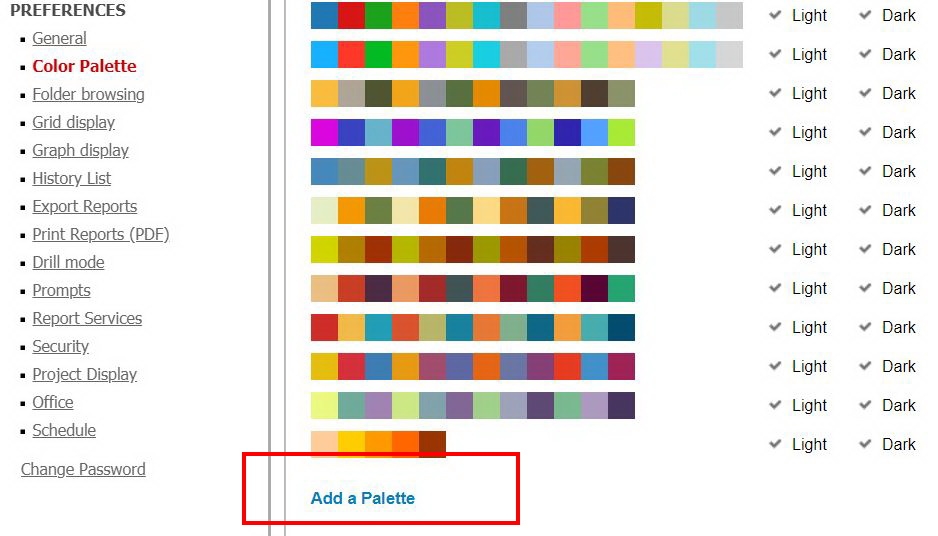
2. Reload the Color Palette, note that the palette created in step1 is lost:
CAUSE:
This is a known issue in Strategy Web 10.11. Palette is saved with default name 'Untitled Palette 1' , when user create a new palette, there is already a same 'Untitled Palette 1' by default. So if user create a second palette ( names 'Untitled Palette 2' by default ) and delete the first one, it can be saved correctly.
ACTION:
Currently this issue is still being reviewed for feasibility by our Technology team and it is not scoped for any upcoming scheduled Strategy release.
WORKAROUND:
1. Add a random palette for the firstly.
2. Add a second palette which hope to be used.
3. Delete the first one.
4. The second one will be saved.
Article Reference Number KB440898
