EducationSoftwareStrategy.com
StrategyCommunity

Knowledge Base

Product

Community

Knowledge Base

TopicsBrowse ArticlesDeveloper Zone

Product

Download SoftwareProduct DocumentationSecurity Hub

Education

Tutorial VideosSolution GalleryEducation courses

Community

GuidelinesGrandmastersEvents
x_social-icon_white.svglinkedin_social-icon_white.svg
Strategy logoCommunity

© Strategy Inc. All Rights Reserved.

LegalTerms of UsePrivacy Policy
  1. Home
  2. Topics

KB440946: MongoDB ODBC Driver - Date field in ISO format


Community Admin

• Strategy


MongoDB stores the Date in the ISO format. While retrieving the data into MSTR tools using the ODBC Driver, it is converted to local time zone. This article explains how to keep the Date field in ISO format when retrieving the data for MSTR tools.

Please follow the below steps to set the parameter in the DSN Connection in order to retain the date same as in the database.
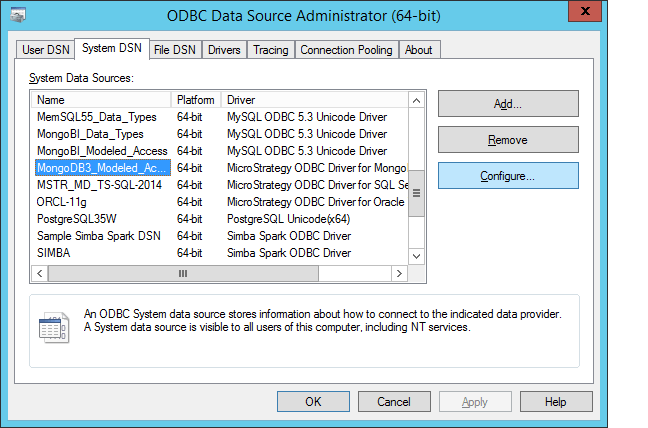
1. Go to Windows ODBC Administrator and select the DSN created for MongoDB and click on Configure.
ka04W000000Oax8QAC_0EM44000000WQZ5.png

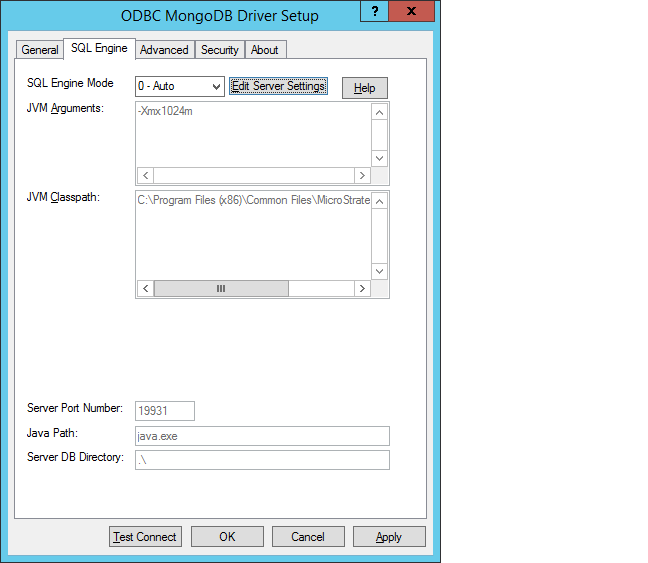
2. Go to the SQL Engine tab as shown below
ka04W000000Oax8QAC_0EM44000000WQZA.png

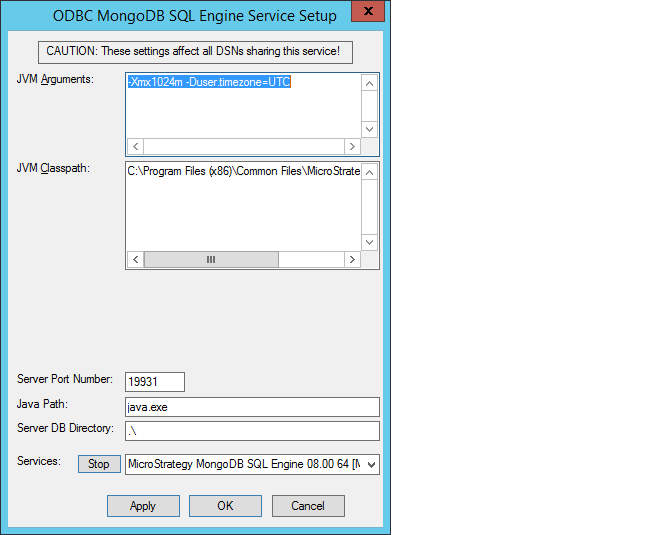
3. Select the SQL Engine Mode as Auto/Direct and Click on Edit Server Setting and add the parameter -Duser.timezone=UTC as shown below
ka04W000000Oax8QAC_0EM44000000WQZF.png

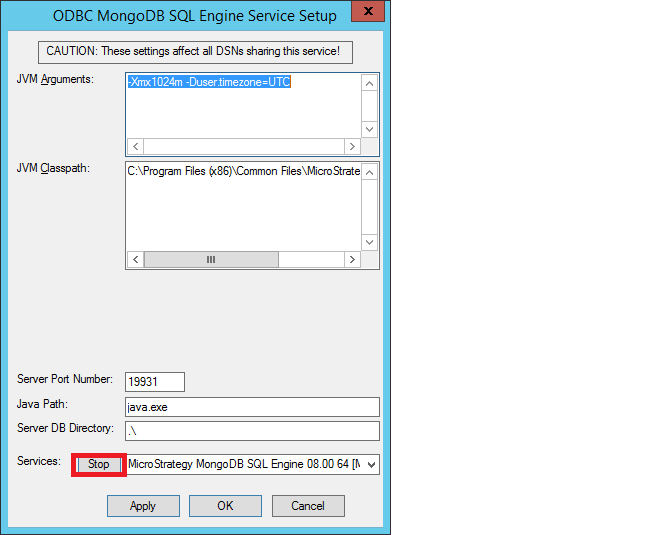
4. Click on Stop to stop the Services and Start again to make sure the Services are restarted.
ka04W000000Oax8QAC_0EM44000000WQZB.png

Click Apply and OK.


Comment

0 comments

Details

Knowledge Article

Published:

June 4, 2018

Last Updated:

November 20, 2018