Starting with the release of Strategy ONE (March 2024), dossiers are also known as dashboards.
SYMPTOM
Users are unable to display the bottom line of a grid when exporting a dossier to Microsoft Excel with Outline mode enabled.
This only occurs when, once in Microsoft Excel, opening the file at upper levels of the outline. The lowest level does include the bottom line.
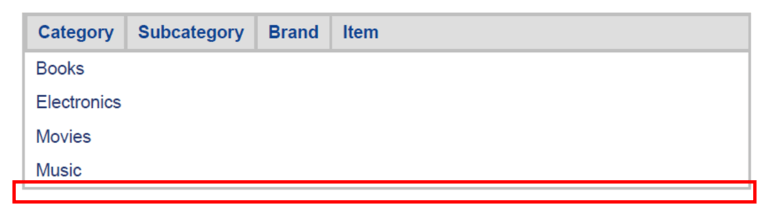
Export to pdf to the high level of the outline also includes the line, as the following image shows.
STEPS TO REPRODUCE
1. Create a report with specific attributes and metrics.
2. Enable Outline mode.
a. From Developer: click the Grid menu, select Display Outline Results.
b. From Strategy Web: click the Tools menu, select Report Options, select the Outline checkbox, and click OK.
3. Export the report to Microsoft Excel.
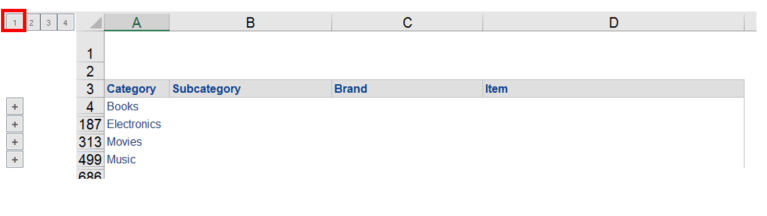
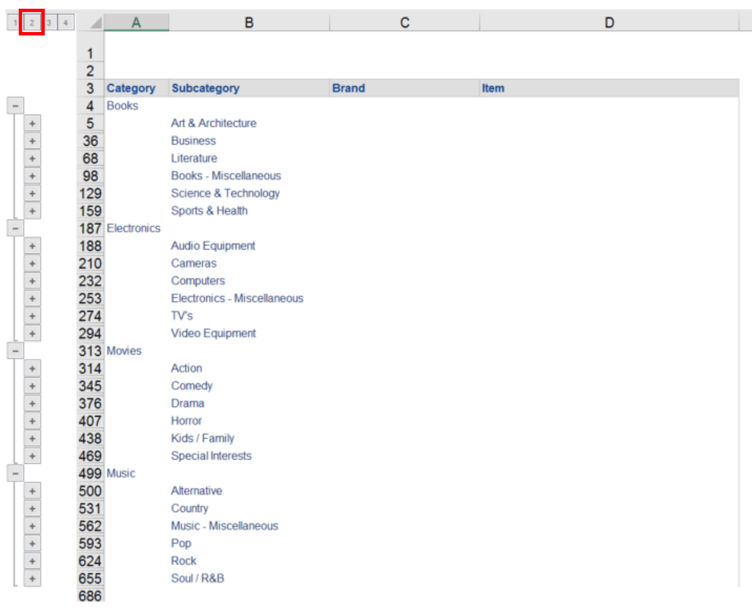
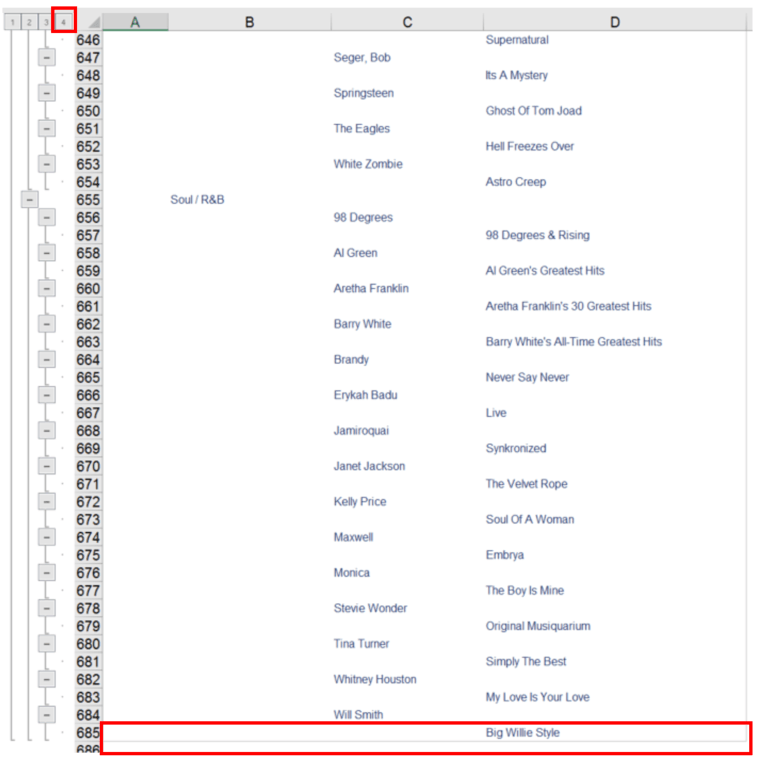
4. Open the Microsoft Excel file, select different levels and check how the bottom line does not appear, except for the lowest level.
a. Open at the highest level -> no bottom line
b. Open at an intermediate level -> no bottom line
c. Open at the lowest level -> Bottom line does appear.
CAUSE
This is working as designed as the bottom line is bounded with the last row on purpose when the design of the code structure is done so that the grid can be separated from other things (such as report footer).
So in this outline mode case, there is a bottom line (grid border) under the last row. This behavior is by design. Our export engine's main purpose is to export data correctly. Exporting Data correctly is the first priority.
KB41010
