SYMPTOM
After the Strategy Intelligence Server 10.x Intelligence Server startup is triggered, it appears in a "starting" state for much longer than expected - possibly over 1 hour.
CAUSE
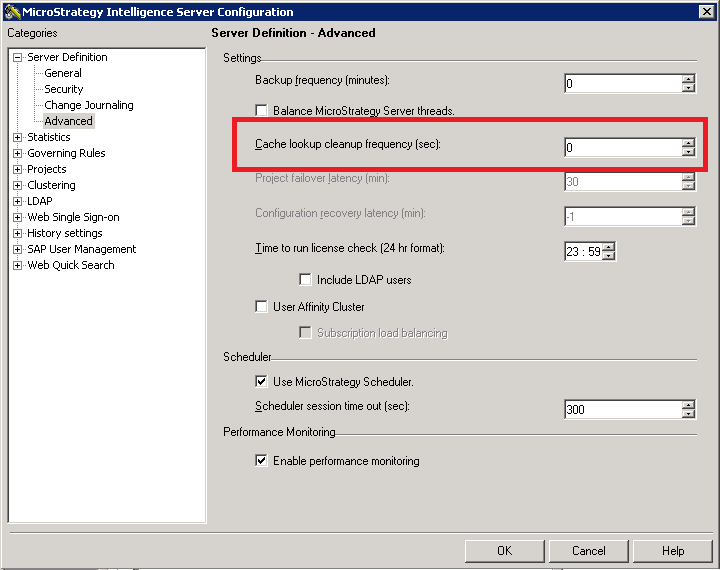
One observed cause of this issue is the presence of large number of cache files to load at startup. This may be caused by a non-zero value of the Cache lookup cleanup frequency in Strategy Intelligence Server Configuration -> Server Definition -> Advanced. The setting controls how frequently the cache lookup table is cleaned, and it is possible that having a large value causes a large number of caches to be left behind and this can interfere with the startup process.
WORKAROUND
In this scenario, the workaround is to set the Cache lookup cleanup frequency to 0, so that the cleanup will take place at shutdown and unnecessary caches won't be left on the Intelligence Server
KB441091
