In some cases, Strategy Technical Support requires a copy of users' metadata database tables. This technical note provides recommendations to obtain a Microsoft SQL Server database using Management Studio.
Pre-requisites
To follow this procedure, you should have Administrator access and the Microsoft SQL Server Management Studio software installed.
Step 1
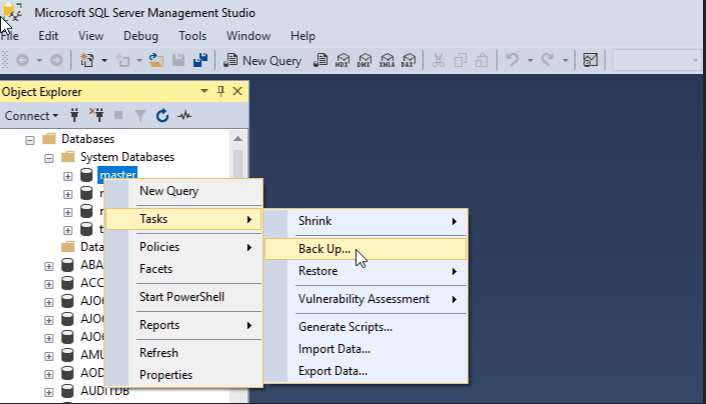
Connect to your database using SQL Server Management Studio and in the left pane select your Metadata database.
Right click the database and under “Tasks” choose “Backup”.
Step 2
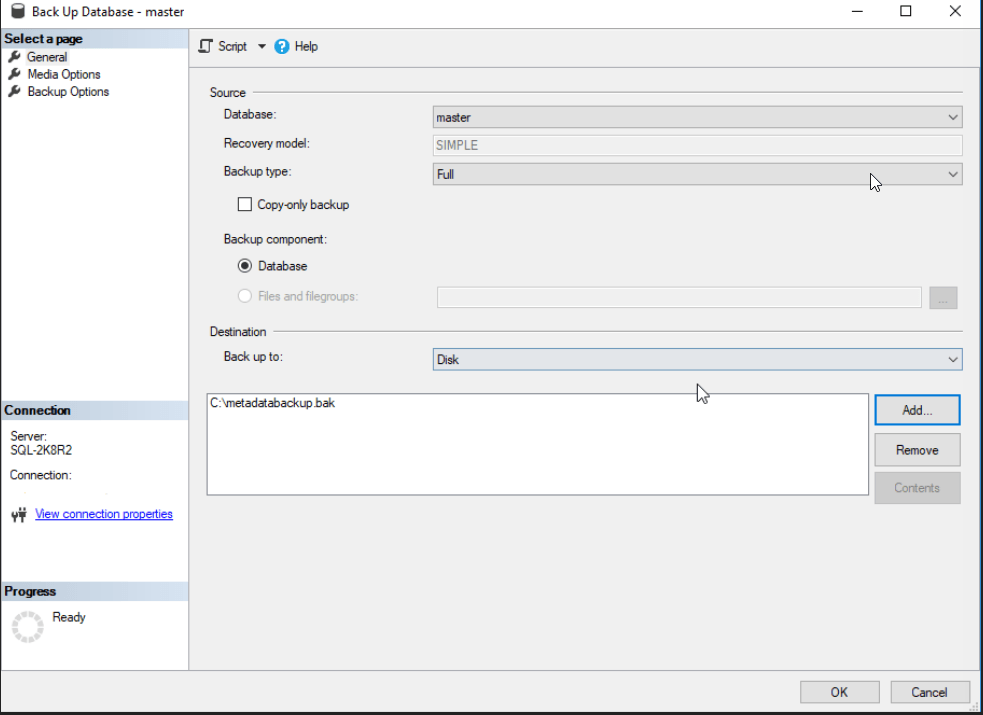
The Back Up Database windows will open, ensure that Full is selected under Backup type. In the bottom section, under Destination note the location of the backup file and change it if needed.
Step 3
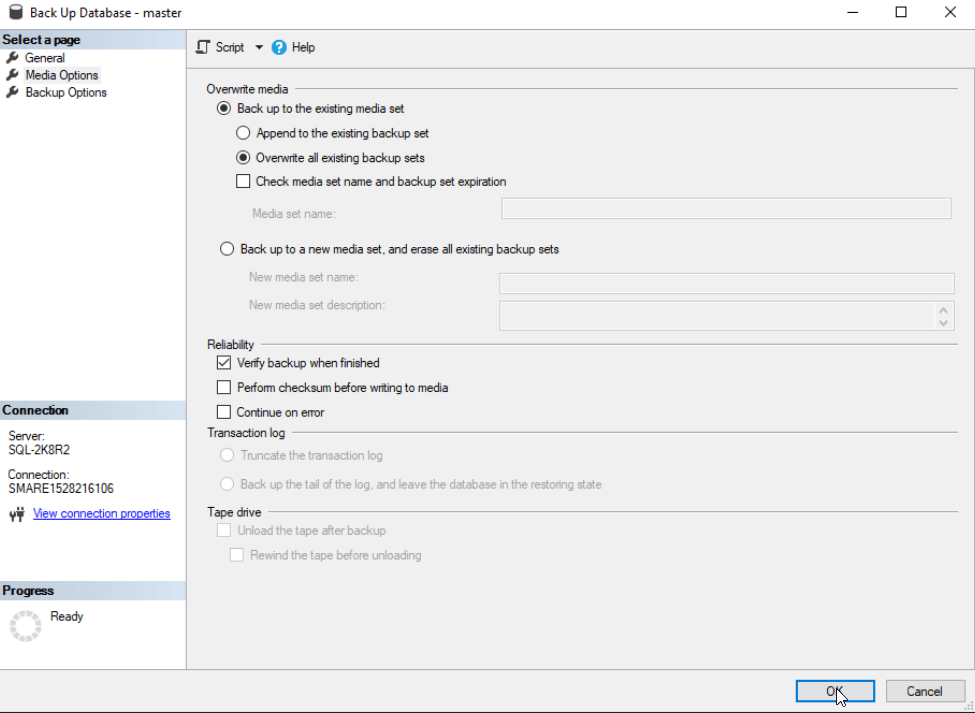
In the left pane select Media Options. Then, under Overwrite media select “Overwrite all existing backup sets. Finally, check the option to “Verify backup when finished” under Reliability section.
Once all the previous steps are completed click Ok to begin the metadata backup.

Third Party Software Installation WARNING
The third-party product(s) discussed in this technical note is manufactured by vendors independent of Strategy. Strategy makes no warranty, express, implied or otherwise, regarding this product, including its performance or reliability.
