Starting with the release of Strategy ONE (March 2024), dossiers are also known as dashboards.
SYMPTOM:
When users try to add new objects to create dataset in Dosser of Strategy Web, the data access mode of the newly added dataset is set as In memory automatically. There is no method to modify this to in Live.
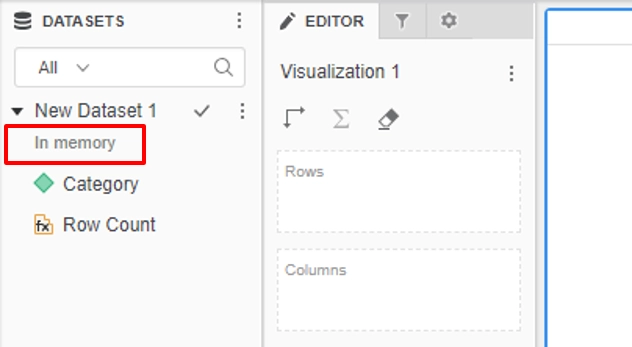
STEPS TO REPRODUCE:
1. Create a new VI Dashboard in versions earlier than Strategy Web 10.9.
2. Click "All Objects", choose any attributes and metrics and add to the visualization. All the attributes and metrics are connected in live.
3. Create a Dossier in Strategy Web 10.9 or 10.10, click Existing Objects, and choose the necessary attributes and metrics first to create a dataset first. The data access mode of this dataset is In memory and there is no method to modify it to in live.
CAUSE:
This is a known issue in Strategy web 10.9
ACTION:
Currently this issue is still being reviewed for feasibility by Strategy Technology Team. Strategy will continue to investigate and post updates as soon as they are available.
KB441172
