Starting with the release of Strategy ONE (March 2024), dossiers are also known as dashboards.
Troubleshooting
In Strategy Web 10.9 and above, when hovering a mouse over objects in the Add Existing Objects dialog box to create an ad hoc Dossier, tooltips are not being displayed as expected.
This Knowledge Base article describes a regression issue in Strategy Web 10.9 and above. When hovering a mouse over objects in the Add Existing Objects dialog box to create an ad hoc Dossier, tooltips are not being displayed as expected.
Steps to reproduce
1. In the Strategy Tutorial project in Developer, check which Attributes and Metrics have object descriptions.
2. For example, a Catalog attribute has the following description "Not yet implemented".
3. Create a new metric "My New Revenue Metric" and add a description: "This is a testing metric." Save it in My Objects.
4. In the Strategy Web, log in to the Strategy Tutorial project and create a new Dossier.
5. Click on Add Data > Existing Objects.
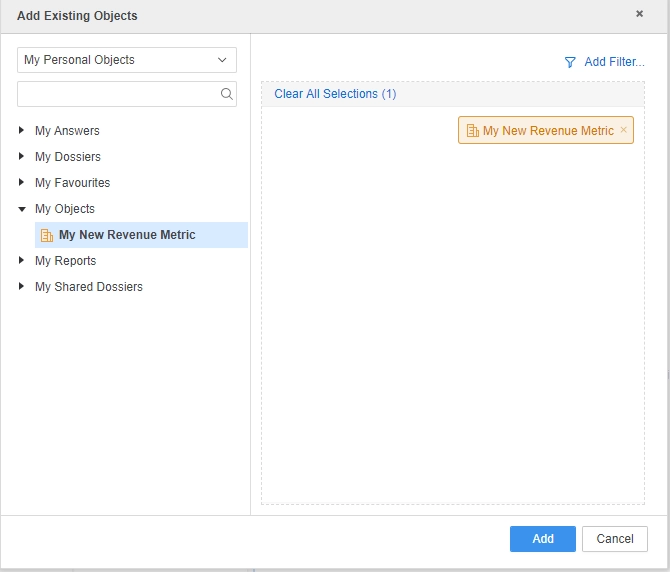
6. Select from the drop-down menu: My Personal Objects > My Objects > My New Revenue Metric.
7. Hover a mouse over this metric in the left-hand side panel. Notice that a description is not displayed. The same behavior is encountered if it is added to the selection (right-hand side panel).
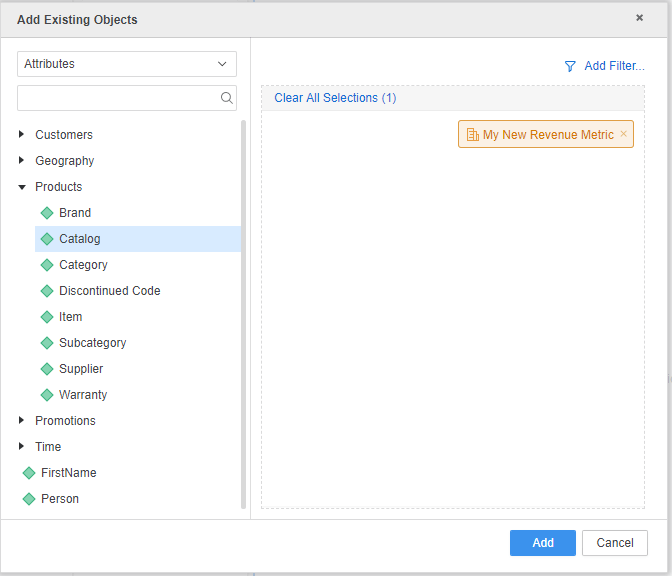
8. Select from the drop-down menu: Attributes > Products > Catalog. Hover the mouse over this object. A description is not displayed.
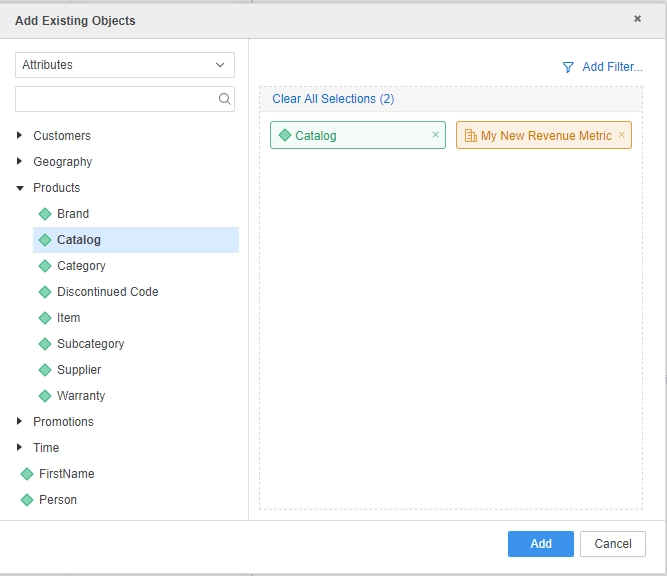
The same behavior encountered if it is added to the selection (right-hand side panel).
Why is this happening?
This is an identified regression issue in Strategy Web 10.9 and above.
Status
ACKNOWLEDGED IN-PROGRESS SOLVED (Version: Strategy 11.0)
Next Steps
Upgrade to take advantage of the fix.
Have other questions? Feel free to start a discussion or reach out to your Support liaison to open a case!
