SYMPTOM:
User is not able to access SFTP location through Strategy by setting up FTP device with the following error message displayed:
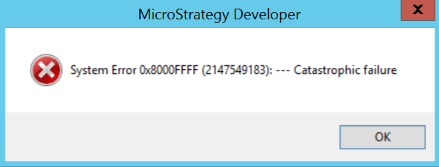
Entries similar to the following can also be seen in DSSErrors.log:
[Kernel][Error] FAILED SUBSCRIPTION [Subscription name]: Error Msg: MNet::SocketImpl::Connect() - FAIL. Cannot connect to a socket: [socket number], errno = ❌ Connection timed out Socket Error: 10060 No more Mail Exchange Servers to try Unknown error Error Code 0x800647C2.Stop in 'MSIDeliveryEngine::hDelivery, Delivery Component of Distribution Service'.
CAUSE:
One possible cause is that the MPFTPT.dll library was present under C:\Program Files (x86)\MicroStrategy\Intelligence Server whereas the default directory is C:\Program Files (x86)\Common Files\Strategy.
This in turn might be caused by an issue where the Intelligence Server working directory changed unexpectedly, which made it look for those files and/or save them in the wrong directories.
ACTION:
Copy the MPFTPT.dll file from its directory to the default working directory C:\Program Files (x86)\Common Files\Strategy.
KB441258
