EducationSoftwareStrategy.com
StrategyCommunity

Knowledge Base

Product

Community

Knowledge Base

TopicsBrowse ArticlesDeveloper Zone

Product

Download SoftwareProduct DocumentationSecurity Hub

Education

Tutorial VideosSolution GalleryEducation courses

Community

GuidelinesGrandmastersEvents
x_social-icon_white.svglinkedin_social-icon_white.svg
Strategy logoCommunity

© Strategy Inc. All Rights Reserved.

LegalTerms of UsePrivacy Policy
  1. Home
  2. Topics

Option to change password upon login fails in MicroStrategy Web when logging in with a newly created user


Hussam Bahia

Senior Manager, Technical Account Management • MicroStrategy


Description

When creating a new user and flagging the option to allow user to change password upon new login, the option does not maintain functionality. View the image located below for "box option" reference:

ka02R000000g1qRQAQ_0EM44000000WWKu.png

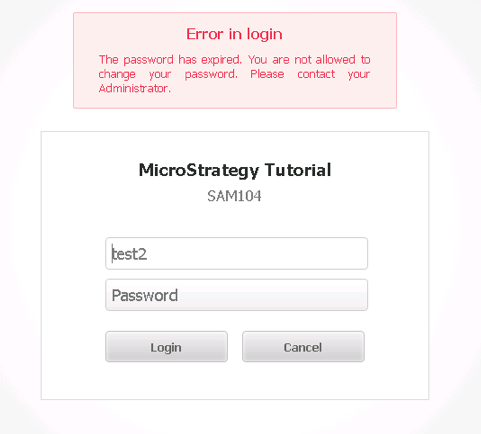
When logging in to Strategy Web, the anticipated user experience is to prompt to enter a new password.
However, the following message is displayed instead:
ka02R000000g1qRQAQ_0EM44000000WWKz.png


Solution

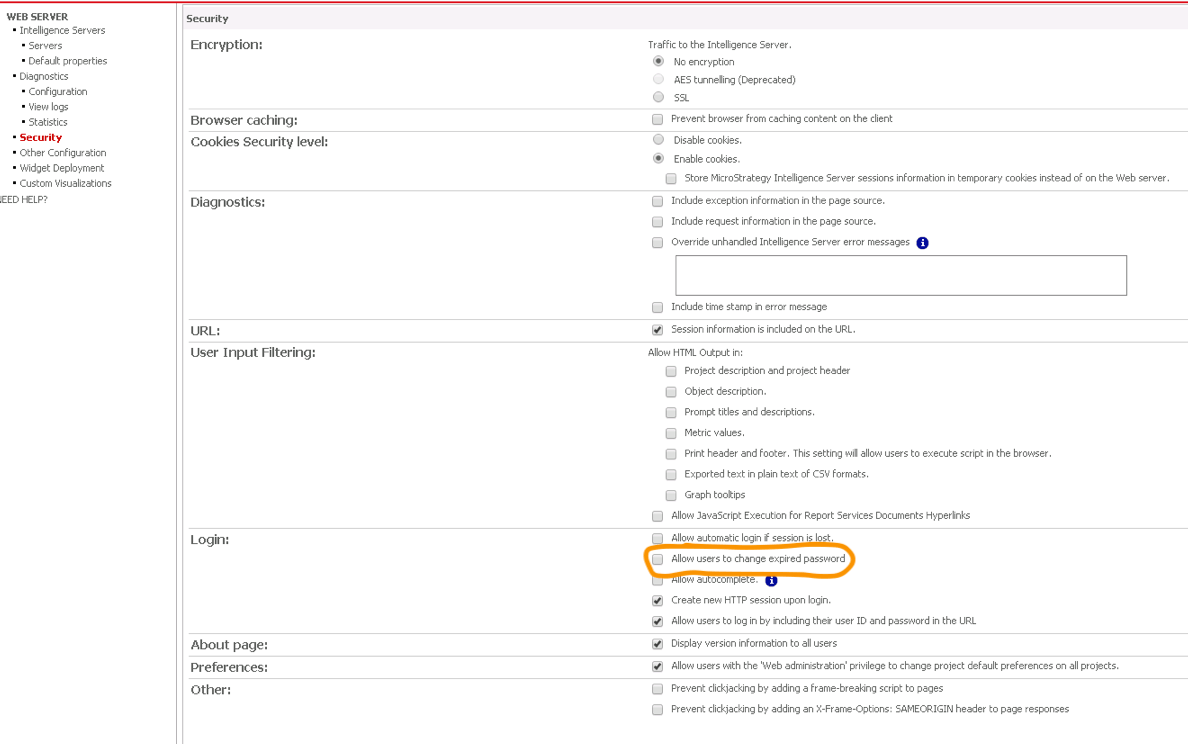
To resolve, there is additional step to ensure that newly created users are allowed to change their passwords in Web. 
Log into Strategy Web Admin page and enable the option "Allow users to change password upon login". 
Once checking this box on the Administrator side, the end user should be able to change their password on the Web interface.
View the image below for reference:
ka02R000000g1qRQAQ_0EM44000000WWL4.png

Learning Resources

Interested in learning more about Workstation or user management? Visit the Learning Center on Community!


Comment

0 comments

Details

Knowledge Article

Published:

July 2, 2018

Last Updated:

August 21, 2019