Starting with the release of Strategy ONE (March 2024), dossiers are also known as dashboards.
Troubleshooting
Derived attribute does not show correct data when it's defined on two attributes from different datasets that are linked and and contain different data
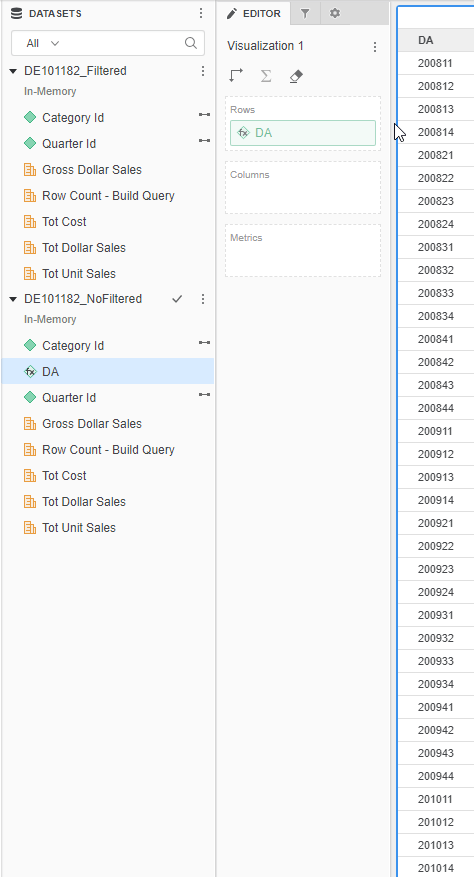
In Strategy 10.x, derived attribute returns only filtered row from one of the blended dataset, or in some cases returns NULL rows when it's defined with two linked attributes which exists in multiple datasets in the dossier/VI dashboard with different filtering conditions.
Steps to reproduce
1. In Strategy tutorial project, create a Data Import cube called DS1 using Query Builder, select the 'QTR_CATEGORY_SLS' table and add the filter expression 'QTR_CATEGORY_SLS.QUARTER_ID In (20141,20152)'.
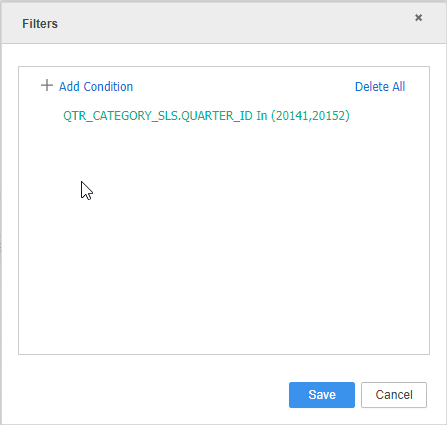
2. Create a second Data Import cube called DS2 with table: QTR_CATEGORY_SLS.
3. Create a dossier and add DS1 and DS2 as datasets.
4. Link attribute Quarter Id from DS1 to Quarter Id in DS2, and Category Id from DS1 to Category Id in DS2.
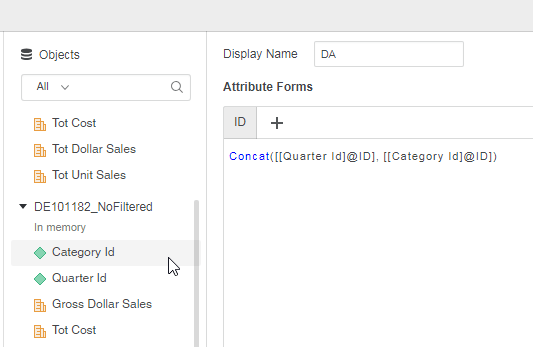
5. In DS2, create derived attribute called DA with this expression: concat ([Quarter Id@ID] in DS2, [Category Id@ID] in DS2)
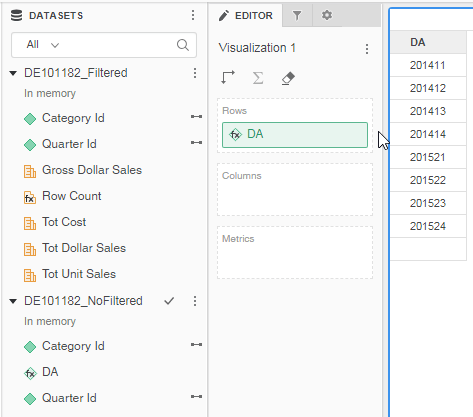
6. Add DA to the template, only filtered element from DS1 where Quarter id in (20141,20152) is returned.
Why is this happening?
This is a known issue in Strategy 10.x. If a derived attribute is based on two or more linked attributes which exists in multiple datasets with different filtering conditions, the derived attribute will subset from the source dataset instead of selecting from the Global lookup table.
Status
ACKNOWLEDGED IN-PROGRESS SOLVED (Version: Strategy 11.0)
Next Steps
This issue is fixed in Strategy 11.0.
If you are upgrading to Strategy 11.0 or above, to pick up the fix, enable project level setting "Data Engine Version" to 11. This property can only be enabled through Workstation. For more details on enabling the setting, refer to Change Data Engine Version.
Derived attributes based on two or more linked attributes which exists in multiple datasets with different filtering conditions will always subset from the Global lookup table as shown below: