When trying to run a report that contains an attribute fetched from Impala longer than 1024 characters the following error appears.
Status: Execution failed
Error: SQL Generation CompleteQueryEngine encountered error: Fetch.
Error type: Odbc success with info. Odbc operation attempted. SQLFetch. [01004:0: on HSTMT]. Error in Process method of Componenet: QueryEngineServer, Project Interpolis - OnMarc Reporting Suite, Job 136068, Error Code=-2147212544.
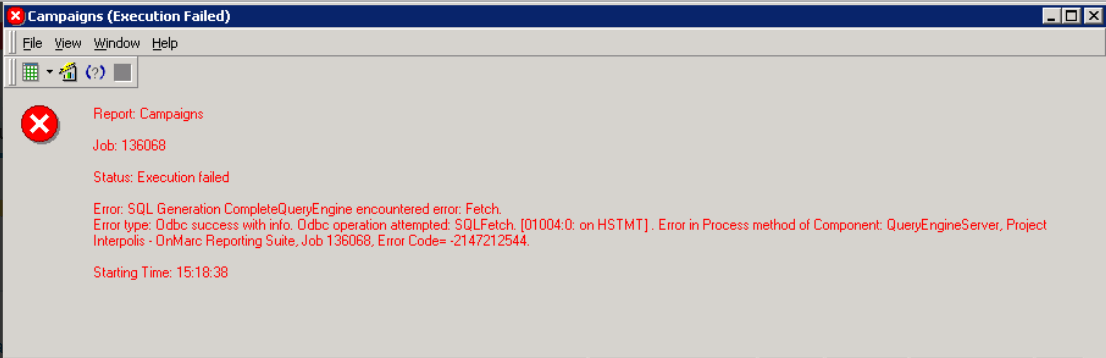
You can also see the following entries in the
DSSErrors.logfile at corresponding timestamps:
Strategy provides a function that automatically adjusts varchar sizes for different databases to avoid negative performance instance that very large varchar variables could cause. In this function, if no maximum length for varchars is provided, it's hardcoded to
1024by default.
For Windows, add a
DWORD(32-bit)Value of
ODBCMaxLongVarSizeinto Registry path
HKEY_LOCAL_MACHINE\SOFTWARE\Wow6432Node\MicroStrategy\DSS Suiteand set its value to be large enough to fit the requirements, for example
10000.
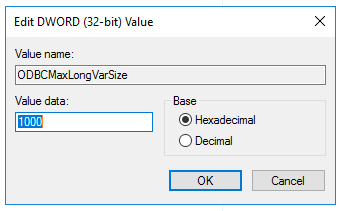

For Linux, add below line of example value 1000 into MSIReg.reg
[HKEY_LOCAL_MACHINE\SOFTWARE\MicroStrategy\DSS Suite]under Strategy install path.
Please check DATABASE.PDS file on Developer machine, find Impala DSSOBJECT section with correct version. For example Impala 3.x.
Add below line of example value 1000 under <PROPERTYSET NAME="VLDB Data Type">.
<PROPERTY NAME="Maximum Var Size" VALUE="1000" />
