EducationSoftwareStrategy.com
StrategyCommunity

Knowledge Base

Product

Community

Knowledge Base

TopicsBrowse ArticlesDeveloper Zone

Product

Download SoftwareProduct DocumentationSecurity Hub

Education

Tutorial VideosSolution GalleryEducation courses

Community

GuidelinesGrandmastersEvents
x_social-icon_white.svglinkedin_social-icon_white.svg
Strategy logoCommunity

© Strategy Inc. All Rights Reserved.

LegalTerms of UsePrivacy Policy
  1. Home
  2. Topics

KB44156: Japanese vertical font is not displayed in MicroStrategy WEB when Intelligence Server runs on Linux.


Community Admin

• Strategy


Japanese vertical font is not displayed in MicroStrategy WEB when Intelligence Server runs on Linux.

SYMPTOM:
 
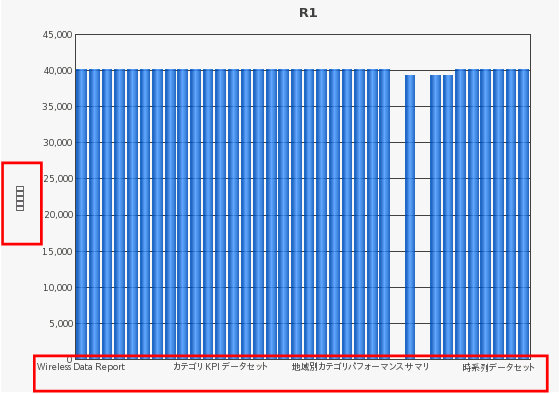
 Japanese vertical font is not displayed in Strategy WEB when Intelligence Server runs on Linux, as shown in the image below:
 

ka04W000000OgktQAC_0EM4400000029a5.png

 
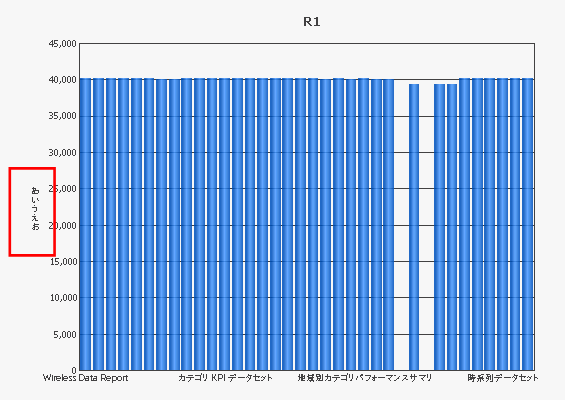
Japanese vertical fonts are displayed correctly when Intelligence Server runs on Window Platform.
ka04W000000OgktQAC_0EM4400000029a7.png

 
STEPS TO REPRODUCE: 

  • Create a graph report and enable the option, ‘Titles - All - Value Title(Y)' in Graph option.
  • Input Japanese character to the title in step_1.
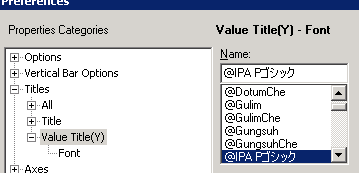
  • Set Japanese vertical font(start with @), @IPA Pゴシックfor Value Title(Y) - Font
ka04W000000OgktQAC_0EM4400000029aC.png
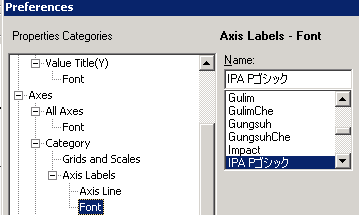
  • (Option) Set the font, IPA Pゴシックfor Axis Labels – Font.
ka04W000000OgktQAC_0EM4400000029a8.png
  • Copy Japanese font, ipag.ttc to PDFGeneratorFiles on Linux which Intelligence Server runs.
  • Restart Intelligence Server.
  • Run the report in Web and note that the Japanese characters in Title(Y) are not displayed while the Japanese characters in Axis Labels show correctly.

CAUSE:
 
This is a known issue with Strategy Intelligence Server 9.x and 10.x.
 
ACTION:
 
Strategy will continue to investigate and post updates as soon as they are available.


Comment

0 comments

Details

Knowledge Article

Published:

June 12, 2017

Last Updated:

June 12, 2017