A push notification is a message that pops up on a mobile device. App publishers can send them at any time; users don't have to be in the app or using their devices to receive them. The push notification server for Strategy Mobile & Strategy Library Mobile is the Intelligence Server.
Setup involves 3 important steps:
1) Registering the application with Google and generating the authentication key. For more details on how to do this, please refer to this knowledge base article - KB441569.
2) Configuring the I-Server:
Create a new device in developer, input the “Package Name” and authentication key as below.
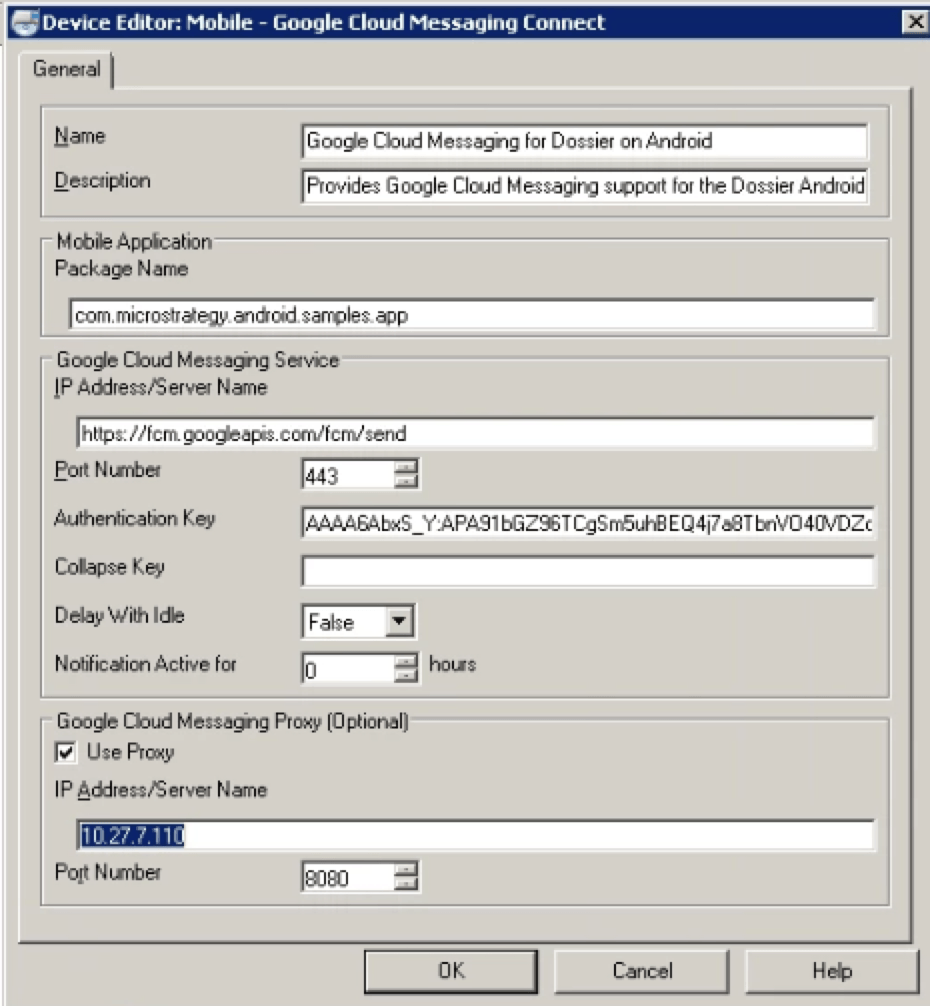
"Package Name" should be package name of sdk app.
“Authentication key” is the server key (got from fcm by steps above).
“Device name” can be customized.
Please check "user proxy" and input proxy information if I-server cannot communicate with Google FCM directly.
3) Updating the json file:
The google-service.json file is downloaded from fcm console by steps above.
The “client_id” has not been set in the original json file, need to add it manually. The format should be“client_id”:”android:[application id of sdk app]” .
For example, “com.Strategy.android.samples.app” is the application id of sdk app.

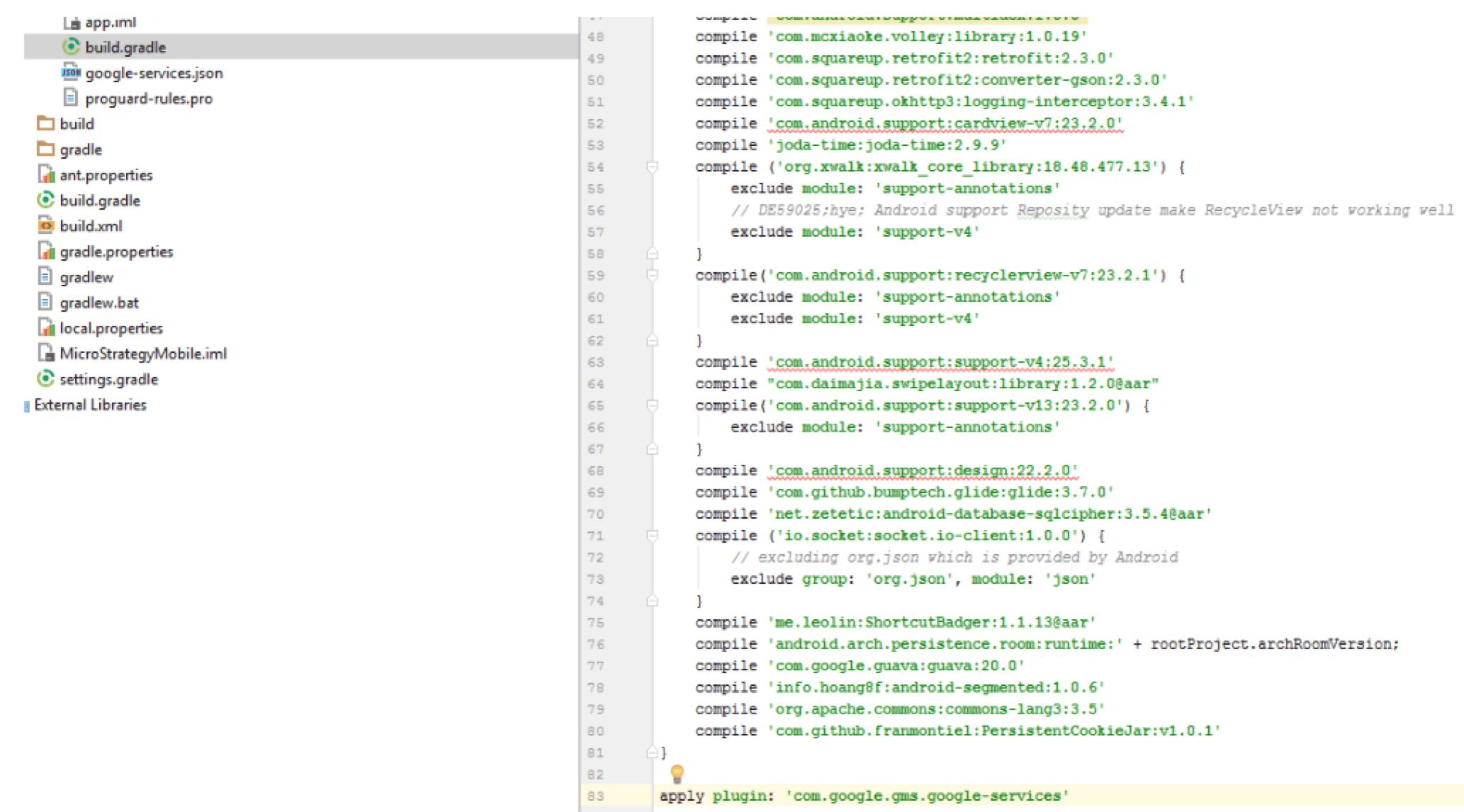
apply plugin: 'com.google.gms.google-services'
Note: If this plugin is not in the build.gradle, the sdk app will be built with google-services.json file from library app, not with the newly updated one.The google service information will be incorrect. Make sure you add the plugin in build.gradle of sdk project.
KB441570
