SYMPTOM:
Formatting the borders of a report cell in Strategy Desktop 9.3.x is not working
Steps to reproduce in Strategy Tutorial:
1. Create a report
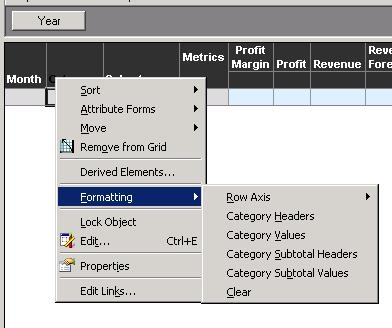
2. In edit view, right mouse click on the attribute (in this example, the attribute Category) and select `Formatting -> Category Values`
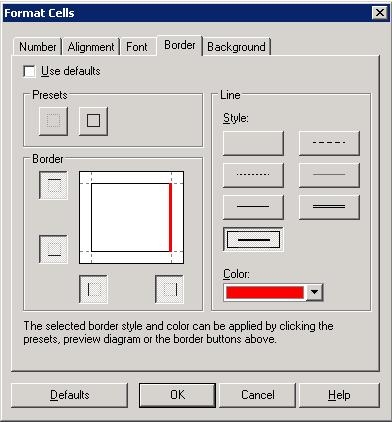
3. In the border tab, borders for upper, lower and left side are set as thin black line, while the right side border is set as a thick red line
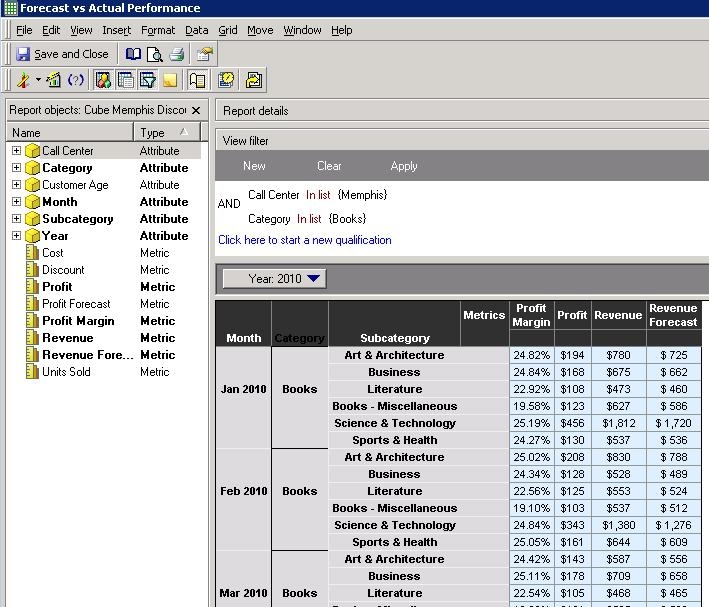
4. Run the report. As shown in the screenshot below, the change made to the right side border has not been applied.
CAUSE:
This is a known issue in Strategy Desktop 9.2.x and 9.3.x
ACTION:
Please contact Strategy Technical Support for an update on this issue
