EducationSoftwareStrategy.com
StrategyCommunity

Knowledge Base

Product

Community

Knowledge Base

TopicsBrowse ArticlesDeveloper Zone

Product

Download SoftwareProduct DocumentationSecurity Hub

Education

Tutorial VideosSolution GalleryEducation courses

Community

GuidelinesGrandmastersEvents
x_social-icon_white.svglinkedin_social-icon_white.svg
Strategy logoCommunity

© Strategy Inc. All Rights Reserved.

LegalTerms of UsePrivacy Policy
  1. Home
  2. Topics

KB44165: Users are unable to delete a folder that contains objects that are dependent on one another in MicroStrategy Developer 9.x and 10.x


Stefan Zepeda

Salesforce Solutions Architect • Strategy


Users are unable to delete a folder that contains objects that are dependent on one another in MicroStrategy Developer 9.x and 10.x

SYMPTOM:
 
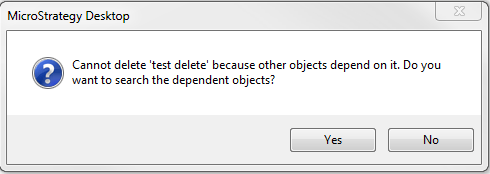
In Strategy Developer 3-tier, when trying to delete a folder that contains dependents on one another, one of the following messages will show:
ka02R000000kc40QAA_0EM440000002Cjs.png

Sample Code/Error
Cannot delete '<folder name>' because other objects depend on it. Do you want to search the dependent objects?
 
When clicking 'Yes', the search will not return any results. 
 
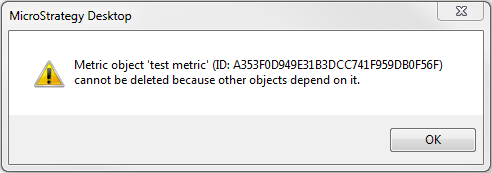
The other message that can occur is:
ka02R000000kc40QAA_0EM440000002Cjm.png

Sample Code/Error
Metric object '<metric name>' (ID: xxx) cannot be deleted because other objects depend on it.
 
One example of how the objects exist in the folder is if a new metric is created and saved in that folder.  Then, a report is created that uses that new metric and saved in that folder.  If these two objects are in this folder this issue will happen.
 
 
CAUSE:
 
This is a known issue in Strategy Developer 9.x and 10.x
 
ACTION:
 
Contact Strategy Technical Support for an update on this issue.
 
WORKAROUND:
 
There are two workarounds for the issue. 

  1. Delete the folder in 2-tier and then unload and load the project back into the Server for the changes to show in 3-tier.
  2. While in the folder highlight all the objects and try to delete them.  The message will show about a dependency but this time the result will not be empty.  Delete that object in the search first, and then proceed to delete the rest of the objects. 

Comment

0 comments

Details

Knowledge Article

Published:

May 30, 2017

Last Updated:

May 30, 2017