Starting with the release of Strategy ONE (March 2024), dossiers are also known as dashboards.
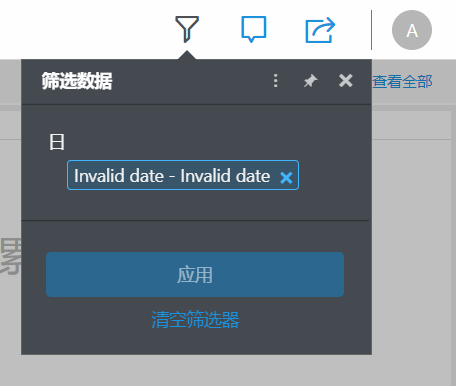
When using the Library product, users view "Invalid date" when opening the Date Filter.
This is being seen with Strategy 10.11, specifically from a browser with Chinese Locale.
View the image below for reference:
1. Create a dossier with the Day attribute in the filter.
2. Run this Dossier in Library.
Ensure you are using a browser with the locale is set as Chinese (Simplified).
3. Click on the Filter button to see the Day selector.
4. View the "Invalid date-Invalid date" error message in the panel.
This is a known limitation on Strategy Library 10.11.
Our engineering team is working to enhance the overall Strategy experience.
The Date attribute format on Library is taken from the browser locale.
Changing the browser locale to English will help to avoid this issue.
When This issue has been addressed in Strategy 2019
Feel free to upgrade to the latest Strategy version.
Interested in learning more about Library? Visit the Learning Center on Community!
