SYMPTOM:
When logging in to Strategy Desktop using LDAP authentication or when testing LDAP authentication, an "Incorrect login/password" error message is encountered. Furthermore, the Authentication Server trace shows the following error:
LDAP authentication trace: Failure in search LDAP user based on filter '(&(objectclass=person) (sAMAccountName=<username>))' and search root '''. (LDAP error 32: No Such Object)
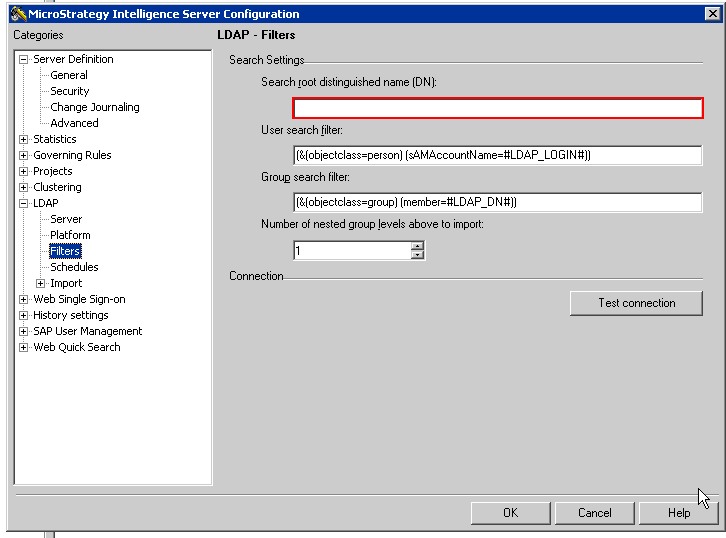
ACTION:
Define an LDAP search root in the LDAP filters configuration panel located under Strategy Intelligence Server configuration > LDAP > Filters > Search Settings. Additional information about this setting is available in the Strategy System Administration Guide in the section discussing the LDAP search root.
