ACTION
1. Locate Strategy License Manager by opening the terminal and entering:
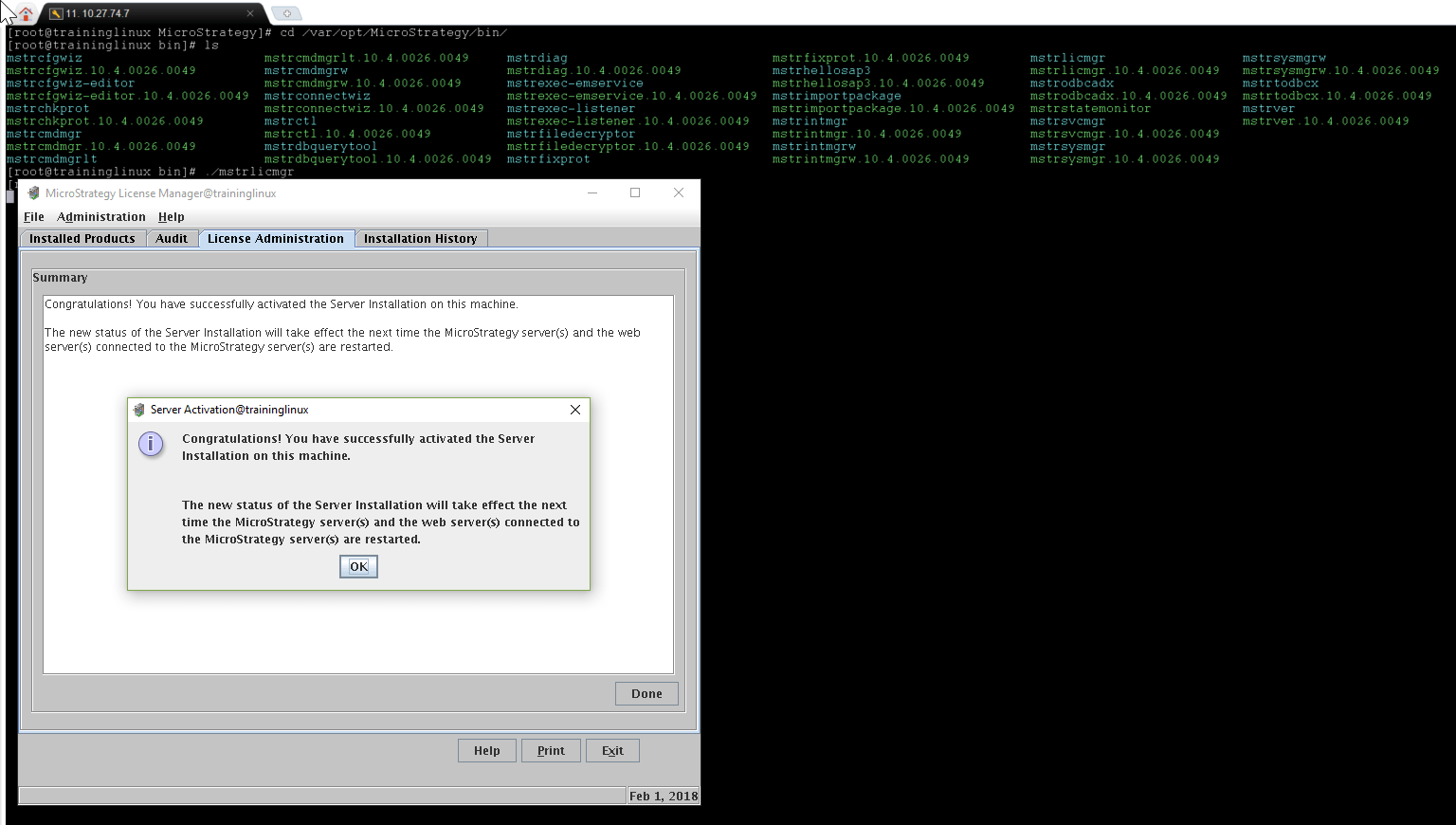
/var/opt/MicroStrategy/bin/mstrlicmgr
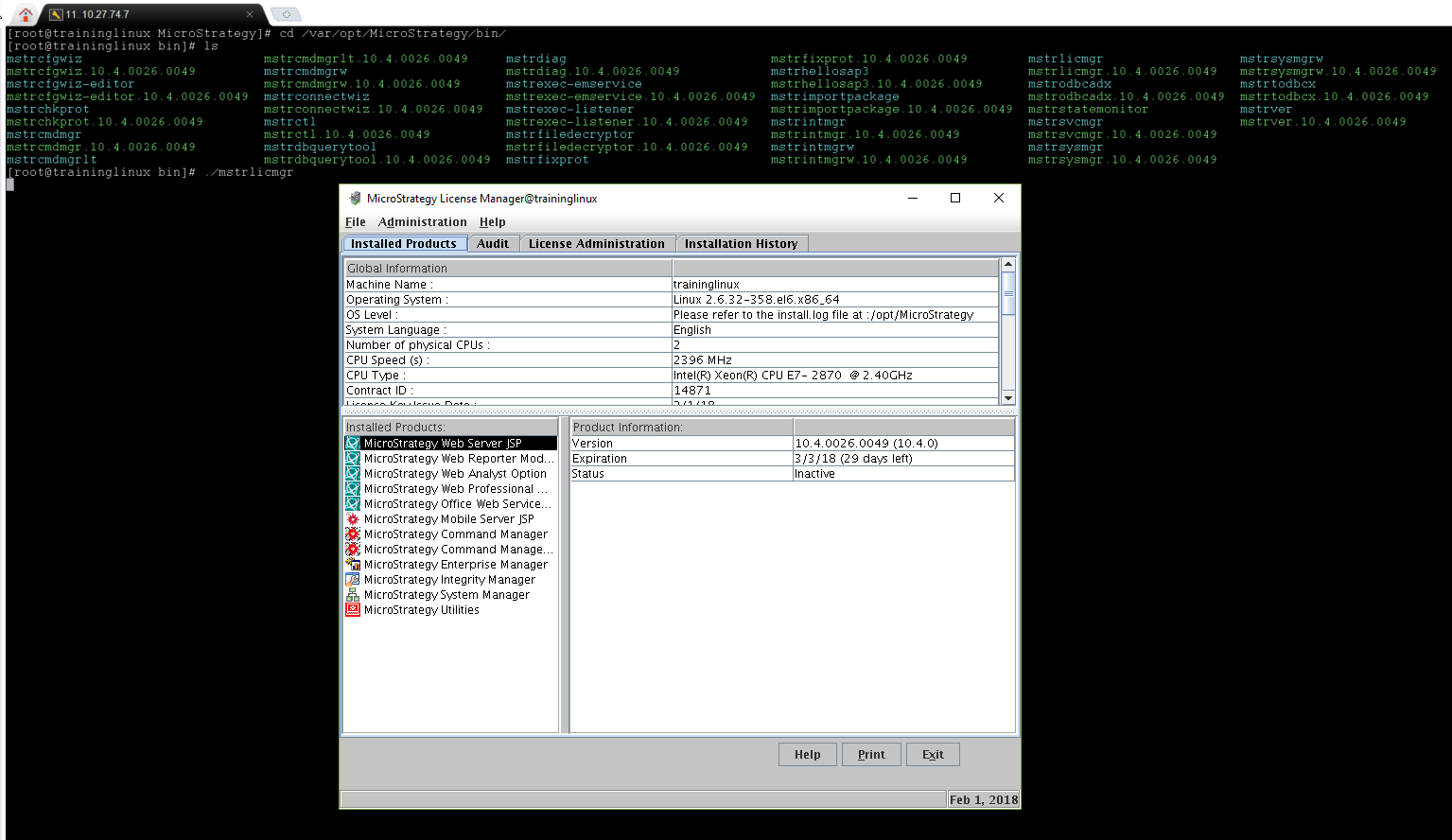
2. After running the command, the UI appears showing the status of the install. To activate License Manager, click on the License Administration tab.
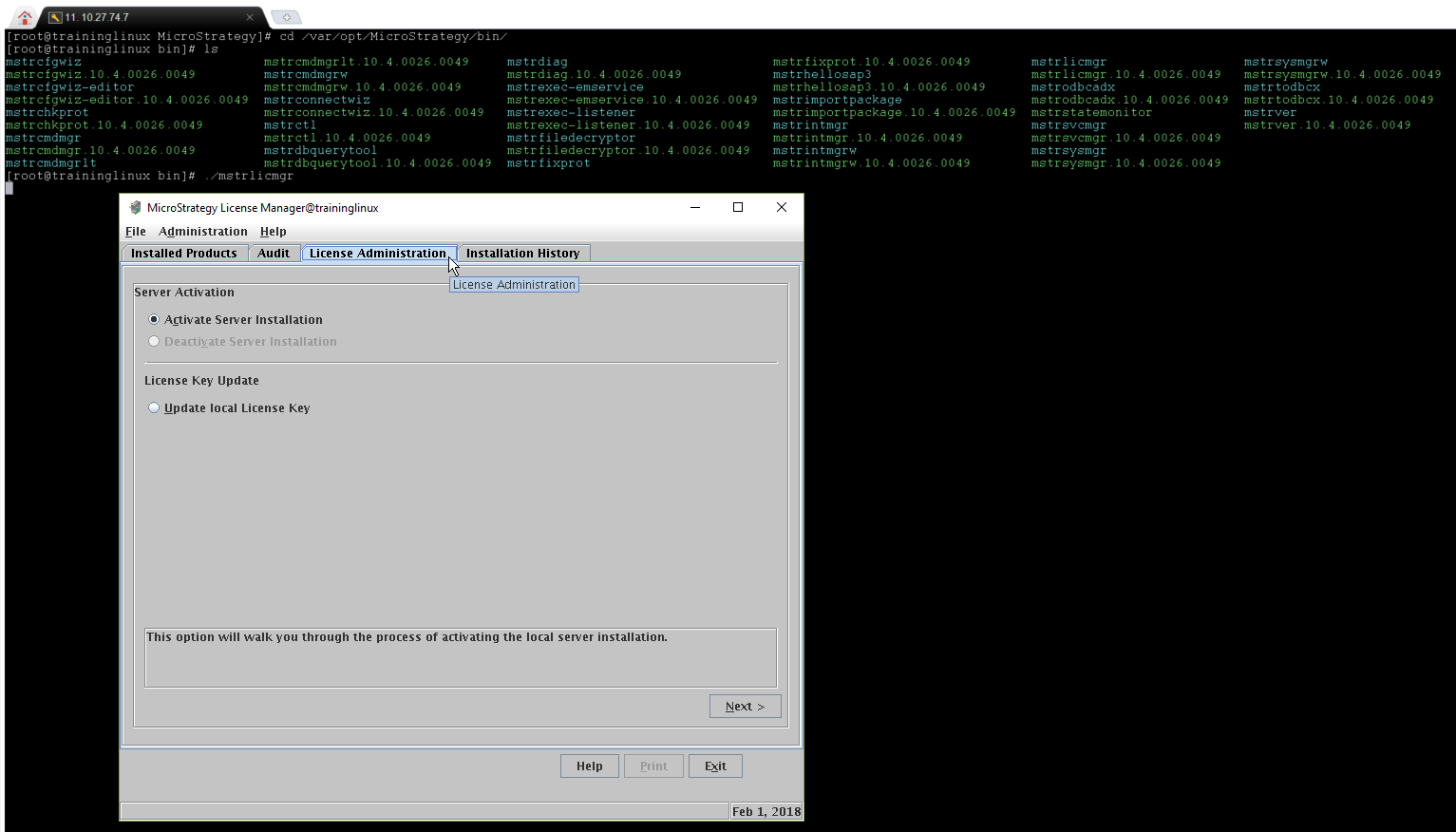
3. Select "Activate server Installation" and click Next.
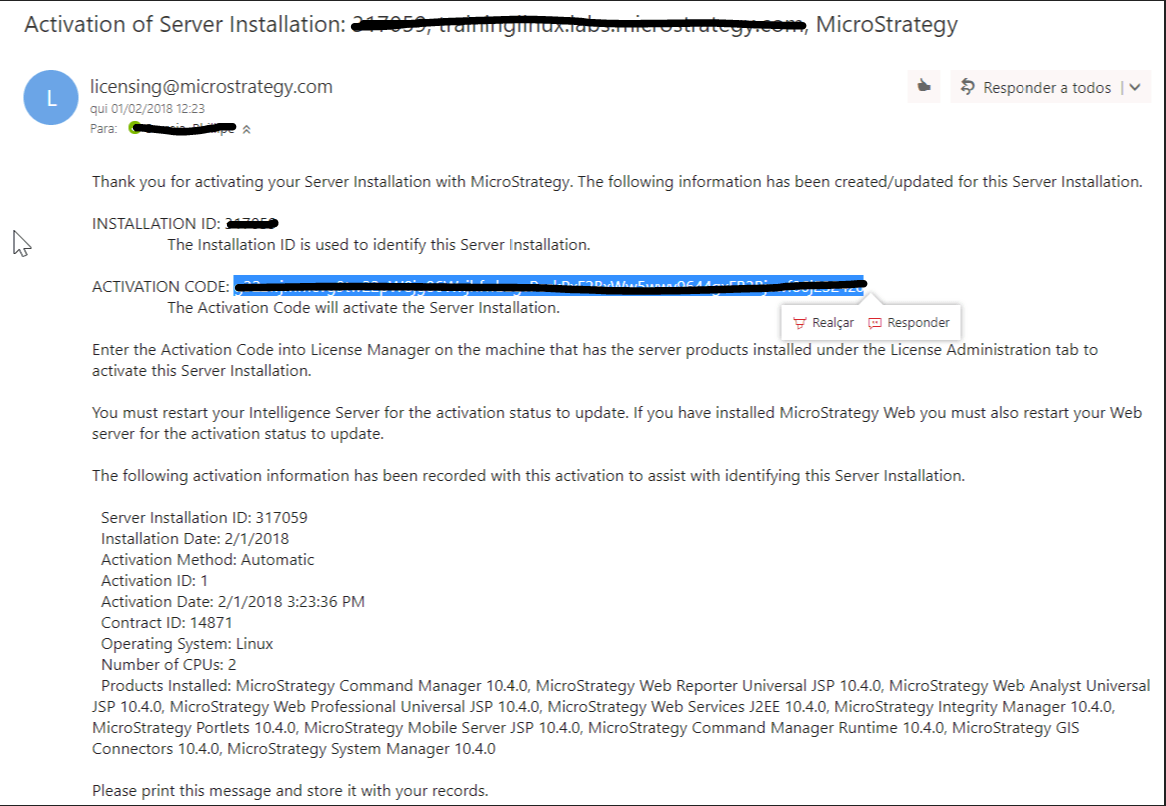
4. Before the installation procedure, you received an email from licensing@Strategy.com. Open the email and copy the Activation Code.
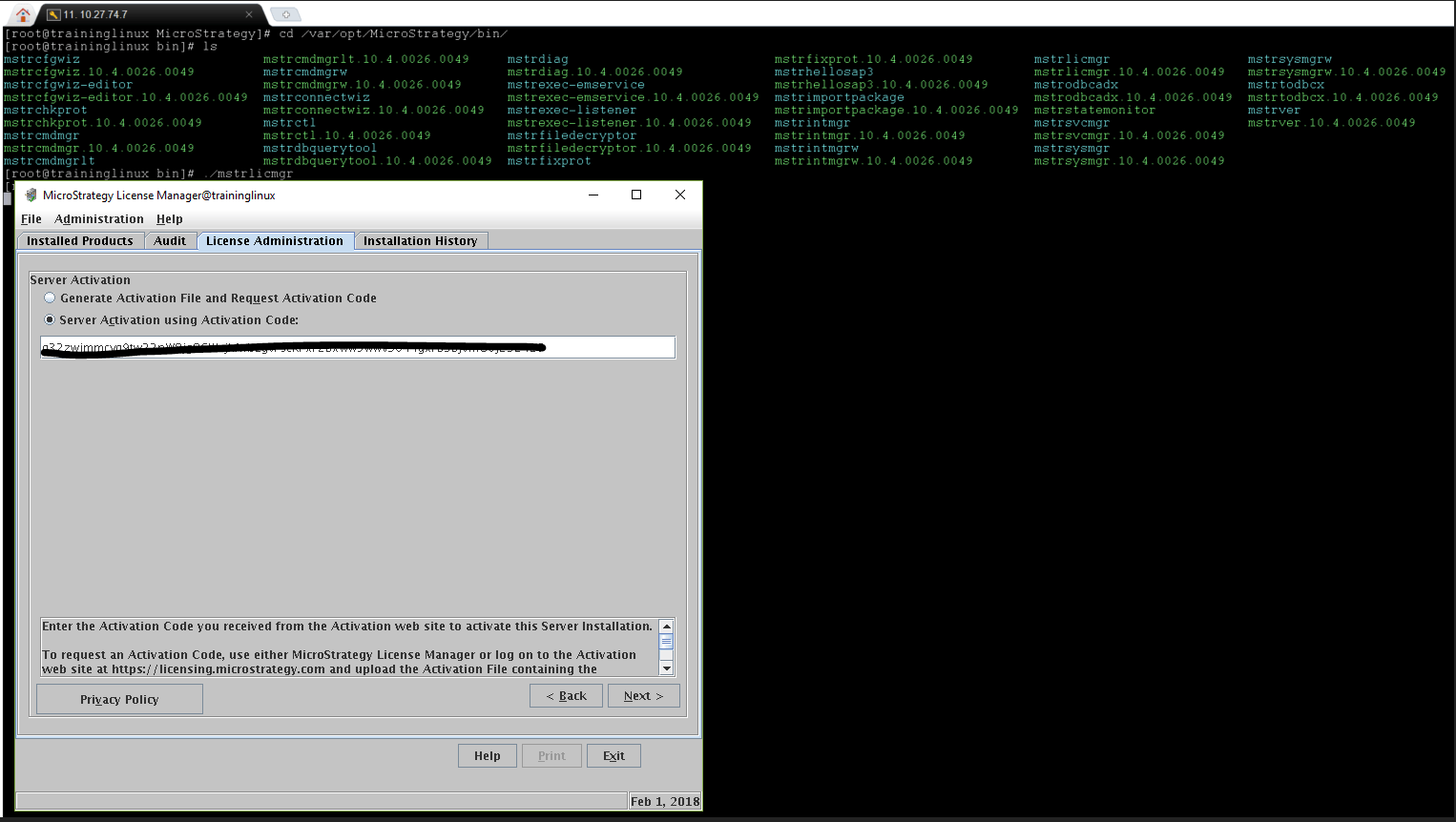
5. Select "Server activation with Activation Code" and enter the activation code. Click Next.
6. You have now activated the server. Click OK.
For detailed instructions on installing and configuration Strategy on Linux, see the Installation and Configuration Guide.
KB441890
