Introduction
In Strategy Intelligence Server 9.x, users can pre-execute reports and documents and store them as History List messages. This allows users to retrieve the document or report results immediately instead of having to run them interactively and wait for the results.
What is Deferred Inbox?
Deferred Inbox is a feature that is available to users accessing Strategy Intelligence Server 9.3.0 and later from an iPad device. When a user requests a report or document from Strategy Mobile 9.3.x using an iPad, instead of waiting for the execution to finish, users can click on the 'View Later' option which sends the completed report/document to the Deferred Inbox. The 'View Later' option is available to all report and document executions which do not hit a cache, as shown below.
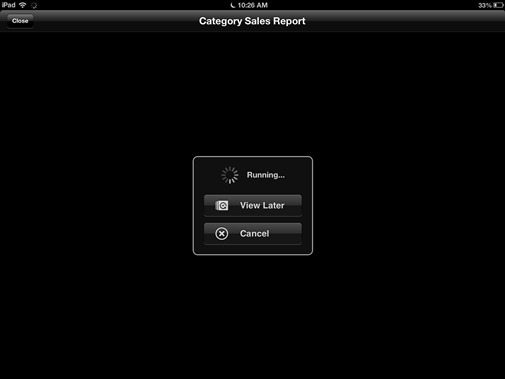
Users can later access the Deferred Inbox messages from the history list link available on the iPad device. Messages sent to the Deferred Inbox are ONLY visible from an iPad and cannot be viewed from Strategy Web 9.x. or Strategy Developer 9.x.
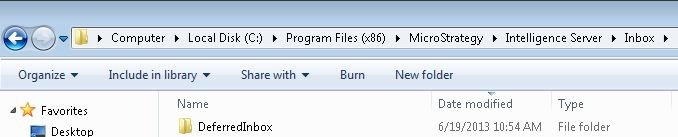
When using file based Inbox, Deferred Inbox messages are created in a new folder called 'Deferred Inbox' under the main Inbox folder, as shown below.
When using database based History List, Deferred Inbox messages are again created in a new folder called 'Deferred Inbox' under the Working Set file directory. The default location for this is the 'TmpPool' folder within the Strategy Intelligence Server working directory, as shown below. The location of the Working Set file directory can be modified from the Strategy Intelligence Server Configuration editor under Governing Rules > Working Set.
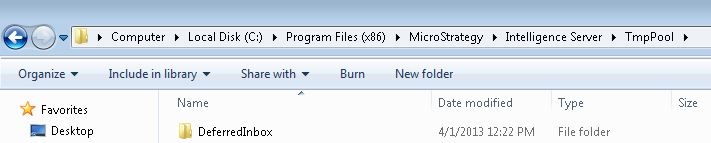
For both file based and database based History List, messages are stored within the Deferred Inbox folder based on the device GUID
