SYMPTOM:
When running queries only the first character of strings is returned and shown on reports. For example seeing 'N' instead of 'North'. This also would effect listing of tables in Warehouse Catalog. This only happens when using a Linux Intelligence Server. Sometimes a different error is seen "widechartoutf8 conversion failed". This happens only for special unicode characters.
CAUSE:
The Linux Snowflake driver is actually setup to use UTF16 by default. This is non standard for Linux where most drivers use UTF8 by default. Do note that this setting is for the driver and is independent of the encoding of data in the warehouse tables itself.
ACTION:
In the Strategy database instance and database connection change the character set encoding for Unix drivers setting to non utf-8.
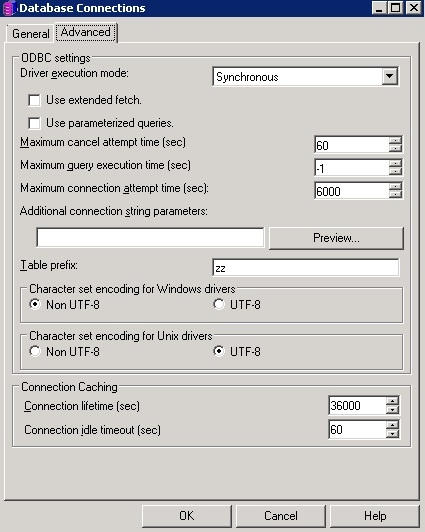
Once this change is made restart the Intelligence Server and Strategy will now use the right type of unicode when processing the data out of the Snowflake database.
The internal reference number for this is KB441972.
