EducationSoftwareStrategy.com
StrategyCommunity

Knowledge Base

Product

Community

Knowledge Base

TopicsBrowse ArticlesDeveloper Zone

Product

Download SoftwareProduct DocumentationSecurity Hub

Education

Tutorial VideosSolution GalleryEducation courses

Community

GuidelinesGrandmastersEvents
x_social-icon_white.svglinkedin_social-icon_white.svg
Strategy logoCommunity

© Strategy Inc. All Rights Reserved.

LegalTerms of UsePrivacy Policy
  1. Home
  2. Topics

KB441979: Web administrator is not accessible with SAML enabled


Community Admin

• Strategy


This article addresses the issue where the MicroStrategy Administration pane is not accessible when enabling SAML with OKTA. This article also provides a solution to avoid this behavior.

SUMMARY
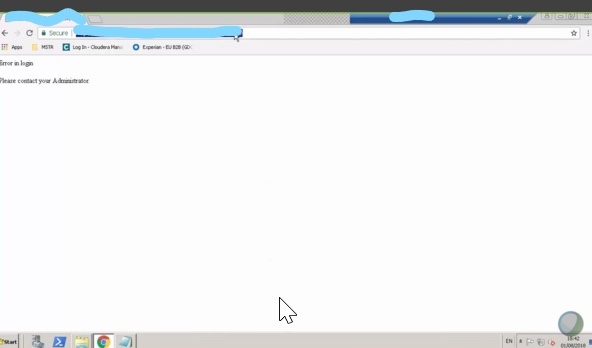
After enabling SAML with OKTA the Strategy Administration pane is not accessible and shows below message:
ka04W000001481hQAA_0EM44000000Qw2j.jpeg

CAUSE
OKTA and/or Tomcat are not properly configured to allow access Web Administrator.
ACTION
There are 2 different approaches that can be considered moving forward: 
1. Use Okta to authenticate users to access the Web Administration page. For this approach, Okta will need to be configured to pass the users' group membership correctly. At the moment, probably, no group memberships are passed from Okta in the SAML assertion. This is likely due to the Groups attribute regular expression on Okta side and will need to be reviewed by the Okta team. 
 

  • KB438904: Web Admin page return 403 error after configure SAML authentication

Using Okta to authenticate users for the Web administration page requires to uncomment the security:intercept-url for mstrWebAdmin, taskAdmin and taskViewer (currently it is commented out) in

SpringSAMLconfig.xml
, and comment out the security-constraint in
web.xml
for the same servlets listed above. 
2. Use Tomcat user to authenticate users for Web Administration page access. This requires to comment out the security:interecept-url in
SpringSAMLconfig.xml
and uncomment the security constraint in
web.xml
. 
Please check also if the Okta username is mapped to the Strategy user account. We suggest reviewing Mapping SAML Users to MicroStrategy moving forward. 
We have also identified that with 10.11 critical update 1, the issue described under KB40571: SAML login shows HTTP 500 error in MicroStrategy Library 10.11 when using Okta as the IDP also applies to Strategy Web. The workaround to disable the HTTP-POST binding is resolving the issue. 
  KB441979


Comment

0 comments

Details

Knowledge Article

Published:

September 27, 2018

Last Updated:

April 28, 2021