SYMPTOM:
In Strategy Developer 10.x and above, when trying to search for attribute elements to include in an element in list filter, the following error message is displayed: “Data type conversion is not possible. First operand to % (MOD) operator must be a valid arithmetic expression.”
STEPS TO REPRODUCE:
1.) In Strategy Developer, create a new report with an attribute.
2.) Add that attribute into the report filter and choose to qualify on Elements In List. Click “Add” to choose desired elements.
3.) Search for a desired attribute element using the “Find” search box. An error message will appear indicating that the search can’t be conducted.
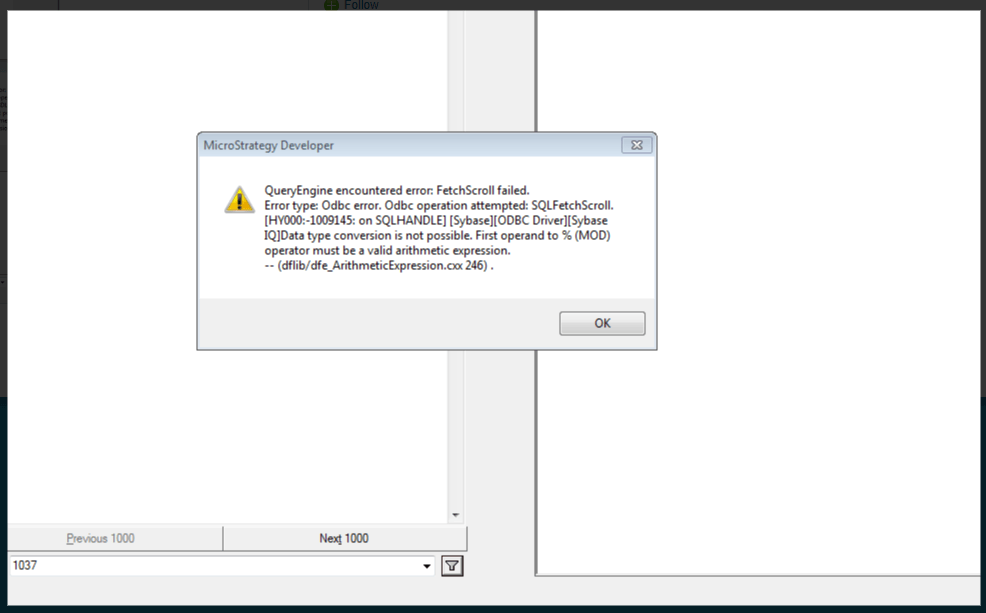
QueryEngine encountered error. FetchScroll failed…Data type conversion is not possible. First operand to % (MOD) operator must be a valid arithmetic expression.
