EducationSoftwareStrategy.com
StrategyCommunity

Knowledge Base

Product

Community

Knowledge Base

TopicsBrowse ArticlesDeveloper Zone

Product

Download SoftwareProduct DocumentationSecurity Hub

Education

Tutorial VideosSolution GalleryEducation courses

Community

GuidelinesGrandmastersEvents
x_social-icon_white.svglinkedin_social-icon_white.svg
Strategy logoCommunity

© Strategy Inc. All Rights Reserved.

LegalTerms of UsePrivacy Policy
  1. Home
  2. Topics

KB442074 : "Application Error : Sorry, an error has occurred. Please contact your Administrator" appears when trying to open a dossier in Library


Community Admin

• Strategy


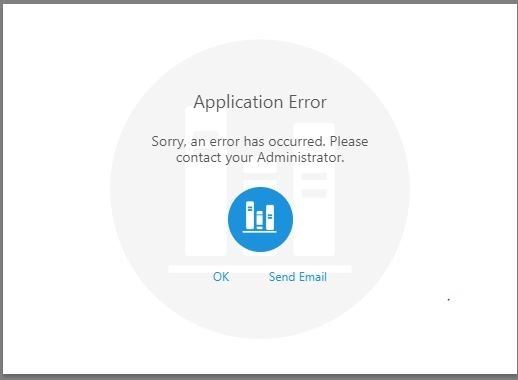
In MicroStrategy 10.11, it may happen that, in Web, when running a dossier in Library from the share folders section, the user will see the error "Application Error : Sorry, an error has occured. Please contact your Administrator" displaying after being prompt to enter credentials.

Starting with the release of Strategy ONE (March 2024), dossiers are also known as dashboards.

Description

In Strategy Library 10.11, users may see the error message "Application Error: Sorry, an error has occurred. Please contact your administrator" after trying to log in.
 

ka0PW0000001JQpYAM_0EM44000000QyCg.jpeg

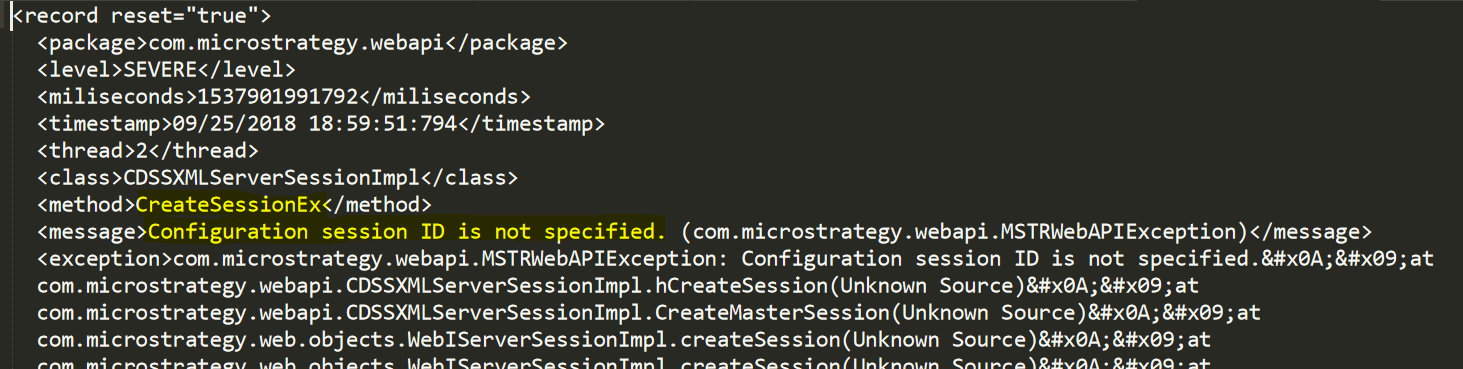
When reviewing the Strategy Library log (https://www2.microstrategy.com/producthelp/10.11/InstallConfig/WebHelp/Lang_1033/Content/library_windows_logging.htm), a message indicating 'Configuration session ID is not specified' is also found:
 

ka0PW0000001JQpYAM_0EM44000000QyCl.png


Steps to reproduce:

  1. Log in to Strategy Web
  2. From the folder browsing interface, go to Strategy Library by clicking on the link for 'Strategy Library' in the left side bar
  3. Provide log in credentials when prompted by the Library application
  4. An error message is displayed, stating "Application Error : Sorry, an error has occurred. Please contact your Administrator"


Why is this happening?

This is a known issue in Strategy Library 10.11. This particular behavior may be encountered the web server hosting Strategy Library was started and no users log in to the Strategy Library application for an extended period of time (i.e. within 1 to 2 days). If you restart the web server, the issue will go away temporarily (only).
 

Solution

Option 1

This issue has been resolved in the Strategy 11.0 and newer releases. Upgrade to this version to take advantage of the fix.
 

Option 2


If upgrading to the latest version of Strategy is not an option or if you would like to resolve the solution in the interim, follow the steps below:

  1. >From the machine hosting Strategy Library, browse into the path StrategyLibrary/WEB-INF/xml/ and open the sys_default.xml file
  2. Change the value for 'useAsymmetricClustering' from 0 to 1
ka0PW0000001JQpYAM_0EM44000000QyCq.png
  1. Restart the application server hosting Strategy Library


Comment

0 comments

Details

Knowledge Article

Published:

September 30, 2018

Last Updated:

March 21, 2024