Starting with the release of Strategy ONE (March 2024), dossiers are also known as dashboards.
SYMPTOM
In-Memory query is optimized for better performance by removing DISTINCT TUPLE clause and join the table directly. This is only a performance optimization and does not have any impact on the resulting data as it remains same.
STEPS TO REPRODUCE
1. This example uses Strategy Tutorial project schema and an In-Memory Intelligent Cube which contains at least following tables when published:
Tables Accessed:
Table10 [L_CATEGORY]: Category, LOOKUP_TABLE
Table93 [REL_SUBCATEGORY_ITEM]: Subcategory, Item, RELATIONSHIP_TABLE, ONE_TO_MANY
Table106 [REL_CATEGORY_SUBCATEGORY]: Category, Subcategory, RELATIONSHIP_TABLE, ONE_TO_MANY
Table118 [F_INVENTORY_CURR_FORTH]: Item, Unit Cost, On Order Qty, Projected Demand Qty, FACT_TABLE
Table129 [F_ORDER_DETAIL]: Promotion, Employee, Item, Day, Customer, Phone Usage, Order, Unit Cost, Unit Price, Gross Revenue, Revenue, Units Sold, Profit, Cost, DiscountFact, Item Count, FACT_TABLE
2. Create a dossier using the Intelligent Cube and create following 4 "Aggregate From Base" metrics as mentioned below:
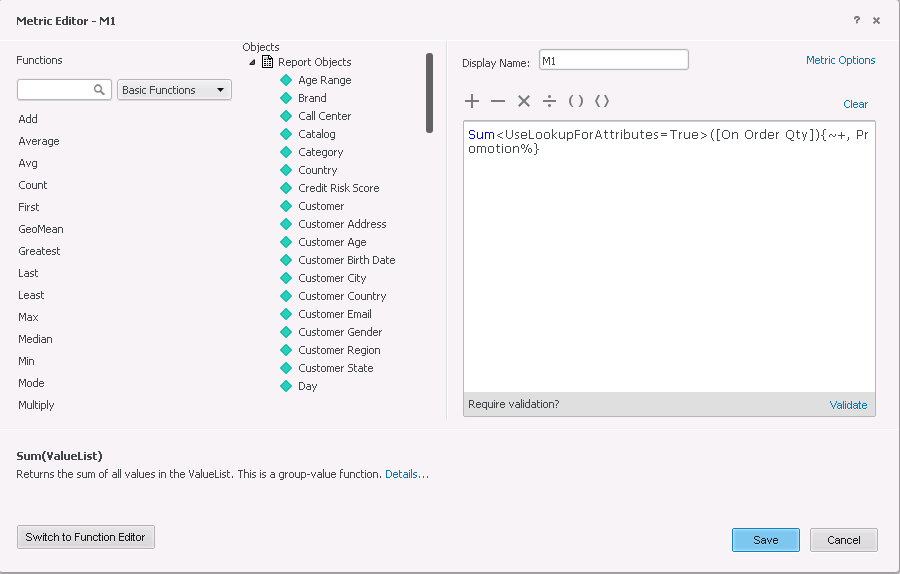
M1 = Sum<UseLookupForAttributes=True>([On Order Qty]){~+, Promotion%}
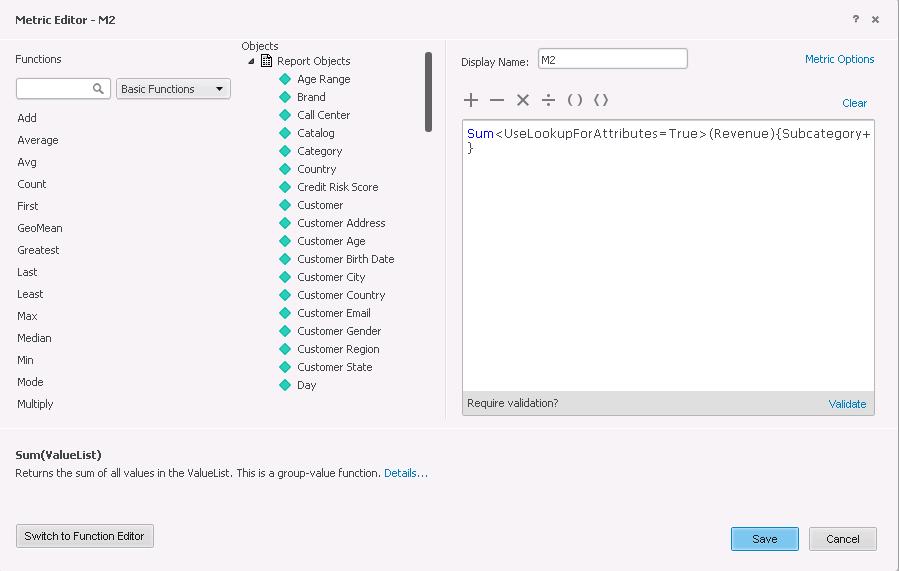
M2 = Sum<UseLookupForAttributes=True>(Revenue){Subcategory+}
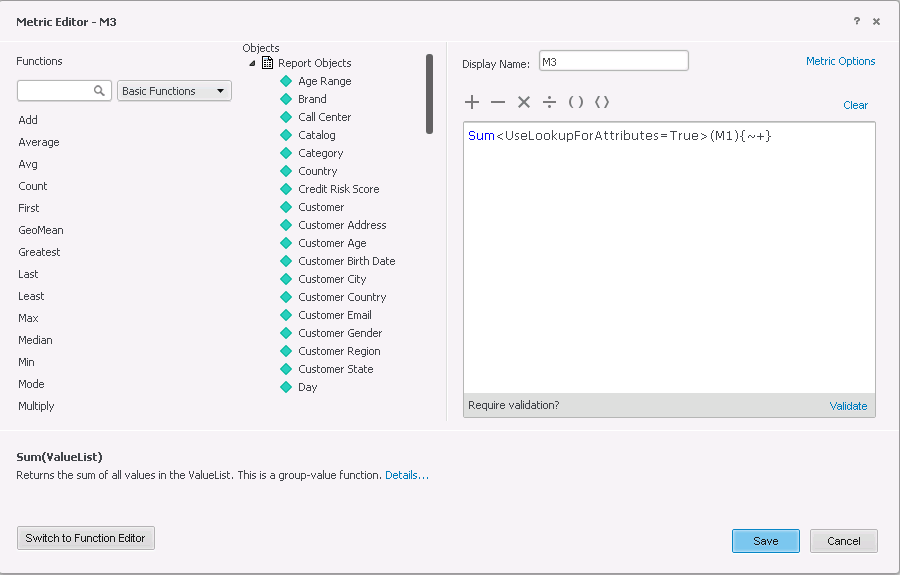
M3 = Sum<UseLookupForAttributes=True>(M1){~+}
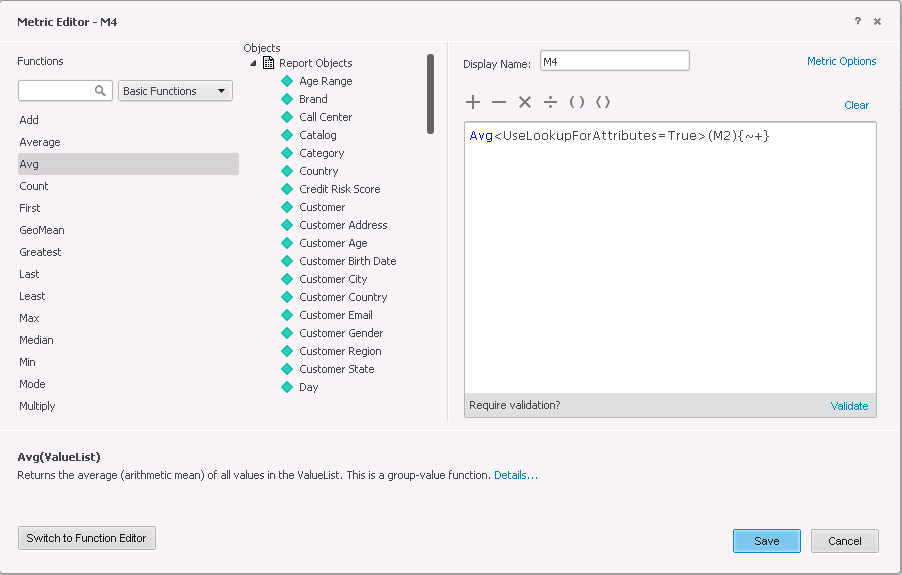
M4 = Avg<UseLookupForAttributes=True>(M2){~+}
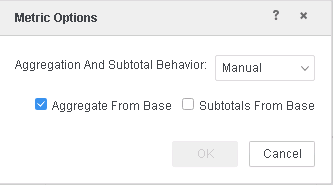
Mark all the above metrics as "Aggregate From Base" using "Metric Options" option in the Metric Editor dialog.
3. Put Category attribute on visualization and M3, M4 metrics. Also define filters on Item and Promotion as specified below (the filter elements could be different on the underlying data source).
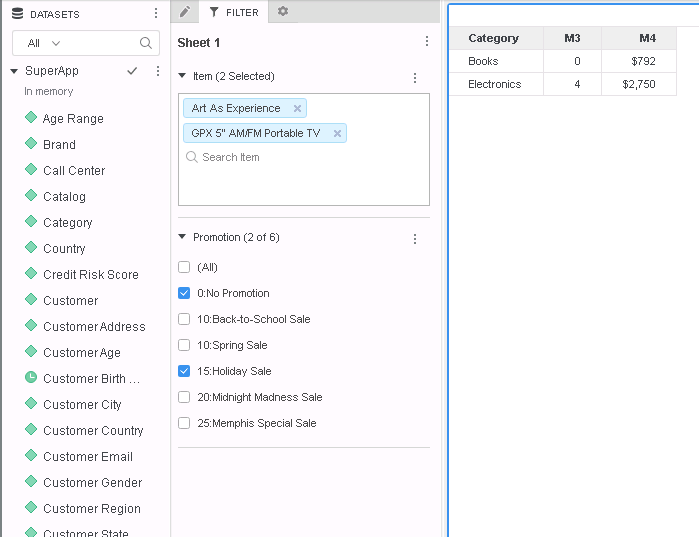
Query Details of the above visualization shows:
*********   Visualization Summary Start  **********
Time Spent: 0.008 sec(s)
Query Execution Start Time: 1/23/2019 5:33:15 PM
Query Execution End Time: 1/23/2019 5:33:15 PM

Note: The total 'Time Spent' above may be greater than the summation of the individual step execution times below.
There are preparation tasks for each step that are not individually measured.
*********   Visualization Summary End    **********

************   Individual Step Start   ************
Number of Rows Returned: 2
Time Spent: 0.007 sec(s)
Query Execution Start Time: 1/23/2019 5:33:15 PM
Query Execution End Time: 1/23/2019 5:33:15 PM

Tables Accessed:
Table10    [L_CATEGORY]:    Category,         LOOKUP_TABLE
Table93    [REL_SUBCATEGORY_ITEM]:    Subcategory, Item,         RELATIONSHIP_TABLE,    ONE_TO_MANY
Table106    [REL_CATEGORY_SUBCATEGORY]:    Category, Subcategory,         RELATIONSHIP_TABLE,    ONE_TO_MANY
Table118    [F_INVENTORY_CURR_FORTH]:    Item,     Unit Cost, On Order Qty, Projected Demand Qty,     FACT_TABLE
Table129    [F_ORDER_DETAIL]:    Promotion, Employee, Item, Day, Customer, Phone Usage, Order,     Unit Cost, Unit Price, Gross Revenue, Revenue, Units Sold, Profit, Cost, DiscountFact, Item Count,     FACT_TABLE

select    [Category]@[CATEGORY_ID],
    [Promotion]@[PROMOTION_ID],
    sum([[F_INVENTORY_CURR_FORTH].On Order Qty])@{[Category],[Promotion]} as [M1]
from    SuperApp
with Table Join Tree:     [F_INVENTORY_CURR_FORTH]<[Item]@[ITEM_ID] in (2, 151)>
     Join [REL_SUBCATEGORY_ITEM] with output level Tuple([Item]@[ITEM_ID], [Subcategory]@[SUBCAT_ID])
     Join [REL_CATEGORY_SUBCATEGORY] with output level Tuple([Category]@[CATEGORY_ID], [Item]@[ITEM_ID])
     Join (Set of distinct Tuple([Item]@[ITEM_ID], [Promotion]@[PROMOTION_ID]) where Tuple([Item]@[ITEM_ID], [Promotion]@[PROMOTION_ID]) in [F_ORDER_DETAIL]) with output level Tuple([Category]@[CATEGORY_ID], [Item]@[ITEM_ID], [Promotion]@[PROMOTION_ID])
Save As TempTable139

select    [Category]@[CATEGORY_ID],
    sum([TempTable139.M1])@{[Category]} as [M3]
from    SuperApp
with Table Join Tree:     TempTable139<[Promotion]@[PROMOTION_ID] in (0, 2)>
Save As TempTable140

select    [Subcategory]@[SUBCAT_ID],
    sum([[F_ORDER_DETAIL].Revenue])@{[Subcategory]} as [M2]
from    SuperApp
with Table Join Tree:     [F_ORDER_DETAIL]<([Promotion]@[PROMOTION_ID] in (0, 2)
 and [Item]@[ITEM_ID] in (2, 151))>
     Join [REL_SUBCATEGORY_ITEM] with output level Tuple([Day]@[DAY_DATE], [Employee]@[EMP_ID], [Item]@[ITEM_ID], [Order]@[ORDER_ID], [Phone Usage]@[CUSTOMER_ID], [Subcategory]@[SUBCAT_ID])
Save As TempTable141

select    [Category]@[CATEGORY_ID],
    avg([TempTable141.M2])@{[Category]} as [M4]
from    SuperApp
with Table Join Tree:     TempTable141
     Join [REL_CATEGORY_SUBCATEGORY] with output level Tuple([Category]@[CATEGORY_ID], [Subcategory]@[SUBCAT_ID])
Save As TempTable142

select    [Category]@[CATEGORY_ID],
    [Category]@[CATEGORY_DESC],
    [TempTable140.M3] as [M3],
    [TempTable142.M4] as [M4]
from    SuperApp
with Table Join Tree:     TempTable140
     Join TempTable142 with output level Tuple([Category]@[CATEGORY_ID])
     Join ([REL_CATEGORY_SUBCATEGORY]
     Join (Set of distinct Tuple([Subcategory]@[SUBCAT_ID]) where Tuple([Subcategory]@[SUBCAT_ID]) in [REL_SUBCATEGORY_ITEM]<[Item]@[ITEM_ID] in (2, 151)> with output level Tuple([Category]@[CATEGORY_ID])) with output level Tuple([Category]@[CATEGORY_ID])
************   Individual Step End     ************
*********   Visualization Summary Start  **********
Time Spent: 0.008 sec(s)
Query Execution Start Time: 1/23/2019 5:33:15 PM
Query Execution End Time: 1/23/2019 5:33:15 PM

Note: The total 'Time Spent' above may be greater than the summation of the individual step execution times below.
There are preparation tasks for each step that are not individually measured.
*********   Visualization Summary End    **********

************   Individual Step Start   ************
Number of Rows Returned: 2
Time Spent: 0.007 sec(s)
Query Execution Start Time: 1/23/2019 5:33:15 PM
Query Execution End Time: 1/23/2019 5:33:15 PM

Tables Accessed:
Table10    [L_CATEGORY]:    Category,         LOOKUP_TABLE
Table93    [REL_SUBCATEGORY_ITEM]:    Subcategory, Item,         RELATIONSHIP_TABLE,    ONE_TO_MANY
Table106    [REL_CATEGORY_SUBCATEGORY]:    Category, Subcategory,         RELATIONSHIP_TABLE,    ONE_TO_MANY
Table118    [F_INVENTORY_CURR_FORTH]:    Item,     Unit Cost, On Order Qty, Projected Demand Qty,     FACT_TABLE
Table129    [F_ORDER_DETAIL]:    Promotion, Employee, Item, Day, Customer, Phone Usage, Order,     Unit Cost, Unit Price, Gross Revenue, Revenue, Units Sold, Profit, Cost, DiscountFact, Item Count,     FACT_TABLE

select    [Category]@[CATEGORY_ID],
    [Promotion]@[PROMOTION_ID],
    sum([[F_INVENTORY_CURR_FORTH].On Order Qty])@{[Category],[Promotion]} as [M1]
from    SuperApp
with Table Join Tree:     [F_INVENTORY_CURR_FORTH]<[Item]@[ITEM_ID] in (2, 151)>
     Join [REL_SUBCATEGORY_ITEM] with output level Tuple([Item]@[ITEM_ID], [Subcategory]@[SUBCAT_ID])
     Join [REL_CATEGORY_SUBCATEGORY] with output level Tuple([Category]@[CATEGORY_ID], [Item]@[ITEM_ID])
     Join (Set of distinct Tuple([Item]@[ITEM_ID], [Promotion]@[PROMOTION_ID]) where Tuple([Item]@[ITEM_ID], [Promotion]@[PROMOTION_ID]) in [F_ORDER_DETAIL]) with output level Tuple([Category]@[CATEGORY_ID], [Item]@[ITEM_ID], [Promotion]@[PROMOTION_ID])
Save As TempTable139

select    [Category]@[CATEGORY_ID],
    sum([TempTable139.M1])@{[Category]} as [M3]
from    SuperApp
with Table Join Tree:     TempTable139<[Promotion]@[PROMOTION_ID] in (0, 2)>
Save As TempTable140

select    [Subcategory]@[SUBCAT_ID],
    sum([[F_ORDER_DETAIL].Revenue])@{[Subcategory]} as [M2]
from    SuperApp
with Table Join Tree:     [F_ORDER_DETAIL]<([Promotion]@[PROMOTION_ID] in (0, 2)
 and [Item]@[ITEM_ID] in (2, 151))>
     Join [REL_SUBCATEGORY_ITEM] with output level Tuple([Day]@[DAY_DATE], [Employee]@[EMP_ID], [Item]@[ITEM_ID], [Order]@[ORDER_ID], [Phone Usage]@[CUSTOMER_ID], [Subcategory]@[SUBCAT_ID])
Save As TempTable141

select    [Category]@[CATEGORY_ID],
    avg([TempTable141.M2])@{[Category]} as [M4]
from    SuperApp
with Table Join Tree:     TempTable141
     Join [REL_CATEGORY_SUBCATEGORY] with output level Tuple([Category]@[CATEGORY_ID], [Subcategory]@[SUBCAT_ID])
Save As TempTable142

select    [Category]@[CATEGORY_ID],
    [Category]@[CATEGORY_DESC],
    [TempTable140.M3] as [M3],
    [TempTable142.M4] as [M4]
from    SuperApp
with Table Join Tree:     TempTable140
     Join TempTable142 with output level Tuple([Category]@[CATEGORY_ID])
     Join ([REL_CATEGORY_SUBCATEGORY]
     Join [REL_SUBCATEGORY_ITEM]<[Item]@[ITEM_ID] in (2, 151)> with output level Tuple([Category]@[CATEGORY_ID])) with output level Tuple([Category]@[CATEGORY_ID])
************   Individual Step End     ************
