SYMPTOM
When attempting to restore an environment backup file on Amazon S3 bucket a environment some users may encounter the error email sent to them:
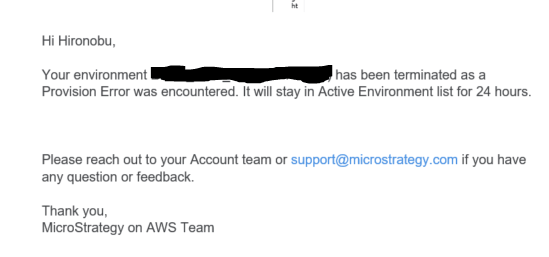
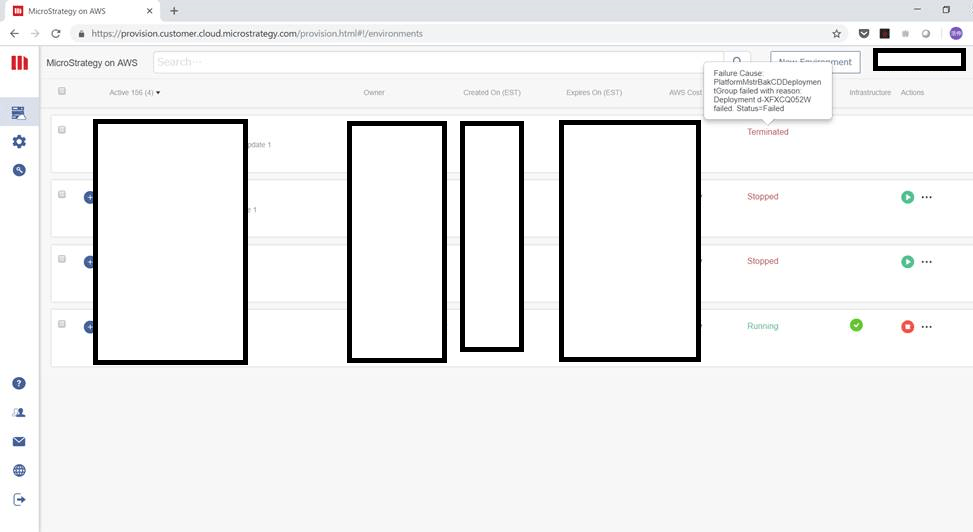
Occasionally an alternative caution message was appeares from the provisioning console:
“Failure Cause: PlatformMstrBakCDDeploymentGroup failed with reason: Deployment d-XFXCQ052W failed. Status=Failed”.
STEPS TO REPRODUCE
1. Create a backup of a environment and send it to S3 bucket with foreign characters in the metadata.
2. Attempt restoring the backup and the error is encountered.
CAUSE
If one of the projects contain a foreign character, such as the letter é, it becomes unreadable for the python code (and hence the error during restoration). Such characters are currently unsupported in MSTRBak. To make the restoration work, you will need to modify the name of the project and take another backup to restore. I apologize for this inconvenience and thank you for helping us identify this limitation.
ACTION
This issue was reviewed by our Technology team for feasibility and will not be scoped for a code fix in any upcoming Strategy release.
WORKAROUND
To make the restoration work, you will need to modify the name of the project and take another backup to restore. KB442147
