EducationSoftwareStrategy.com
StrategyCommunity

Knowledge Base

Product

Community

Knowledge Base

TopicsBrowse ArticlesDeveloper Zone

Product

Download SoftwareProduct DocumentationSecurity Hub

Education

Tutorial VideosSolution GalleryEducation courses

Community

GuidelinesGrandmastersEvents
x_social-icon_white.svglinkedin_social-icon_white.svg
Strategy logoCommunity

© Strategy Inc. All Rights Reserved.

LegalTerms of UsePrivacy Policy
  1. Home
  2. Topics

KB442201: Custom option in sort is missing after defining custom sort on the same attribute in MicroStrategy Web 10.9


Mengran (Molly) Wang

Senior Cloud Support Engineer III • MicroStrategy


Custom option in sort is missing after defining custom sort on the same attribute in MicroStrategy Web 10.9

STEPS TO REPRODUCE:
1. Create a simple document containing only one grid: Category subcategory region year and cost profit revenue
2. Run in editable mode
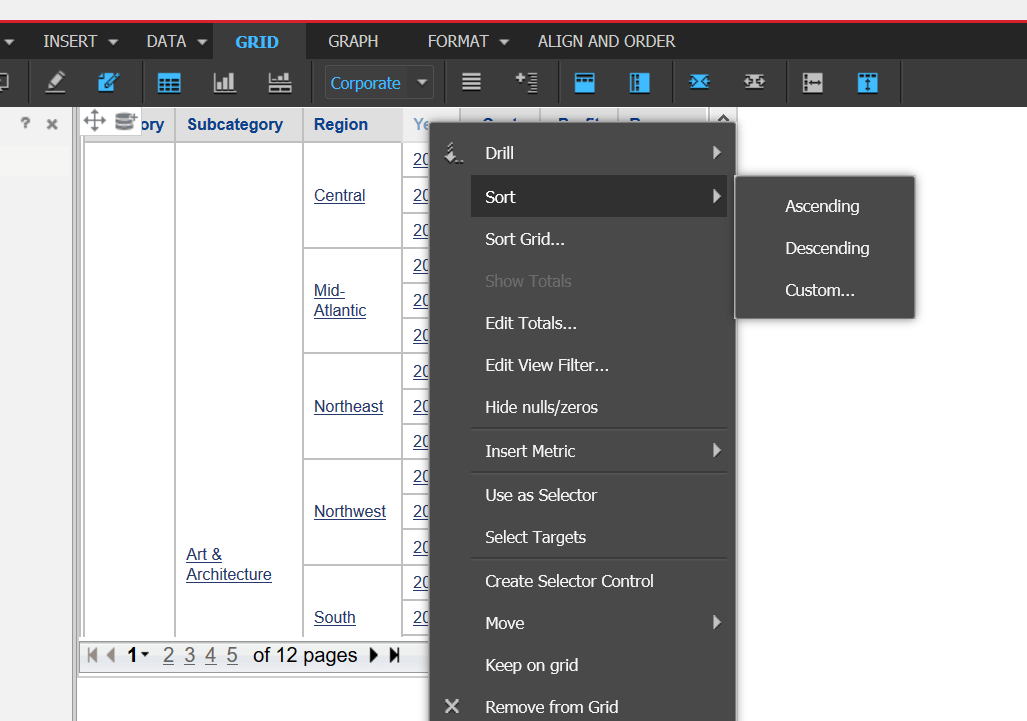
3. Right mouse click on Attribute Year. Choose Sort - Custom...
ka02R000000kUwyQAE_0EM44000000RCc2.png

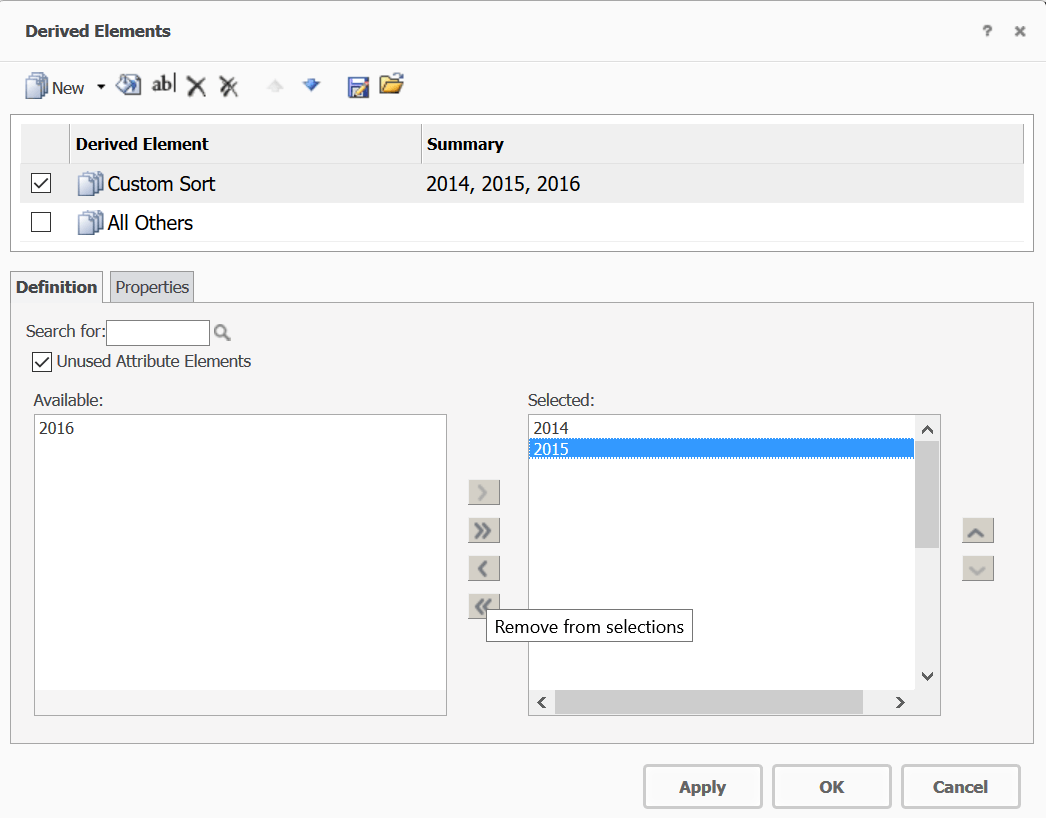
4. Define custom sort, like remove element 2016
ka02R000000kUwyQAE_0EM44000000RCc7.png

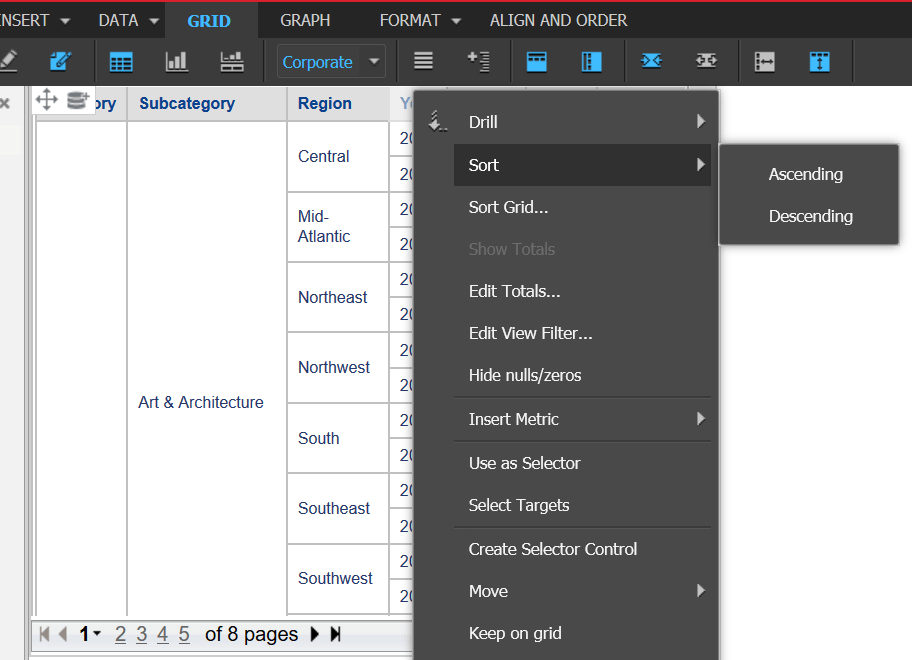
5. Right mouse click on Attribute Year again. Choose Sort, see "Custom..." is gone.
ka02R000000kUwyQAE_0EM44000000RCcC.png

CAUSE:
This is a known defect in Strategy Web 10.9
ACTION:
Strategy will continue to investigate and post updates as soon as they are available.
Workaround:
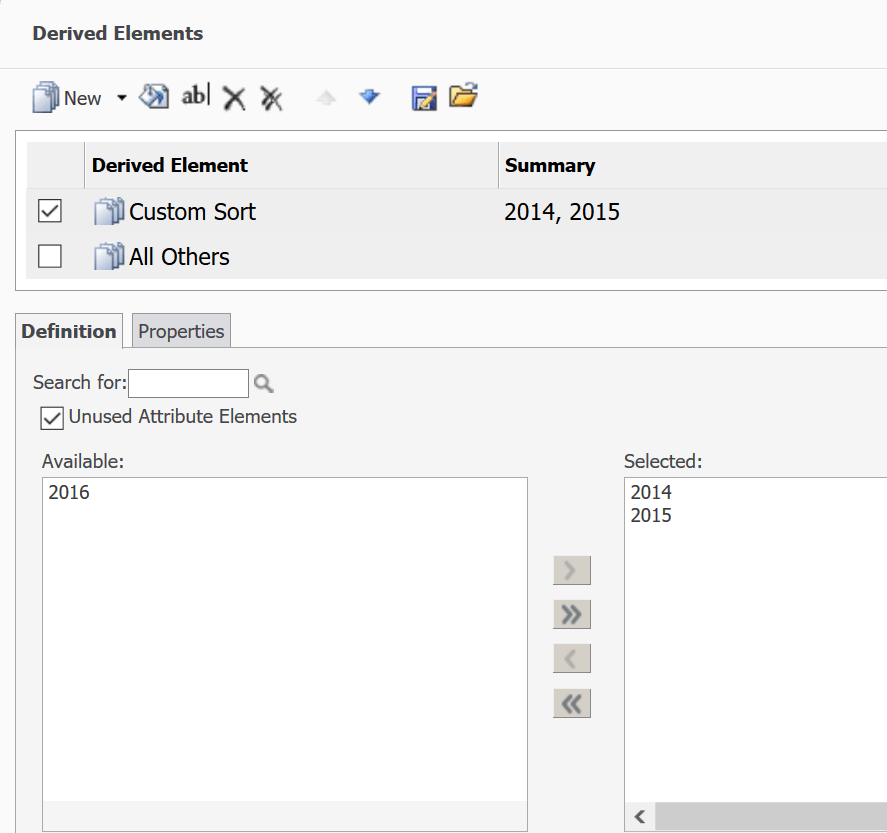
Choosing "Derived Elements..."  will trigger the custom sort option as well:
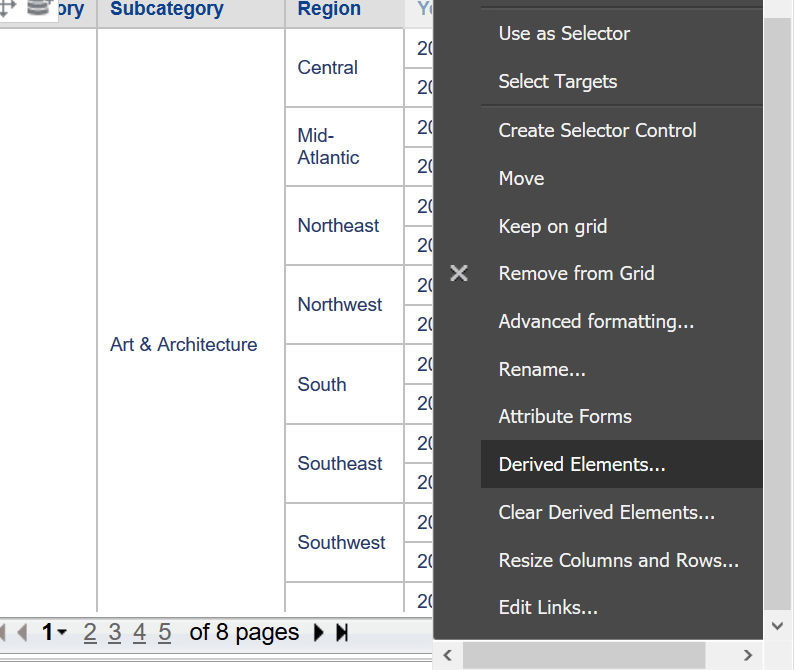
ka02R000000kUwyQAE_0EM44000000RCcb.png
ka02R000000kUwyQAE_0EM44000000RCcg.png

KB442201


Comment

0 comments

Details

Knowledge Article

Published:

November 6, 2018

Last Updated:

January 1, 2019