Starting with the release of Strategy ONE (March 2024), dossiers are also known as dashboards.
SYMPTOM:
In a report, there are one metric which depends on other metrics. Then the user created a Report Services Document or dossier based on this report and added this metric to the field group. After that, if user deleted this metric from the report, the metric will display as static text in the field group of this document or dossier with remove missing unit setting enabled. However, after Strategy 11.0 with AE version=11, with remove missing unit setting enabled if the components of this metric still exist in the report, it can be calculated in the field group even if it is deleted from the dataset.
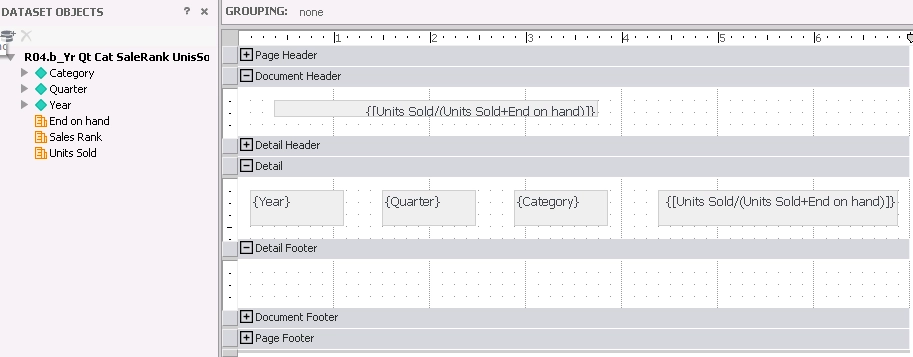
In the image below, the metric Units Sold/(Unit Sold+End on hand) is removed from the report.
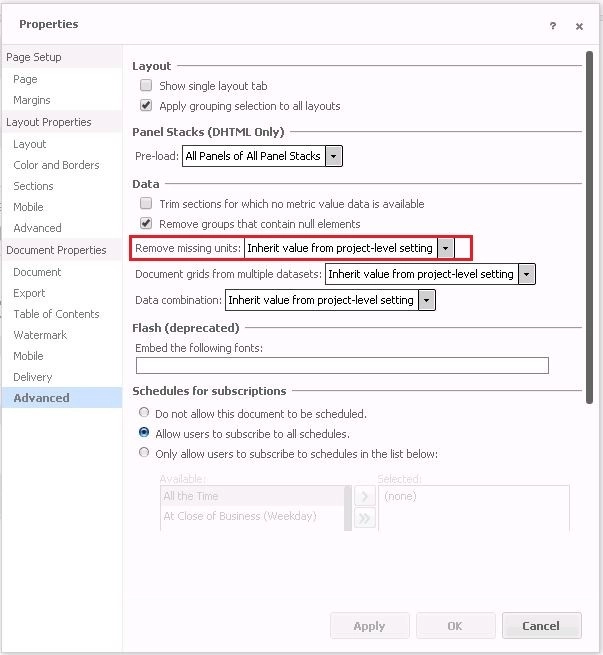
Remove missing unit setting can be set in the document level or project level.
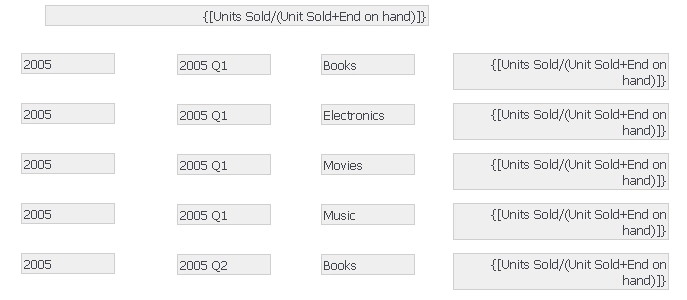
With remove missing unit enabled, the metric Units Sold/(Unit Sold+End on hand) should be calculated since its components exist in the report. However, it fails to do so and this metric displayed as static text.
STEPS TO REPRODUCE:
1)In Strategy Web 10.11, create a standalone metric Units Sold/(Unit Sold+End on hand)
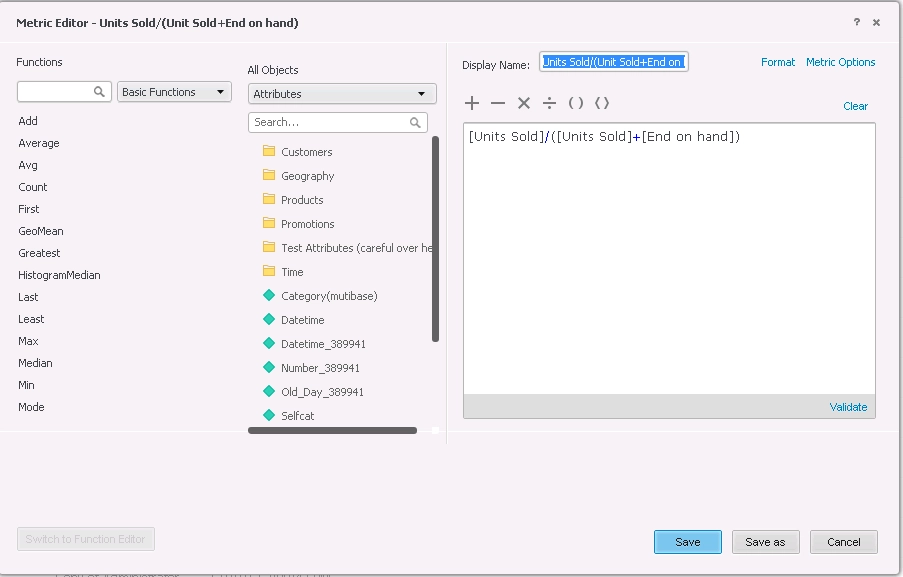
Note: The definition of this standalone metric is [Units Sold]/([Units Sold]+[End on hand])
2) Create a report with the following object.
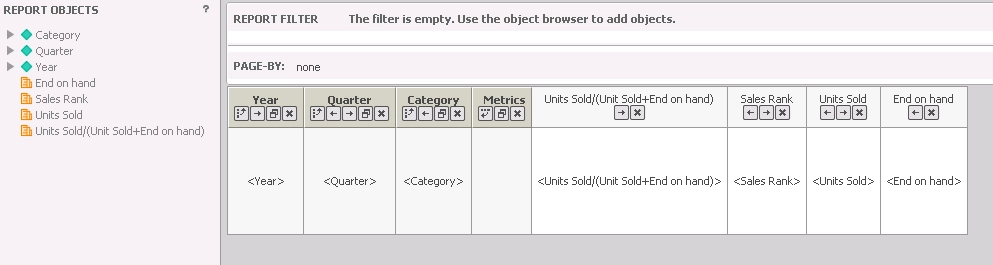
3) Create a document based on this report and add the metric Units Sold/(Unit Sold+End on hand) to the field group.
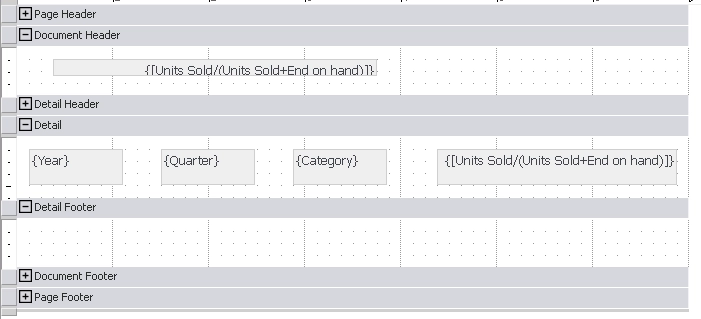
Note: You can add the field group to the header session or detail session.
4) Enable remove missing unit in the document level then save this document.
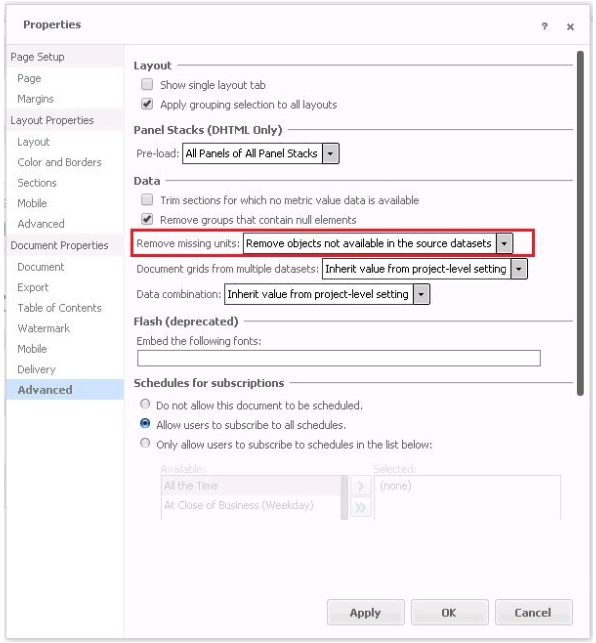
Note: If the project has set to remove missing unit, user can choose inherit value from project-level setting in the document level as well.
5)Edit the report to delete the metric Units Sold/(Unit Sold+End on hand) and save the report.
6)Run the saved document in step 4 again, you will find the metric Units Sold/(Unit Sold+End on hand)
in the field group displayed as static text.
CAUSE:
This is a known defect in releases earlier than Strategy 11.0.
ACTION:
This issue has been fixed in Strategy 11.0. Upgrade to Strategy 11.0 or above and set the Data Engine Version=11 to take advantage of the fix.
The internal reference numbers for this article are KB442258 and DE93995.
