Starting with the release of Strategy ONE (March 2024), dossiers are also known as dashboards.
SYMPTOM:
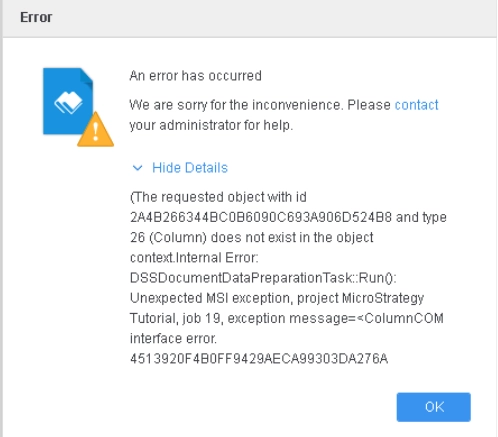
When "Data Engine Version" set to 11, if a user tries to update a Data Import cube with multiple tables, and deletes a table that has at least one derived geo role, when trying to update dataset, an error may pop up, preventing user to update the Data Import cube.
For more details on enabling "Data Engine Version" setting, refer to Change Data Engine Version.
STEPS TO REPRODUCE:
1. Use Strategy Tutorial Project to create “New Dossier” and add New Data.
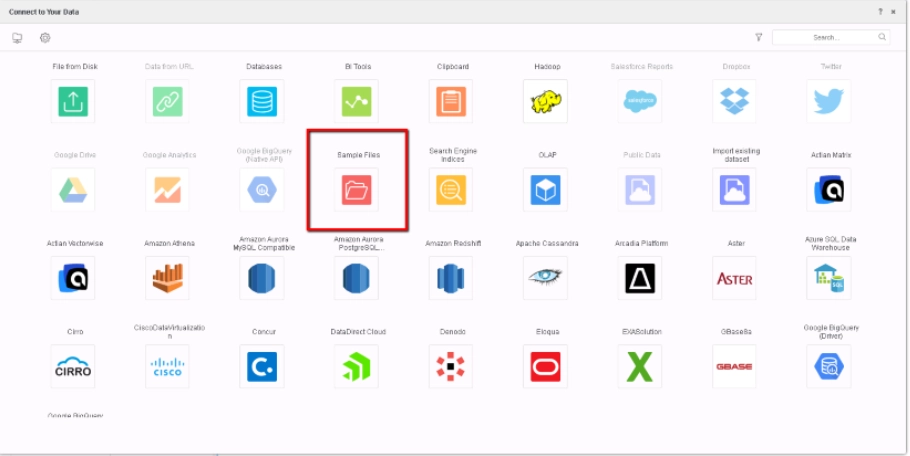
2. Choose “Sample Files”.
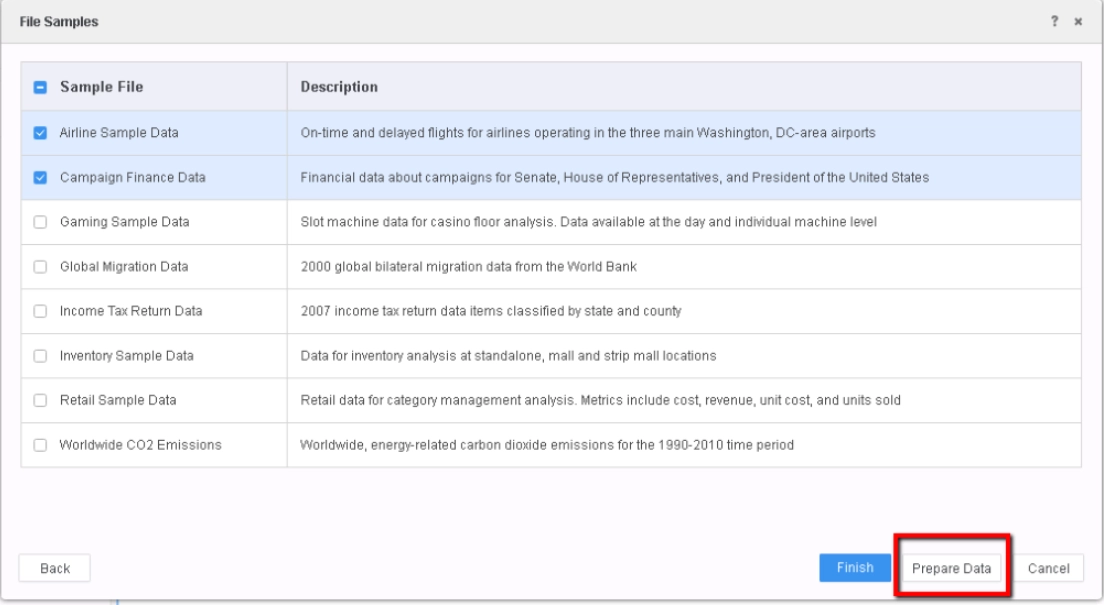
3. Pick “Airline Sample Data“ and ”Campaign Finance Data”, click to “Prepare Data”.
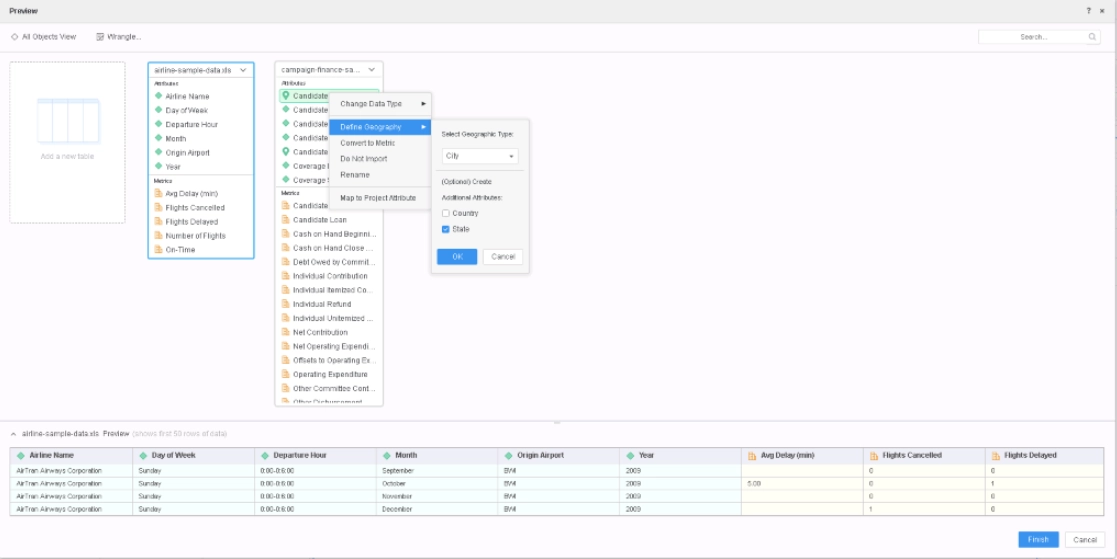
4. On Preview page, define derived geo attribute on "Campaign Finance Data“: Right Mouse Click attribute "Candidate City", choose “Define Geography”, check option "State" in “Additional Attributes”, click “OK”, and click “Finish” to publish the cube.
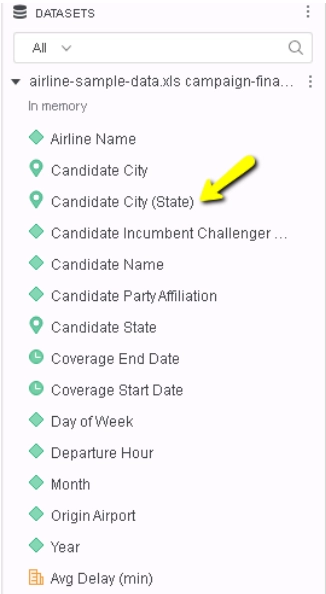
5. Notice the derived attribute Candidate City (State) is created.
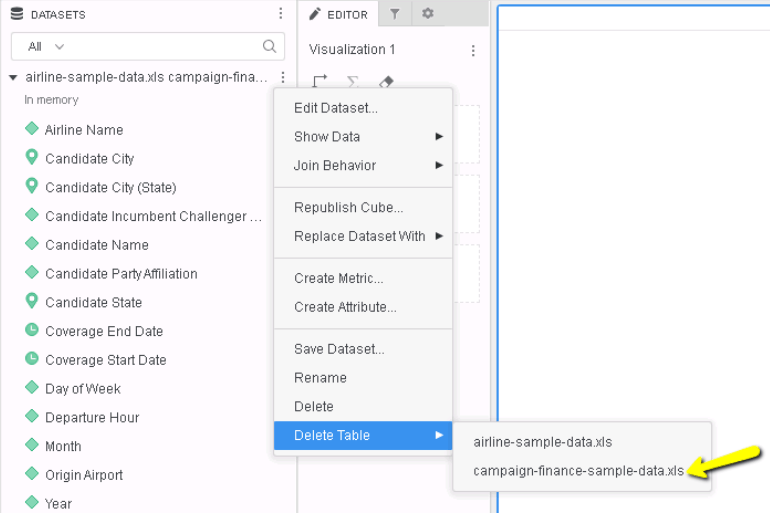
6. Delete the table, the error will pop up:
CAUSE:
There are two geo role attributes, the existing city attribute and derived geo role attributes which is defined on the city attribute while data preparation. Each geo role attribute includes additional geo columns. When we delete the table and try to unset the geo role, the additional geo columns are not deleted in the previous implementation.
ACTION/RESOLUTION:
This defect is addressed in Strategy 11.1 or above.
Strategy reference numbers for this technical note are KB442260 and DE114739.
