Starting with the release of Strategy ONE (March 2024), dossiers are also known as dashboards.
SYMPTOM
The issue may happen when there are multiple datasets and at least one data set contains duplicated attribute sets. It only happens when there is a derived attribute added to the grid, and the derived attribute has a parent attribute in the dataset.
When the issue appears, the grid shows System Error 0x80004005 (2147500037): --- Unspecified error
STEPS TO REPRODUCE
1. In Strategy Web, create a New Dossier in any project with Data Engine Version is set to 11.
2. Add New Data with Clipboard.
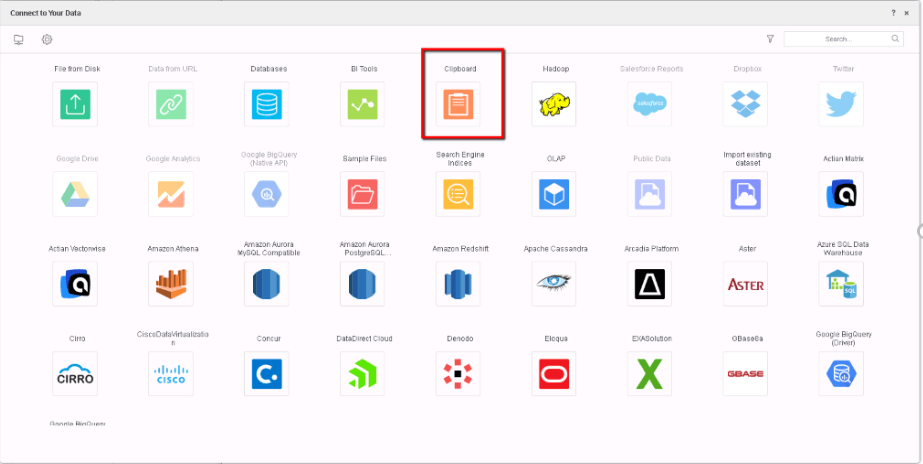
3. Manually create a dataset with 3 attributes(A,A1, B) and a metric M.
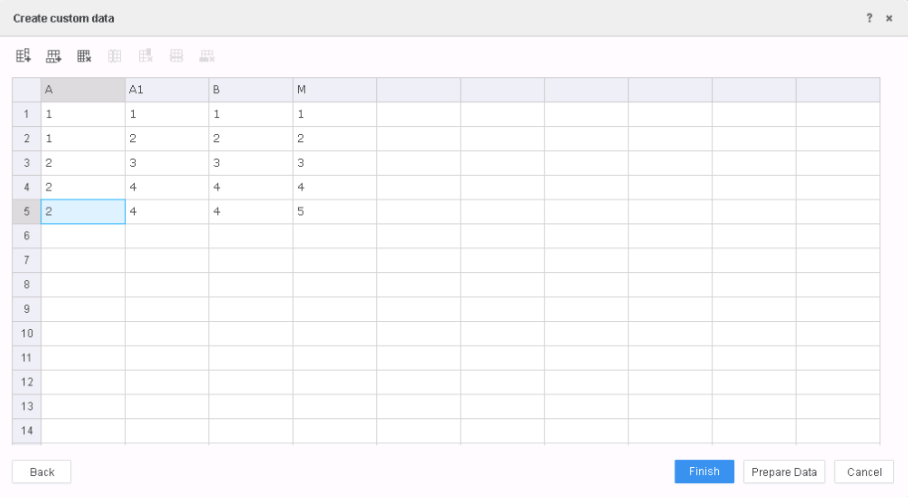
4. The trick in this dataset is that there are duplicates in A, A1, B tuple (row 4 and 5).
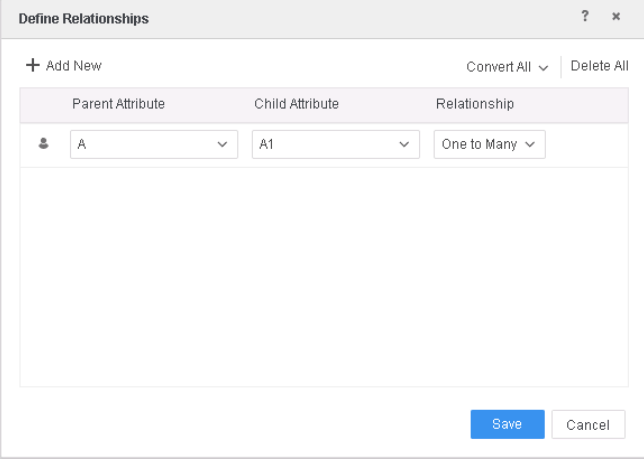
5. Prepare data, make sure A,A1, B are attributes; define relationships between A and A1 as One to Many.
6. Save and Update Dataset.
7. Choose any table and create another dataset into the dossier, since this issue only manifest when there are multiple datasets. Let’s say we are using the airline sample dataset which was shipped with Strategy product.
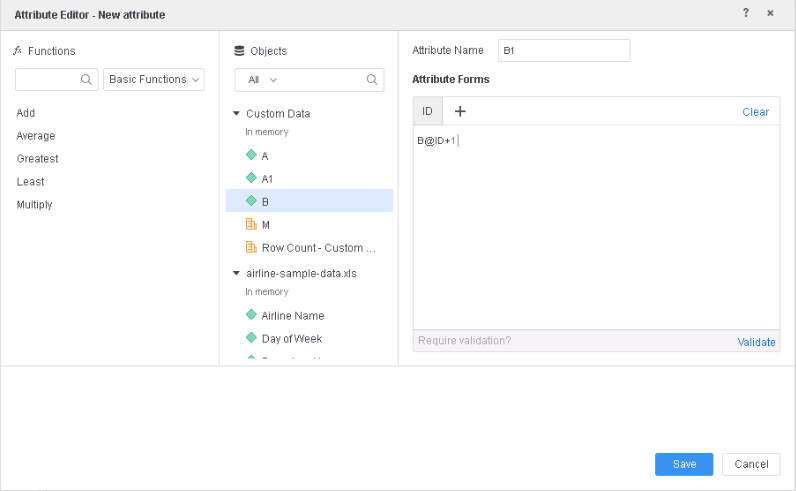
8. Create a derived attribute B1 as (B@ID+1) and a new metric as Avg(M){~+} with metric option Aggregate from Base, Subtotals from Base both checked.
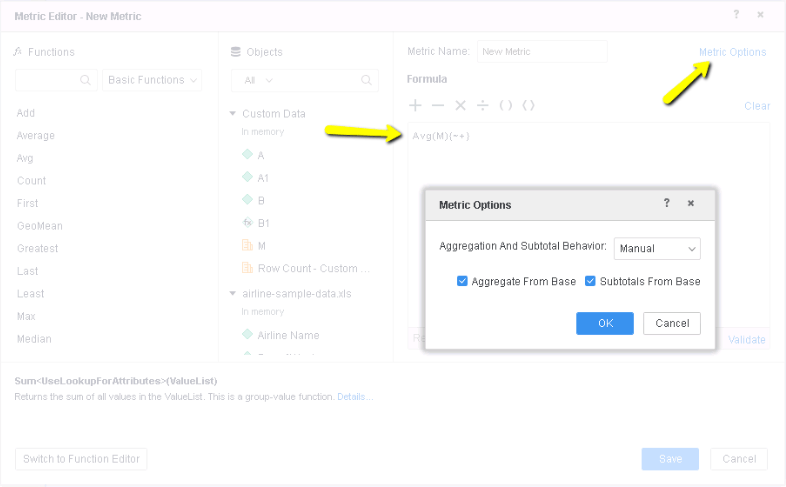
9. Add B1 and new metric to the grid, the grid will show “System Error 0x80004005 (2147500037): --- Unspecified error”
Query Details are the following:
select [A1]@[A1],
[B]@[B],
[[F_Custom DataA0E225111678E834C1E152583D918236].M] as [M]
from Custom Data
with Table Join Tree: [F_Custom DataA0E225111678E834C1E152583D918236]
to Ex5_tempcube0
CAUSE
When there are duplicate attribute sets, our engine creates an index to identify each attribute set. When creating report with multiple datasets, our engine used to select the lowest level in the attribute hierarchy and the fact without aggregation function. However sometimes the aggregation doesn’t work so there is a checking mechanism that prevents the result to be calculated, thus showing the unspecific system error.
ACTION
This issue is fixed in Strategy 11.1 and above.
If you are upgrading to Strategy 11.1 or above, to pick up the fix, enable project level setting "Data Engine Version" to 11. This property can only be enabled through Workstation. For more details on enabling the setting, refer to Change Data Engine Version.
Now, the necessary parent attribute (in blue) is added into the query to make the visualization return correct data and not error out.
select [A]@[A],
[A1]@[A1],
[B]@[B],
[[F_Custom DataA0E225111678E834C1E152583D918236].M] as [M]
from Custom Data
with Table Join Tree: [F_Custom DataA0E225111678E834C1E152583D918236]
to Ex5_tempcube0
The Strategy Internal Reference Number for the issue discussed in this technical note is KB442265 and DE116783.
