Starting with the release of Strategy ONE (March 2024), dossiers are also known as dashboards.
SUMMARY:
When performing Integrity manager comparison test on document/dossier using Auto-text, Integrity manager result may report data failure between the base and target reports if base and target tests results into different Auto-text resolution.
STEPS TO REPRODUCE:
1. Create a document or dossier
2. Insert an Auto-text, that can change between executions:
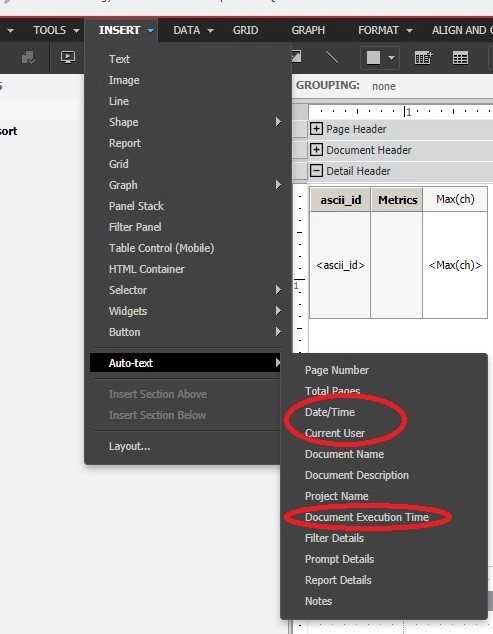
Here are all the available Auto-text macros available to be used in Strategy dashboards/dossiers.
CAUSE:
Running the above Document may produce different data depending on which Auto-text is used. This is an expected behavior. If an Auto-text is used in, it may generate different data and can report a data mismatch between base and target results in Integrity Manager comparison test.
ACTION:
Integrity manager may report data mismatch between base and target reports for document/dossier with Auto-text during integrity manager comparison test. However, this failure can be ignored if the user confirms it's caused by an Auto-text usage.
KB442291
