SYMPTOM:
Users may need to delete several certain rows of data from an intelligence cube, but it is not possible to do so for a cube created by data import on Strategy Web 10.11.
STEPS TO REPRODUCE:
1. Login to Strategy Web, create a cube with the function of Data Import
2. Right mouse click on the cube and choose Schedule
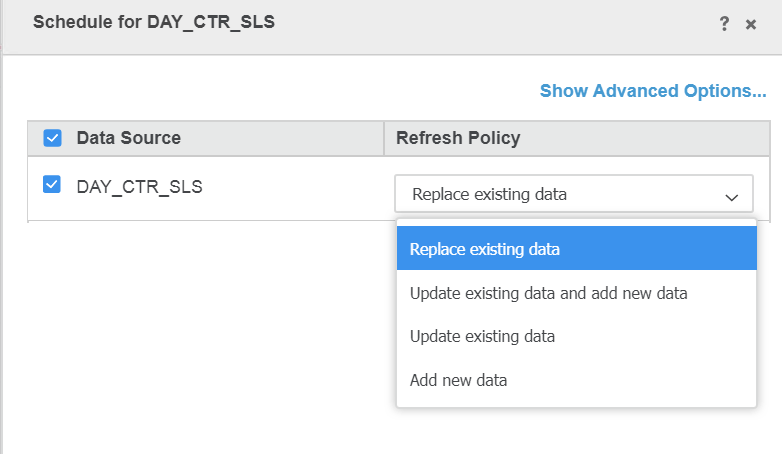
3. There are options for Replace existing data, update existing data or add new data, but there is no option to delete data
CAUSE:
This is a known limitation of Strategy Web 10.11
ACTION:
Currently this issue is still being reviewed for feasibility by our Technology team and it is not scoped for any upcoming scheduled Strategy release.
WORKAROUND:
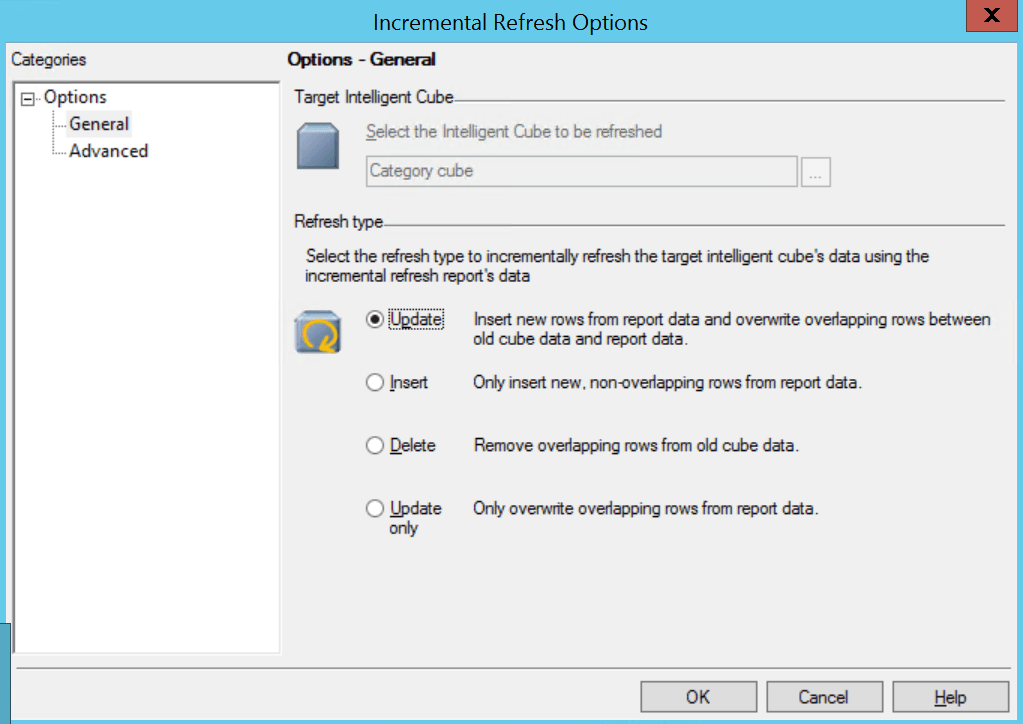
Create a normal intelligence cube from Strategy Developer and delete data with the following steps:
KB442311
