Starting with the release of Strategy ONE (March 2024), dossiers are also known as dashboards.
SYMPTOM
In Strategy 11.0 and earlier releases, Outer Join setting for Metrics does not work when there are more than 1 visualizations containing same attributes, metrics, filters but different metric outer join settings when using Live Intelligent Cube as dataset.
STEPS TO REPRODUCE:
1. In Web, create a new Dossier and click on New Data.
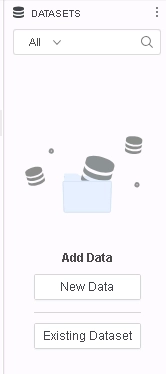
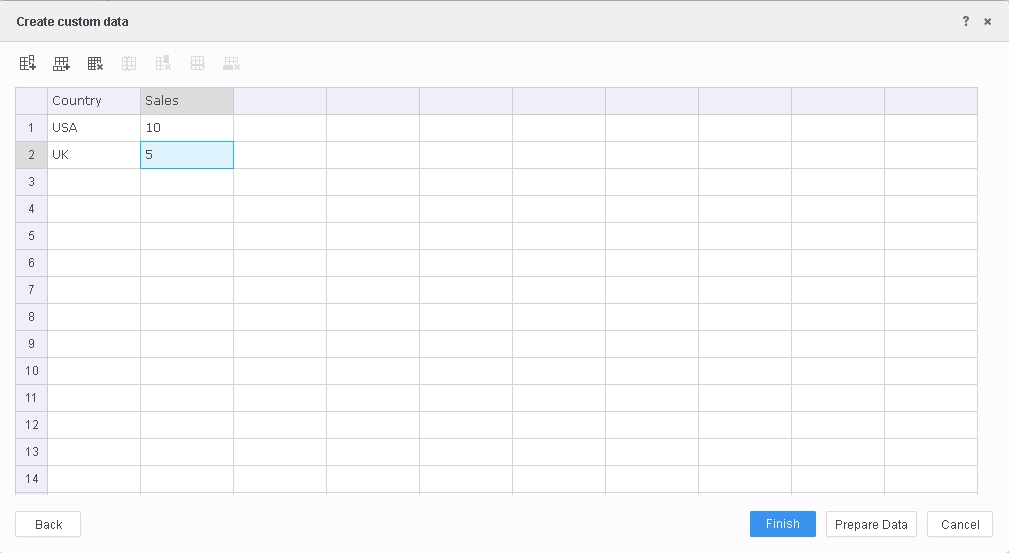
2. Click Clipboard and create a table like this and click Prepare Data.
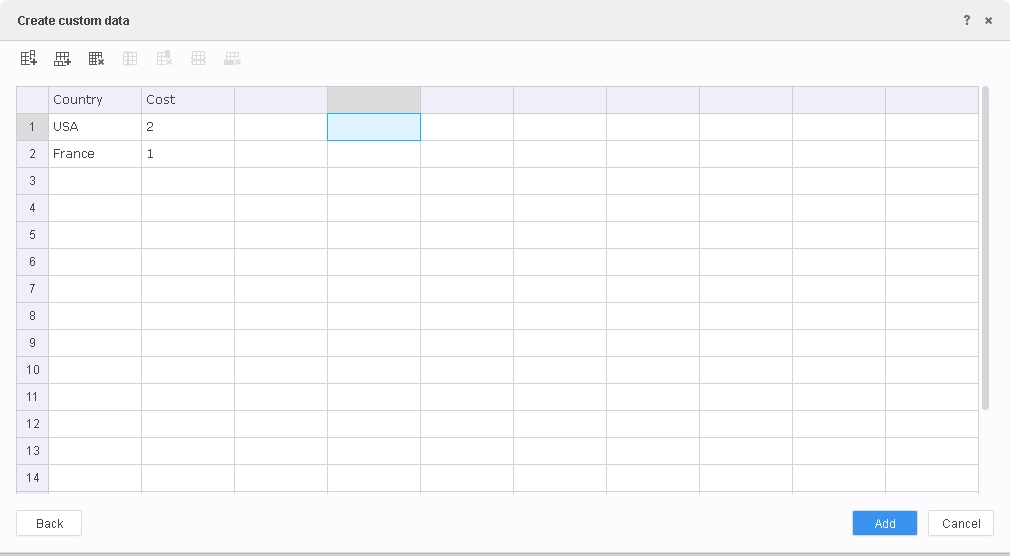
3. Click "Add a new table" and click Clipboard and create a table like this and click Add and then click Finish.
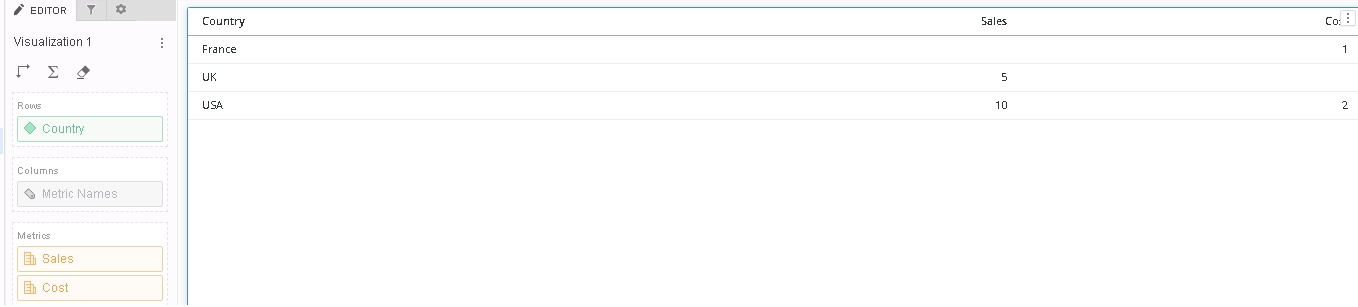
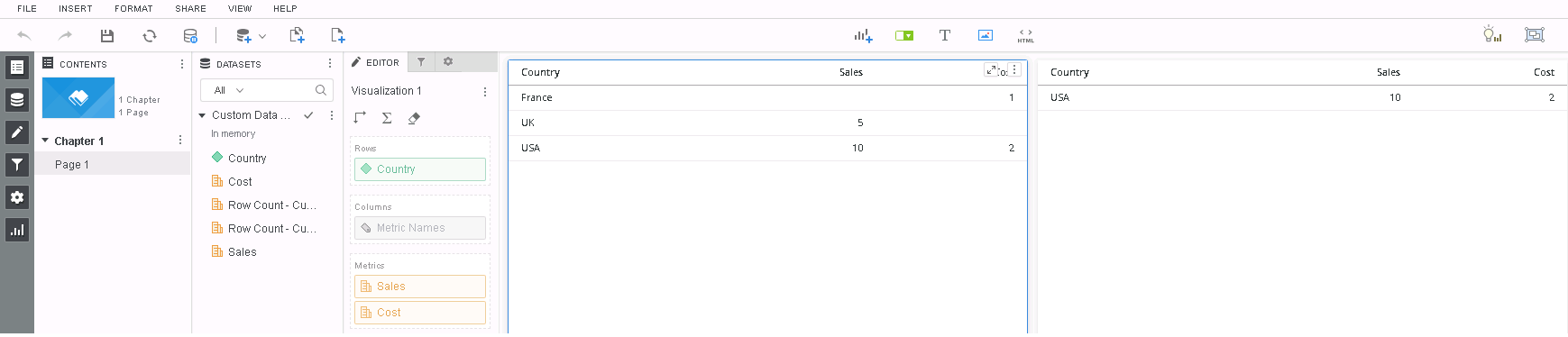
4. Add Country attribute, Sales metric and Cost metric to visualization and note that the metrics are outer joined.
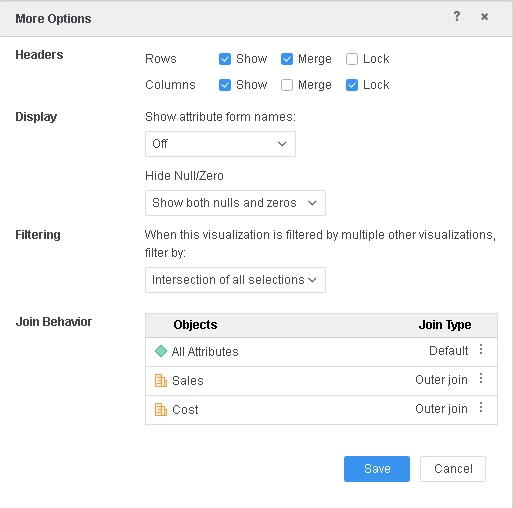
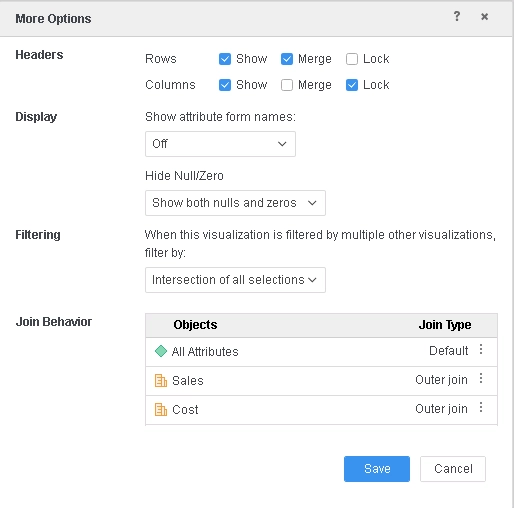
5. Under Metric Options, also verify that metrics are indeed specified to be outer joined.
Query Details also reflects the metric outer joined correctly (in blue below).
*********   Visualization Summary Start  **********
Time Spent: 0.036 sec(s)
Query Execution Start Time: 2/13/2019 5:27:10 PM
Query Execution End Time: 2/13/2019 5:27:10 PM
Note: The total 'Time Spent' above may be greater than the summation of the individual step execution times below.There are preparation tasks for each step that are not individually measured.
*********   Visualization Summary End    *********

*************   Individual Step Start   ************
Number of Rows Returned: 3
Time Spent: 0.009 sec(s)
Query Execution Start Time: 2/13/2019 5:27:10 PM
Query Execution End Time: 2/13/2019 5:27:10 PM
Tables Accessed:Table1	[F_Custom DataF9F6C85E168E8F79CDB991046E598752]:	Country, 	Row Count - Custom Data, Sales, 	FACT_TABLE	Table2	[F_Custom Data (2)F9F6C85E168E8F87243180096E613645]:	Country, 	Cost, Row Count - Custom Data (2), 	FACT_TABLE

select	[Country]@[Country],
[[F_Custom DataF9F6C85E168E8F79CDB991046E598752].Sales] as [Sales]
from	Custom Data Custom Data (2) (2 tables)
with Table Join Tree: 	[F_Custom DataF9F6C85E168E8F79CDB991046E598752]
Save As TempTable3

select	[Country]@[Country],
[[F_Custom Data (2)F9F6C85E168E8F87243180096E613645].Cost] as [Cost]
from	Custom Data Custom Data (2) (2 tables)
with Table Join Tree: 	[F_Custom Data (2)F9F6C85E168E8F87243180096E613645]
Save As TempTable4

select	[Country]@[Country],
[TempTable3.Sales] as [Sales],
[TempTable4.Cost] as [Cost]
from	Custom Data Custom Data (2) (2 tables)
with Table Join Tree: 	TempTable3
 OuterJoin TempTable4 with output level Tuple([Country]@[Country])
************   Individual Step End     ************
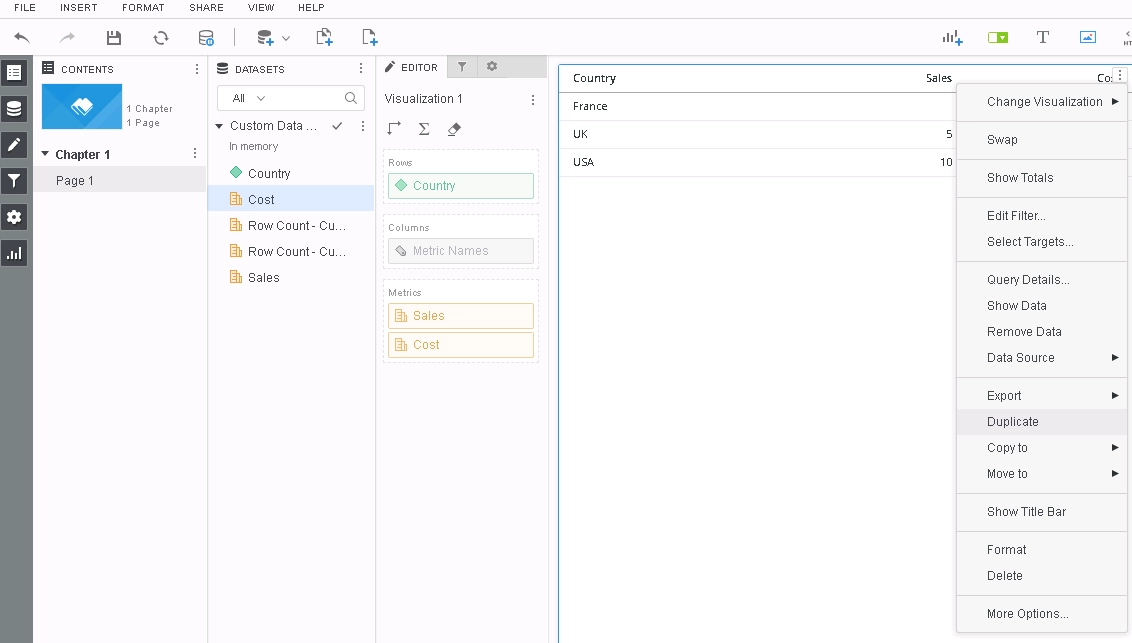
7. On the duplicated visualization, go to Metric Options and change outer join for both the metrics to be inner join.
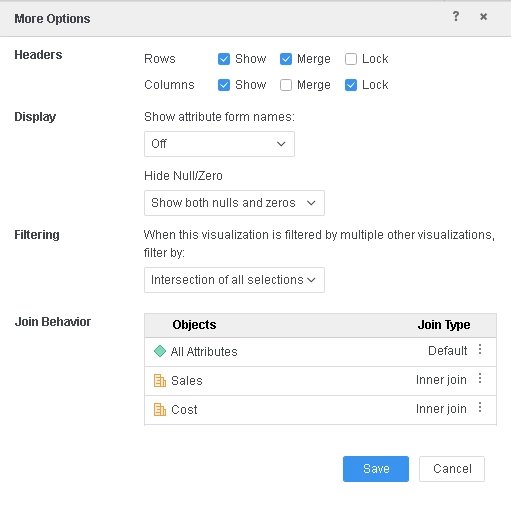
8. Click Save and note that the metrics are still outer joined.
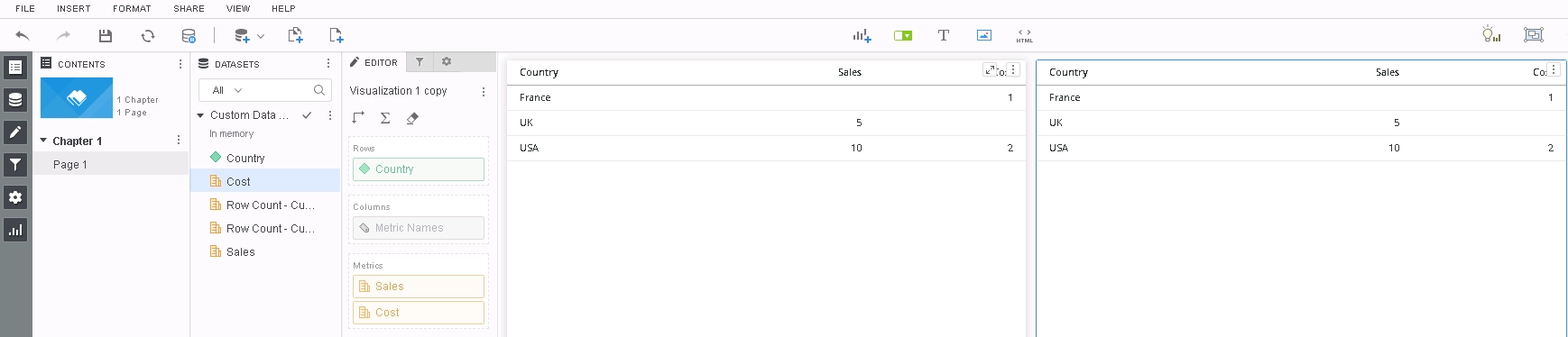
9. Go to Metric Options again and note that the metric join still says Outer Join.
CAUSE
This is a known issue in Strategy 10.11 and earlier releases.
ACTION
This issue has been addressed in Strategy 11.0.
If you are upgrading to Strategy 11.0 or above, to pick up the fix, enable project level setting "Data Engine Version" to 11. This property can only be enabled through Workstation. For more details on enabling the setting, refer to Change Data Engine Version.
Now, the metric join settings are applied to each visualization as specified by its own Metric Options.
The Strategy Internal Reference Number for the issue discussed in this technical note is KB442383 and DE86796.
