EducationSoftwareStrategy.com
StrategyCommunity

Knowledge Base

Product

Community

Knowledge Base

TopicsBrowse ArticlesDeveloper Zone

Product

Download SoftwareProduct DocumentationSecurity Hub

Education

Tutorial VideosSolution GalleryEducation courses

Community

GuidelinesGrandmastersEvents
x_social-icon_white.svglinkedin_social-icon_white.svg
Strategy logoCommunity

© Strategy Inc. All Rights Reserved.

LegalTerms of UsePrivacy Policy
  1. Home
  2. Topics

KB442386: “The server time zone value ‘EDT’ is unrecognized or represents more than one time zone.” error appears with MySQL JDBC Driver in MicroStrategy 10.4.x and above


Community Admin

• Strategy


This issue has been classified as a defect by MicroStrategy. The impact is limited to MicroStrategy MicroStrategy 10.4.x and above using MySQL JDBC Driver. A solution for this issue is available in current releases.

SYMPTOM:
 
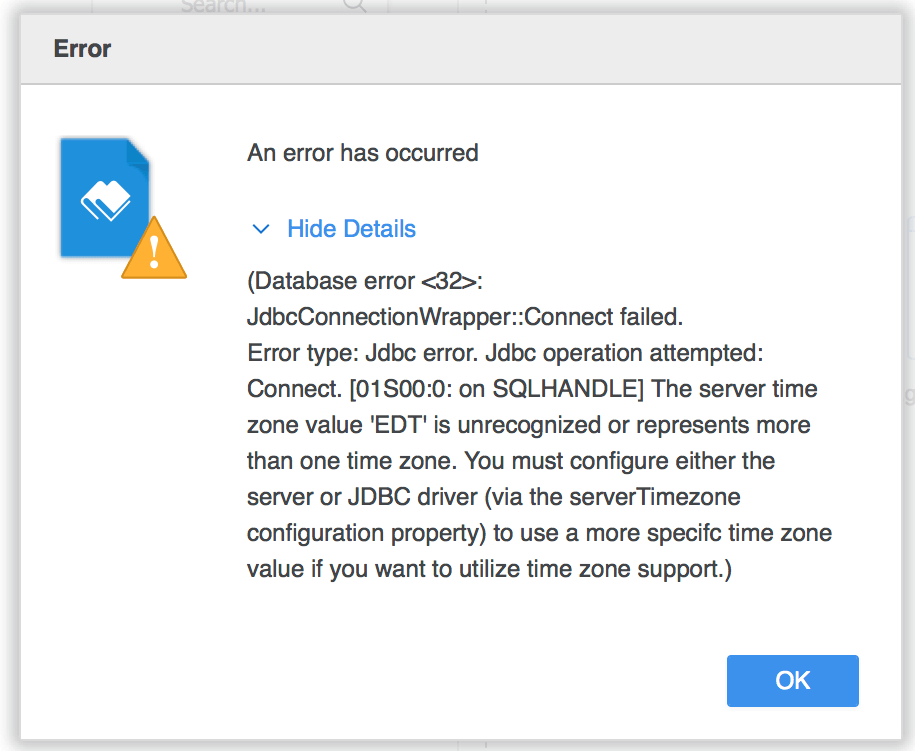
When importing data from a MySQL database with MySQL JDBC Driver, “The server time zone value ‘EDT’ is unrecognized or represents more than one time zone.” error message appear as shown below: 
ka04W000000OcRxQAK_0EM44000000RV3b.png

 
The server time zone value ‘EDT’ is unrecognized or represents more than one time zone. You must configure either the server or JDBC driver (via the serverTimeZone configuration property) to use a more specific time zone value if you want to utilize time zone support.


CAUSE:
 
This error is thrown by MySQL JDBC Driver.
MySQL database server is configured to a time zone like, EDT, PDT, CEST, etc. These time zone values are not recognizable since JAVA 8 while Strategy uses JAVA 8 since Strategy 10.4.x.
 
 
ACTION:
 
This error can be avoided by adding serverTimezone=UTC in the connection string to ignore the server time zone in client side.
Steps to add serverTimezone=UTC in MySQL JDBC connection string: 
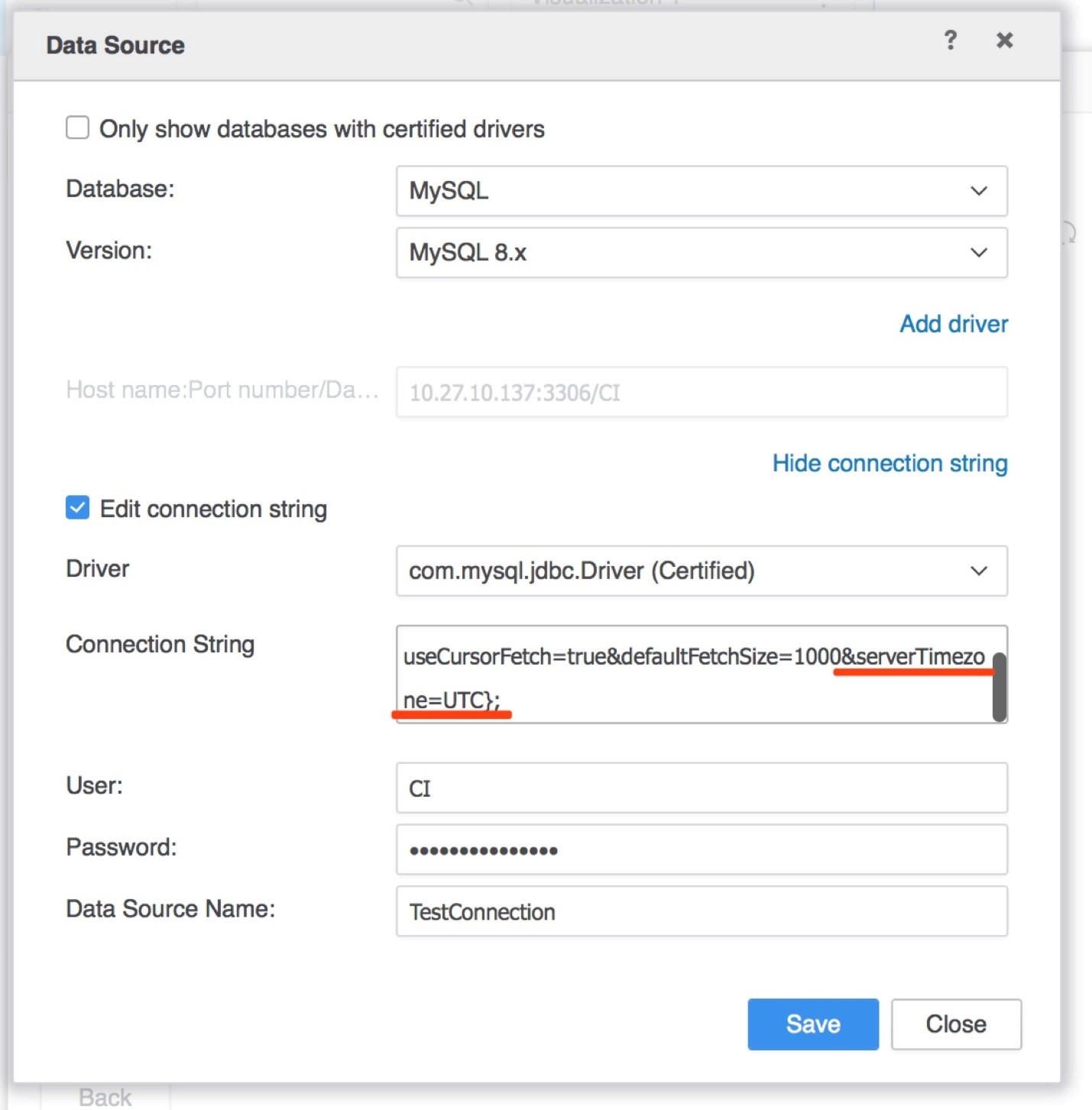
  1. When creating or editing a MySQL connection, click “Show connection string” link to show the connection string editor.
  2. Check “Edit connection string” checkbox to make the Connection String editable.
  3. Before changing the connection string, make sure the Driver is “com.mysql.jdbc.Driver (Certified)”. The serverTimezone property only works with this driver.
  4. Add ”&serverTimezone=UTC” before the closing brace.
  5. Save the configurations as shown below:
ka04W000000OcRxQAK_0EM44000000RV3W.jpeg


Further readings:
 
Stackoverflow discussions: https://stackoverflow.com/questions/51530342/error-saying-server-time-zone-value-edt-is-unrecognized-when-trying-to-ma
A bug about this issue in MySQL BugDB: https://bugs.mysql.com/bug.php?id=85816
 
Article Reference Number: KB442386


Comment

0 comments

Details

Knowledge Article

Published:

December 14, 2018

Last Updated:

December 14, 2018