EducationSoftwareStrategy.com
StrategyCommunity

Knowledge Base

Product

Community

Knowledge Base

TopicsBrowse ArticlesDeveloper Zone

Product

Download SoftwareProduct DocumentationSecurity Hub

Education

Tutorial VideosSolution GalleryEducation courses

Community

GuidelinesGrandmastersEvents
x_social-icon_white.svglinkedin_social-icon_white.svg
Strategy logoCommunity

© Strategy Inc. All Rights Reserved.

LegalTerms of UsePrivacy Policy
  1. Home
  2. Topics

KB44246: ESRI Map not showing any data when selecting a high number of elements to be displayed in MicroStrategy Web 9.3.x


Community Admin

• Strategy


This knowledge base article describes the need to correctly configure proxy.conf / proxy.jsp when using ArcGIS ESRI on-premise implementation with a high number of area map attributes.

DESCRIPTION
 
Users notice that no data is displayed on an ESRI Map when running in Flash or Interactive mode and having selected a high number of elements from a selector that targets the maps' dataset. It seems only certain amount of elements can be displayed at the same time.
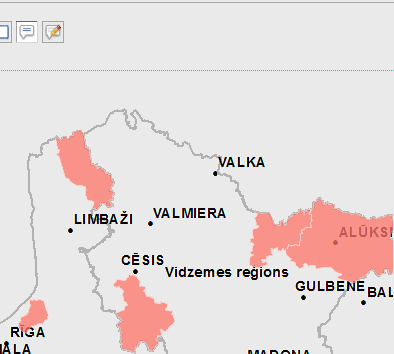
 

  • The following image shows the ESRI map with only some data elements selected for display on the Map:
ka04W000000OgdnQAC_0EM440000002GaQ.png
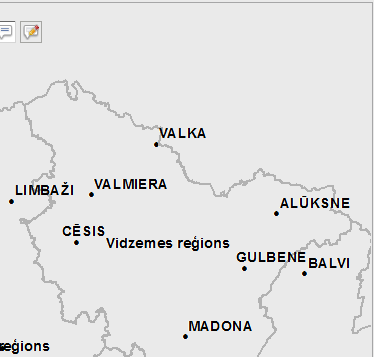
  • The following screenshot shows the ESRI map when all elements are selected for display:
ka04W000000OgdnQAC_0EM440000002GaP.png

CAUSE
One possible cause for this issue is incomplete configuration of the ESRI plugin configuration file proxy.config (ASP) or proxy.jsp (J2EE). If your server is not in the list, you need to modify the proxy file to register your local ArcGIS Server.
 
ACTION
Verify that your server is properly configured in the proxy.conf / proxy.jsp file. Refer to Strategy GIS Integration Help for more details.


Comment

0 comments

Details

Knowledge Article

Published:

June 13, 2017

Last Updated:

June 13, 2017