[PROBLEM DESCRIPTION]
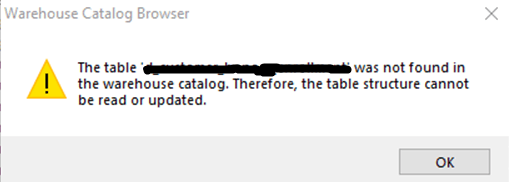
Table structure of Amazon Redshift Late Binding Views cannot be read within Warehouse Catalog before or after adding the view to the project. However, sample data can be viewed.
[STEPS TO REPRODUCE]
[CAUSE]
This issue is a known defect in Strategy versions 10.11 and below. The default Amazon Redshift column read SQL does not work with Late Binding Views.
[ACTION]
The Amazon Redshift default read SQL was updated in Strategy versions 11.0 and 2019 to work with Late Binding Views.
[WORKAROUND]
Update your column read SQL for Amazon Redshift by opening Warehouse Catalog, selecting your Database Instance from the drop down, and selecting options. Then go to “Read Settings” and hit the “Settings” button.
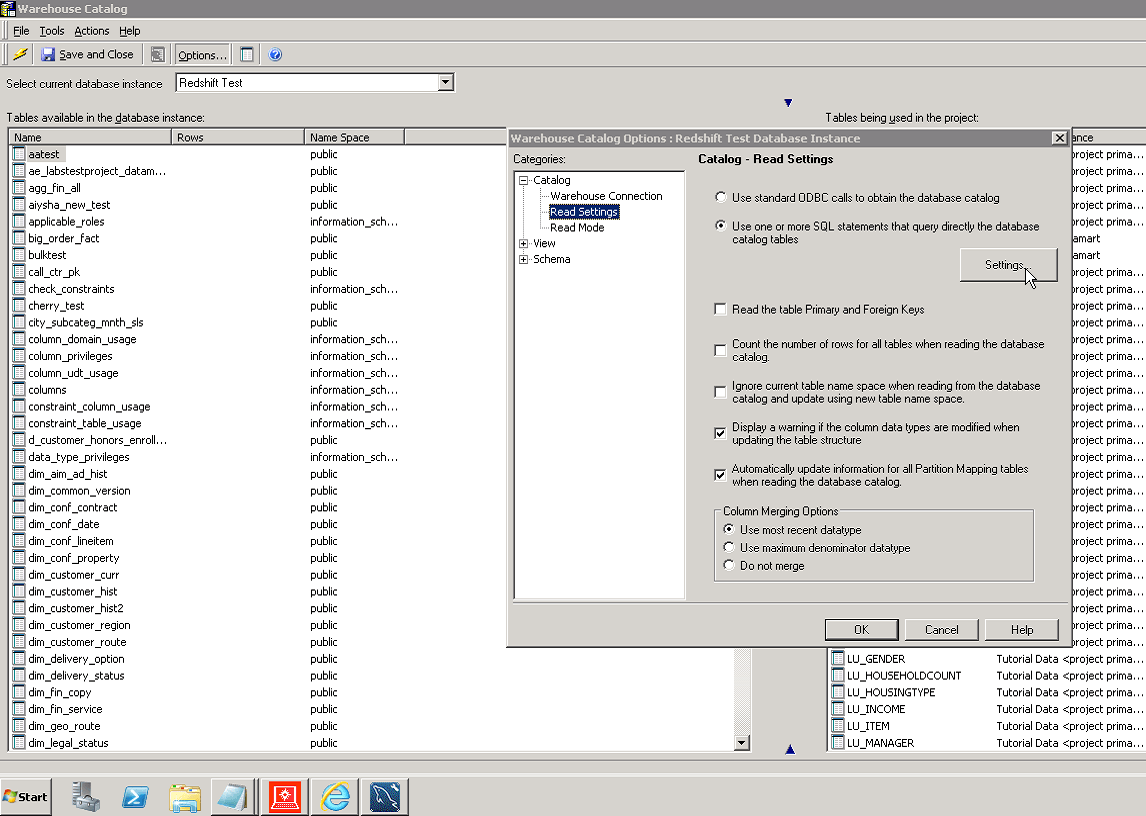
This will open up the read SQL for the tables/views and columns. Paste the following SQL in your column (bottom) text box to fix the issue:
SELECT DISTINCT table_schema NAME_SPACE, table_name TAB_NAME, column_name COL_NAME, data_type DATA_TYPE, character_maximum_length DATA_LEN, numeric_precision DATA_PREC, numeric_scale DATA_SCALE FROM SVV_COLUMNS WHERE TABLE_NAME in (#TABLE_LIST#) ORDER BY 1, 2,3
KB442500
